
For many HR leaders, a modern human resource information system (HRIS) connects strategy to execution. It helps teams manage people data accurately, support managers consistently, and stay aligned as the business grows.
Yet, nearly six in 10 employers admit they underutilize their HRIS platform. Instead of working from connected, reliable data, teams rely on manual workarounds, disconnected reports, and outdated information to make workforce decisions. As organizations scale, that lack of visibility can slow approvals and make long-term planning harder than it needs to be.
Choosing the right HRIS matters. But with so many features to evaluate, vendors to compare, and stakeholders to keep in mind, it’s easy to focus on what sounds impressive instead of what will actually support your workflows.
This HRIS requirements checklist walks you through the must-have features to prioritize, why they matter in day-to-day HR operations, and what to look for when evaluating your options.
<<Download and print this checklist to start assessing your HRIS needs.>>
Key insights
- An HRIS requirements checklist helps you focus on outcomes first. This ensures you choose a system that supports your real workflows, not just a long list of features.
- Core capabilities like employee data management, performance, payroll integration, and analytics form the foundation of an effective HR platform.
- Advanced features such as automation, AI tools, integrations, and self-service reduce manual work and improve decision-making across HR and leadership.
- Security, scalability, and user training play a major role in long-term adoption and return on investment.
Why do you need an HRIS?
An HRIS allows HR teams to standardize processes across locations, maintain accurate records as headcount grows, and give leaders visibility into workforce trends. Instead of relying on manual updates or disconnected systems, teams can coordinate hiring, performance cycles, compensation reviews, and reporting from one place.
As Richard D. Johnson, Director of the HRIS Program at the University at Albany School of Business, explains, “HR technology has already been instrumental in transforming the field of HR, and changes on the horizon have the potential for an even greater impact in the future.”
<<Download and print this checklist to start assessing your HRIS needs.>>
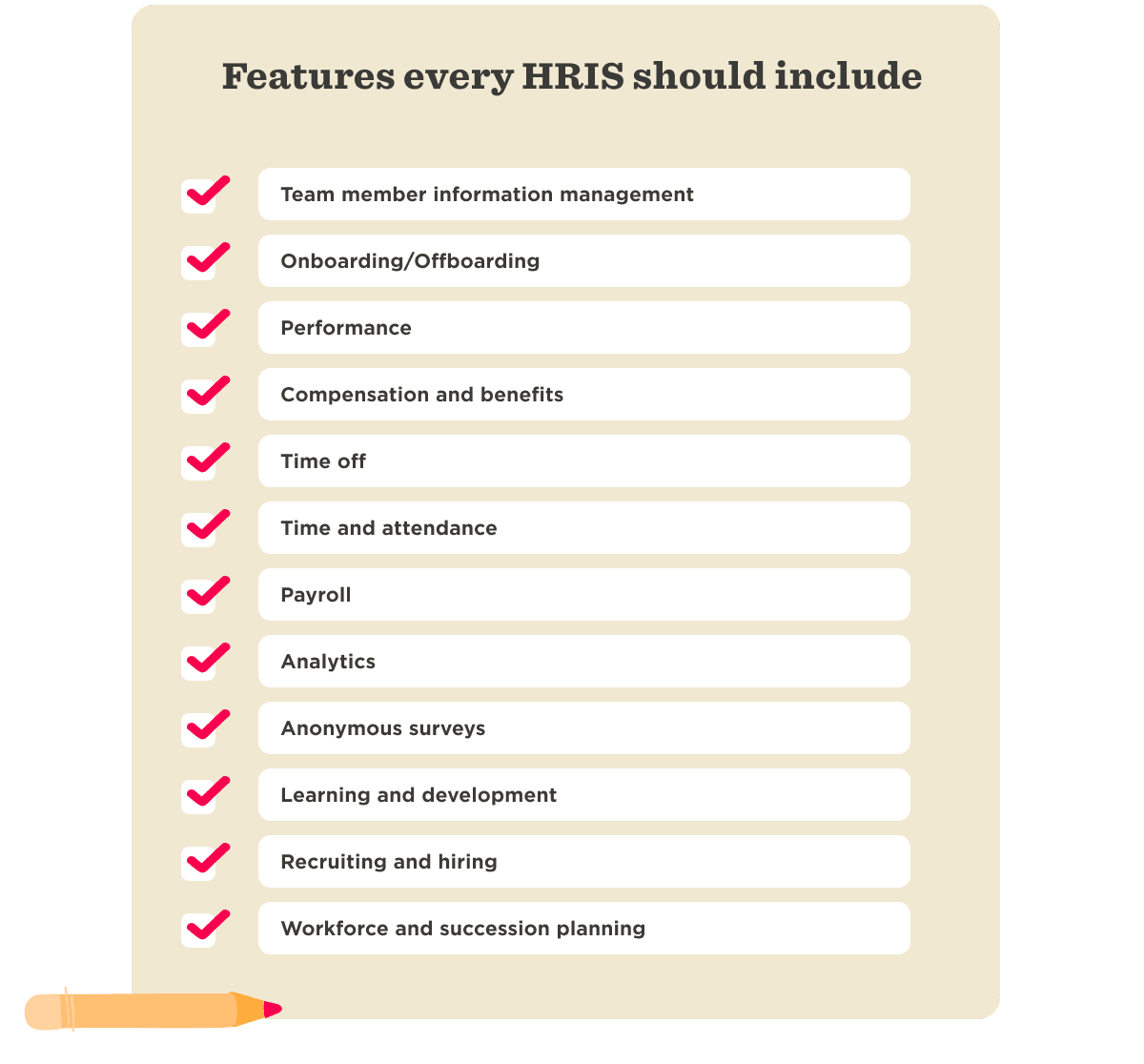
HRIS features to consider
Many HR teams struggle to realize the full value of their HR technology. In fact, only 24 percent of HR leaders say their organizations maximize their HR tech investment. Taking time to identify which capabilities matter most for your organization helps you choose an HRIS that improves adoption, supports managers consistently, and scales with your business.
Employee information management
Why is it important?
Keeping track of your people’s information is more than record-keeping: it’s the foundation for effective HR operations, compliance, and decision-making. Yet 42 percent of new team members say they struggle to find information because it sits across disconnected systems. With the right platform, you can ensure every team member’s journey is tracked clearly and accurately.
What should I look for?
- Centralized records: Stores personal details, job history, compensation data, and performance information in one system
- Flexible data segmentation: Filters and reports information by department, location, role, or employment status
- Searchable document management: Provides access to contracts, policy acknowledgments, and compliance files
- Automated data workflows: Triggers updates, approvals, and reminders when information changes
- Reporting and analytics: Tracks trends such as headcount growth, turnover, or absenteeism
What’s my to-do list?
- Audit existing records and standardize key data fields such as job levels, locations, and reporting lines
- Map where team information currently lives across tools or spreadsheets
- Define ownership for maintaining data accuracy across HR, payroll, and managers
- Identify compliance requirements for storing sensitive workforce data
- Prioritize which workforce insights leaders need before selecting reporting capabilities

Onboarding/offboarding
Why is it important?
The way you bring people into and out of the business shapes their experience and influences how they view your company. A thoughtful onboarding process helps new hires settle in faster, feel supported, and start contributing sooner. And a well-managed offboarding process helps teams handle transitions smoothly, protect knowledge, and leave people with a positive final impression.
That impact is measurable. Formal onboarding programs increase retention by 50 percent and productivity by 62 percent. With the right HRIS, teams can automate tasks, keep workflows consistent, and make sure nothing slips through the cracks at key moments throughout the team member lifecycle.
What should I look for?
- Automated onboarding: Assigns tasks, sends reminders, and tracks completion across departments
- Role and location-based onboarding paths: Customizes steps based on job requirements or regional regulations
- Integrated document signing: Streamlines collecting contracts, tax forms, and policy acknowledgments within one system
- Offboarding process tracking: Manages exit interviews, asset return, and status updates for departing employees
What’s my to-do list?
- Document each step in your current onboarding and offboarding journeys
- Gather required forms, training materials, and communication templates
- Identify handoffs between HR, IT, payroll, and hiring managers
- Define timelines for equipment setup, system access, and knowledge transfer
- Decide which onboarding milestones you will use to measure success
- Make a list of key offboarding steps and insights that need to be completed

Recommended For Further Reading
Performance
Why is it important?
Performance management helps you understand how your people are performing and where they need support to grow. When done well, it aligns individual development with company goals, strengthens engagement, and helps build a team that can keep learning and improving.
Using an HRIS to streamline performance assessments can help you identify trends or wider skills gaps and progress your productivity, retention, and engagement company-wide. With almost 50 percent of team members at all levels saying they want more feedback, an HRIS helps teams make feedback more consistent, more actionable, and easier to connect to growth.
What should I look for?
- Continuous feedback tools: Enables real-time input from managers and peers between formal review cycles
- Goal-setting and tracking functionality: Aligns individual objectives with team and company priorities
- Configurable performance review cycles: Runs quarterly, semiannual, or role-based review workflows
- One-on-one meeting support: Documents and tracks recurring manager conversations
- Performance analytics dashboards: Identifies trends across engagement, ratings, or development progress
What’s my to-do list?
- Define what strong performance looks like at different job levels
- Document your current review cadence and identify gaps in feedback frequency
- Align leaders on rating philosophy and promotion criteria
- Decide which performance milestones should trigger compensation or development discussions
- Prepare managers with training and performance review templates before launching new performance workflows
<<Download and print this checklist to start assessing your HRIS needs.>>
Compensation and benefits
Why is it important?
Former Xerox CEO Anne M. Mulcahy says it well: “Employees who believe that management is concerned about them as a whole person—not just an employee—are more productive, more satisfied, more fulfilled.” And the data backs this up: 83 percent of professionals feel loyal to their organization when they feel cared for.
How you manage compensation and benefits is a key part of that experience. Your HRIS can centralize compensation, benefits, and bonus data, then automatically sync updates across connected systems. That saves time, reduces manual errors, and helps HR and Finance stay aligned.
What should I look for?
- Centralized compensation management: Tracks salary changes, bonus plans, and equity data in one platform
- Self-service benefits portal: Allows people to enroll, update selections, and access plan details
- Approval workflows for pay changes: Routes promotions, adjustments, and bonuses through structured review steps
- Integration with payroll and finance systems: Syncs compensation updates automatically across tools
- Localization capabilities: Supports region-specific benefits plans and compliance requirements
What’s my to-do list?
- Map your current compensation review process and identify decision bottlenecks
- Document local and global eligibility rules for bonuses, equity, and benefits enrollment
- Audit which compensation data lives in payroll, spreadsheets, or finance tools
- Define governance for approving pay adjustments across departments
- Clarify communication plans so people understand how reward decisions work
Time off
Why is it important?
Time away from work plays an important role in building a healthy culture and helping people avoid fatigue, overwork, and burnout. In fact, 85 percent of people say taking time off makes them happier.
Your HRIS helps make that easier. When people can quickly check their leave balance and request time off through a simple approval flow, they’re more likely to take the rest they need. That supports wellbeing, reduces admin, and helps improve retention.
What should I look for?
- Automated leave request workflows: Routes approvals to managers with reminders and status tracking
- Payroll-integrated leave tracking: Syncs balances and unpaid leave impacts with compensation systems
- Customizable attendance policies: Configures accrual rules by role, tenure, or region
- Shared team calendars: Provides visibility into upcoming absences across departments
- Mobile self-service access: Allows people to submit and track requests from any device
What’s my to-do list?
- Review current leave policies and identify inconsistencies across locations or job types
- Define approval ownership and escalation paths for overlapping requests
- Map how teams currently update leave balances in payroll or finance systems
- Establish coverage planning guidelines for critical roles or peak periods
- Align leadership on how time-off usage connects to wellbeing and retention goals
Time and attendance
Why is it important?
Manual tracking methods can lead to missed hours, delayed approvals, or reporting gaps that affect both team members and finance teams. Yet in the United States, 38 percent of businesses still use manual systems like punch cards, paper timesheets, and time cards. This is exactly why more and more companies use time and attendance management features to keep track of people’s work hours.
What should I look for?
- Digital time capture: Allows team members to log hours through mobile, desktop, or kiosk options
- Payroll and finance integrations: Exports approved hours automatically based on pay cycles
- Approval and reminder workflows: Notifies managers and teammates about missing or pending submissions
- Overtime tracking and alerts: Flags threshold risks before payroll processing
- Attendance reporting dashboards: Analyzes patterns such as absenteeism, schedule adherence, or labor costs
What’s my to-do list?
- List your payroll cycles and if they differ by region
- Determine which payroll and administration systems require integrations
- Check requirements for part-time and contract workers
- Look for a platform with customizable reminders to complete hours and submit attendance
- Prioritize a software that can quickly generate useful reports and actionable analysis

Payroll
Why is it important?
Your company may have already migrated your payroll processes to an independent system. However, the best HRIS platform brings all of these under easy control by automating payments, calculations, and reminders, and even enabling self-service for your team members.
When payroll connects to key people data like compensation, promotions, benefits, and bonuses, your team can manage changes more efficiently and help ensure everyone gets paid correctly and on time.
What should I look for?
- Payroll integrations: Syncs compensation, benefits, and employment changes automatically
- Automated payroll data updates: Reflects promotions, salary adjustments, or leave changes in real time
- Self-service pay visibility: Allows people to access payslips, tax documents, and payment details
- Multi-cycle payroll support: Handles different pay schedules across locations or employment types
- Error detection and reconciliation: Flags discrepancies before payroll processing
What’s my to-do list?
- Map current payroll workflows and identify where manual data transfers occur
- Align HR and finance teams on ownership for payroll data updates
- Review payroll calendars and deadlines across business units
- Define escalation processes for payroll discrepancies or late submissions

Analytics
Why is it important?
Data-driven HR teams make more consistent workforce decisions and demonstrate clearer business impact. 53 percent of HR professionals already feel HR tech has significantly impacted company culture. These deep HR analytics help leaders understand workforce trends, prioritize interventions, and measure whether HR initiatives deliver results.
What should I look for?
- Customizable reporting dashboards: Builds views tailored to leadership and HR needs
- Prebuilt HR metrics tracking: Monitors headcount, turnover, engagement, and performance indicators
- Attrition risk signals: Identifies patterns that may predict retention challenges
- Data segmentation: Analyzes workforce trends by role, location, or tenure
- Export and sharing functionality: Distributes insights easily across leadership teams
What’s my to-do list?
- Identify the workforce questions that matter most to leadership
- Review current reporting workflows and measure the time spent gathering data
- Set success metrics for key HR priorities like retention and hiring efficiency
- Define clear governance around access to sensitive workforce data
- Establish a regular cadence for reviewing analytics and supporting decisions
Anonymous surveys
Why is it important?
Almost 50 percent of team members say they feel pressure to withhold honest feedback when completing HR employee engagement surveys. Giving people an anonymous voice makes a big difference to your work environment, building trust and basing relationships on open communication, accountability, and feedback. Anonymous surveys offer people a space to be heard and provide invaluable insights into trends among your teams.
What should I look for?
- Survey functionality: Allow people to submit anonymous feedback without identifiable tracking
- Lifecycle-triggered survey workflows: Send pulse, onboarding, exit, or engagement surveys automatically
- Prebuilt survey template libraries: Launch standardized feedback programs quickly
- Sentiment and trend analysis tools: Identify patterns across teams, locations, or demographics
- Secure feedback reporting dashboards: Protect confidentiality while enabling leadership visibility
What’s my to-do list?
- Define the feedback topics that matter most, such as engagement, manager effectiveness, or wellbeing
- Review how survey insights currently translate into action plans
- Align leaders on accountability for responding to feedback themes
- Establish communication guidelines so employees understand how feedback drives change
- Create timelines for reviewing survey data and implementing improvements
Learning and development
Why is it important?
Learning and development (L&D) is essential for keeping your team engaged and prepared for future challenges. In fact, 39 percent of team members reported that role-specific skills training would be most beneficial to their development. Investing in your people’s education can increase job satisfaction, retention, motivation, confidence, and ultimately company performance.
What should I look for?
- Personalized learning path configuration: Assigns development journeys based on role or career goals
- Certification and skills tracking: Monitors completed courses, credentials, and training milestones
- Integration with learning management systems (LMS) platforms: Syncs learning content, participation data, and completion status
- Learning analytics dashboards: Measures training effectiveness and participation trends
- Development goal alignment tools: Connects learning activities with performance or promotion plans
What’s my to-do list?
- Identify priority skill gaps based on business strategy and workforce planning needs
- Determine mandatory compliance training requirements by region or function
- Map existing training programs and ownership across departments
- Define success metrics such as reduced ramp time or improved internal mobility
- Prepare managers to support development conversations and track progress
Recruiting and hiring
Why is it important?
Up to 38 percent of employers list retention as a top metric for measuring the effectiveness of their hiring process. Hiring efficiency directly affects growth and team performance. Streamlined recruiting workflows help organizations attract stronger candidates, improve collaboration between hiring managers and HR, and create more consistent candidate experiences.
What should I look for?
- Applicant tracking functionality: Manages candidate pipelines, resumes, and hiring stages in one place
- Job board and sourcing integrations: Posts roles across multiple channels from a single workflow
- Automated interview scheduling: Coordinates calendars and reduces manual back-and-forth
- Offer management: Generates, approves, and sends offers digitally
- Recruitment analytics dashboard: Tracks metrics such as time-to-hire, source effectiveness, and hiring funnel conversion
What’s my to-do list?
- Map each step in your current hiring journey from requisition to onboarding
- Identify bottlenecks that delay decision-making or candidate communication
- Define roles and responsibilities between recruiters, HR, and hiring managers
- Establish hiring success metrics, such as quality of hire or ramp-time improvement
- Prepare standardized interview and evaluation frameworks before implementing new tools
- Look for an HRIS with an applicant tracking system, automated interview scheduling, and configurable workflows
Workforce and succession planning
Why is it important?
Planning for workforce changes helps your organization stay resilient and ready—whether you’re scaling, restructuring, or navigating turnover. Yet, while 43 percent of HR leaders consider workforce planning a priority, they haven’t put a concrete plan in place to address evolving workplace demands.
What should I look for?
- Workforce forecasting: Models future headcount needs based on growth scenarios
- Skills and talent mapping functionality: Tracks capabilities across teams and identifies gaps
- Succession planning workflows: Designates successors and monitors readiness levels
- Visual organizational planning: Simulates structural changes and reporting lines
- Integrated performance and development data: Connects readiness insights with learning progress
What’s my to-do list?
- Document critical roles that present operational or leadership risk if vacated
- Assess current workforce strengths and emerging capability gaps
- Align leadership on internal mobility and succession philosophy
- Define planning horizons, such as annual workforce reviews or quarterly talent discussions
- Prepare communication strategies for structural or leadership changes
<<Download and print this checklist to start assessing your HRIS needs.>>
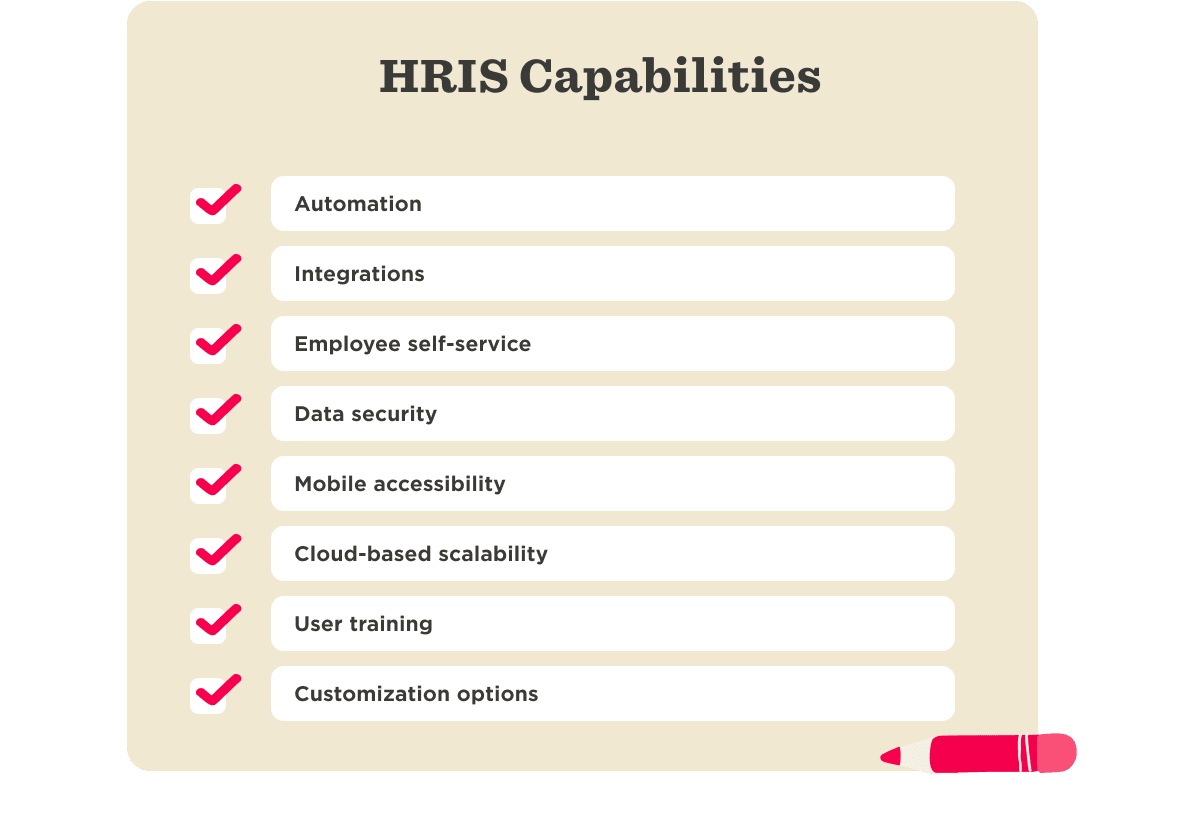
Other HRIS capabilities to consider
Start by identifying the features your team will use every day, such as performance tracking, payroll integrations, or time-off workflows. Then evaluate the broader capabilities the system offers.
AI tools
Why is it important?
AI in HR changes how teams interpret information. Instead of manually scanning survey responses, reviewing headcount spreadsheets, or piecing together performance data, AI can surface patterns in seconds. It can highlight attrition trends, flag compensation gaps, or summarize engagement feedback so you know where to focus.
What should I look for?
- Conversational workforce analytics: Answers natural-language questions with structured insights
- Automated sentiment analysis: Identifies themes across engagement or survey feedback
- Predictive workforce signals: Flags potential attrition risks or compensation gaps
- Explainable AI outputs: Shows data sources and reasoning behind recommendations
- Role-based AI access controls: Limits visibility based on region, function, or seniority
What’s my to-do list?
- Identify where HR spends time analyzing data instead of acting on it
- Confirm what data sources the AI tool uses and how role-based access applies
- Define an approval process for AI-generated insights or communications
- Ask how the vendor handles audit logs, explainability, and bias monitoring
- Pilot AI with a focused use case like engagement summaries or headcount modeling and measure whether decisions become faster or clearer
Automation
Why is it important?
Almost 60 percent of HR professionals report working beyond normal capacity due to understaffing. Automation removes repetitive manual steps from time-consuming HR processes. Instead of updating multiple systems, workflows run automatically.
What should I look for?
- Configurable workflow automation: Triggers actions across onboarding, performance cycles, or compensation updates
- Event-based processes: Launches tasks automatically when employee data changes
- System synchronization: Updates connected platforms without duplicate entry
- Approval routing: Sends requests to the right stakeholders automatically
- Workflow visibility dashboards: Tracks status and completion across processes
What’s my to-do list?
- List recurring HR processes that require multiple reminders or manual updates
- Map each step to see what can be triggered automatically
- Identify systems that need to sync when data changes
- Decide where visibility is needed and build workflows accordingly
- Test one end-to-end workflow before expanding automation further
Integrations
Why is it important?
Integrations shape daily work more than most teams expect. 30 percent of HR professionals say they’re held back from attaining their important HR goals by a lack of tech integration. When your HRIS connects with systems like payroll, performance, finance, and learning, data flows across the business without constant manual updates. That reduces admin, lowers the risk of errors, and helps HR work more efficiently.
What should I look for?
- Prebuilt integrations with core HR tools: Connects payroll, LMS, and applicant tracking platforms
- Open API support: Enables flexible connections with custom or future systems
- Real-time data synchronization: Reduces delays between updates across platforms
- Bidirectional data exchange: Ensures changes reflect consistently across tools
- Integration monitoring capabilities: Detects sync failures or data discrepancies
What’s my to-do list?
- List the systems your HRIS needs to connect with
- Identify where integrations could reduce manual work and speed up workflows
- Check whether the HRIS can import and export data, including historical records
- Review whether integrations are native, API-based, or dependent on middleware
- Determine what internal or external support you’ll need to set up and maintain integrations
- Understand how the system handles data syncs, errors, and updates across connected platforms
- Ask vendors to show how data syncs, how often it refreshes, and how issues get resolved

Employee self-service
Why is it important?
Over 50 percent of HR leaders report an increase in requests on diverse topics, which are not always simple. Self-service features empower team members to manage their own information and access resources when they need them. This improves transparency, reduces HR’s admin workload, and creates a more efficient and people-friendly experience.
What should I look for?
- Intuitive team member portal: Allows people to update personal data, submit requests, and access documents easily
- Manager self-service tools: Enables approvals, team visibility, and action tracking in one interface
- Mobile-ready experience: Supports access across devices without functionality loss
- Role-based permissions: Controls access to sensitive information by job level or geography
- Document and policy access hub: Centralizes payslips, handbooks, and HR resources
What’s my to-do list?
- Outline the actions team members should manage independently (e.g., updating personal information, requesting time off)
- Evaluate how easy the self-service portal is to use on both desktop and mobile
- Check whether people can access key documents, payslips, and time-off balances
- Determine if managers have access to team insights and approvals through the same portal
- Review access permissions and ensure sensitive data is only visible to the right people
- Consider how the portal can reinforce your culture through branding, tone, or shared resources
Mobile accessibility
Why is it important?
Mobile accessibility ensures HR departments and your people can easily interact with your HRIS from wherever they are. A mobile-friendly experience helps build engagement and makes HR processes more accessible for everyone. Not to mention, state and local governments’ websites and mobile apps must be accessible, as well, following the recent issuance of a final rule by the US Department of Justice (DOJ).
What should I look for?
- Dedicated mobile application: Provides full-featured access to core HR functions
- Responsive design across devices: Ensures usability on phones and tablets
- Push notification capabilities: Alerts users about approvals, tasks, or deadlines
- Secure mobile authentication options: Protects sensitive workforce data
- Offline or low-bandwidth functionality: Supports teams in varied working conditions
What’s my to-do list?
- Identify which HR actions employees and managers must complete on the go
- Test mobile workflows, such as approvals or document access, during vendor demos
- Define mobile usage policies and security expectations
- Prioritize rollout for employee groups that work remotely or travel frequently
- Gather feedback on usability after initial implementation
Data security
Why is it important?
HR platforms hold a large volume of sensitive personal, financial, and organizational data, so security needs to be built in from the start. More than 21 percent of HR leaders say securing critical HR data stored in the cloud is one of their top technology challenges.
The right HRIS helps protect that data from unauthorized access, reduce breach risk, support compliance, and strengthen trust in your systems and processes.
What should I look for?
- End-to-end data encryption: Protects information during storage and transmission
- Granular role-based access controls: Limits visibility based on function or location
- Audit logging and monitoring: Tracks system activity and detect anomalies
- Regulatory compliance certifications: Demonstrates adherence to standards like SOC 2 or ISO 27001
- Data residency and regional compliance options: Supports jurisdiction-specific requirements
What’s my to-do list?
- Review your company’s data security policies and compliance requirements
- Verify the HRIS vendor complies with regulations relevant to your regions
- Evaluate the provider’s history with data protection and ask for third-party security certifications
- Ensure the system offers region-based compliance settings and supports data residency requirements
- Confirm whether the platform includes user training tools or documentation to support secure usage practices

Cloud-based scalability
Why is it important?
A cloud-based HR system scales seamlessly with your organization, flexing to meet growing demands without the rigidity of traditional on-premise or legacy systems. While on-prem solutions can require hardware upgrades, manual software updates, and IT support, a cloud-based platform eliminates those burdens—freeing up resources and reducing downtime.
It also enables remote access for HR professionals and team members, supporting a globally distributed workforce. This accessibility empowers more agile and collaborative teams, especially in today’s remote and hybrid environments.
What should I look for?
- Elastic user and data capacity: Supports headcount growth without system performance issues
- Modular platform architecture: Adds features or capabilities without replacing the core system
- High availability and uptime guarantees: Maintains system reliability during peak usage
- Remote and global access support: Enables secure workforce management across locations
- Automatic platform updates: Delivers new functionality without manual IT intervention
What’s my to-do list?
- Forecast workforce growth scenarios and structural changes
- Define which HR processes must scale across regions or business units
- Align IT and HR on system ownership and change management expectations
- Review historical system constraints that slowed growth initiatives
- Plan phased rollout timelines for new modules or expanded user groups

User training
Why is it important?
Even the best HRIS won’t deliver results if your team doesn’t know how to use it. That’s exactly why 49 percent of HR professionals will be prioritizing better HR tech user training.
Comprehensive training equips your people to get the most value from the platform, ensuring a smoother implementation process and long-term success. It also builds confidence, reduces reliance on HR for routine questions, and drives adoption across the organization.
What should I look for?
- Role-based learning pathways: Delivers targeted training for team members, managers, and HR teams
- Multi-format training resources: Provides webinars, tutorials, documentation, and guided onboarding
- Embedded in-product guidance: Supports learning during real workflows
- Responsive customer support channels: Resolves issues quickly during adoption phases
What’s my to-do list?
- Review the training materials and formats provided by the vendor
- Develop a training plan that includes onboarding, role-specific training, and ongoing learning opportunities
- Assign internal champions or power users to help drive adoption and provide peer support
- Ensure the provider offers continuous support for troubleshooting and new feature updates
- Gather feedback from your team to identify knowledge gaps or areas needing extra attention
Customization options
Why is it important?
Aaron Teitelbaum of SHRM notes how “Employees now expect the same customization of experiences at work that they enjoy as consumers.” Customization ensures the platform supports your unique structure, workflows, and goals without forcing you to adapt your processes. A tailored system enhances efficiency, improves the user experience, and gives you control over how you collect, view, and analyze data.
What should I look for?
- Configurable workflows and approval logic: Adapts processes to organizational structures
- Custom fields and data models: Captures workforce information unique to your business
- Flexible dashboards and reporting layouts: Tailors insights for leadership or operational teams
- Template personalization: Adjusts forms, surveys, and communications
- Low-code or no-code configuration: Empowers HR teams to make changes independently
What’s my to-do list?
- Document workflows that require adaptation from standard system configurations
- Prioritize customization needs tied to compliance, reporting, or leadership visibility
- Align stakeholders on governance for configuration changes
- Test configuration scenarios during vendor evaluation or pilot phases
- Prepare internal documentation so teams understand customized processes
<<Download Bob’s HRIS requirements checklist to get started.>>
Best practices for choosing the right HRIS
Once you understand the key features and capabilities to look for, the next step is making a confident, informed choice. Here are some best practices to follow.
1. Understand your HRIS requirements
When goals aren’t clear, platform selection turns into a feature comparison contest. Start with outcomes, then work backward. Write down what you want HR, managers, and team members to do more easily six to 12 months after launch, then turn those outcomes into requirements.
Next, separate day-one essentials from “phase-two” add-ons. When you bring real workflows into demos—like onboarding, time off approvals, and HR reporting—you’ll see quickly which platforms match how your organization operates.
Tie each goal to a signal you can track, like cycle time, adoption, or data completeness. You’ll make decisions faster, and you’ll have a cleaner story for leaders and stakeholders.
2. Involve the necessary stakeholders
An HRIS impacts more than the HR team. Managers, team members, IT, and finance all interact with it in different ways. Bringing these groups into the selection process early ensures the platform you choose meets everyone’s needs. Gather input to understand their pain points and priorities. This collaboration will help you pick an HRIS that works for the whole organization.
3. Stick to your budget
It’s easy to get drawn to platforms with every possible feature, but staying within your budget is important. Decide upfront how much you’re ready to invest. Implementation services, integration setup, internal admin time, training, and ongoing configuration all add up over the year.
Focus on platforms that meet your needs without unnecessary extras. Many HRIS vendors offer flexible pricing that allows you to start with the essentials and add features as you grow. Ask vendors to outline what’s included, what’s optional, and what requires extra services. That clarity helps you compare options on the work required to run the platform well—not only the price tag.
4. Prioritize ease of use and implementation speed
A user-friendly HRIS makes adoption smoother across the organization. Look for a system that’s intuitive and easy to navigate for everyone, not just HR. Also, consider how long the implementation will take. A system that’s quick to set up will let you see results faster and minimize disruption to your daily work.
Start with a data audit, clean duplicates, and align on definitions for core fields like departments, locations, job levels, and employment types. Then decide what to migrate, what to archive, and who signs off before go-live.
5. Take advantage of product demos
Demos give you a hands-on look at how the HRIS actually works—beyond what’s listed in marketing materials. Use this time to walk through key workflows, test usability, and ask questions tailored to your organization’s needs. Involve end users from different departments so you can gather well-rounded feedback.
A strong demo can highlight how intuitive the platform is, how responsive the vendor is to your questions, and whether the system delivers on its promises
6. Include a testing phase
After purchase, testing turns a go-live into a smooth start. Build a test plan around the work people do every day: onboarding a new joiner, approving time off, updating a manager, and running a headcount report.
Bring in HR, a few managers, and a small group of team members to test roles and permissions. Their feedback will surface friction early, so you can fix it before launch.
<<Download the free HRIS requirements checklist to get started.>>
Why choose Bob over other HRIS solutions?
HiBob helps fast-growing and global companies bring HR, Finance, managers, and team members onto one connected platform to manage people data, automate everyday processes, and plan workforce decisions with more accuracy. Instead of working across disconnected tools, teams share real-time visibility into headcount, compensation, time off, and payroll-relevant changes.
With HiBob, organizations can:
- Automate lifecycle workflows like onboarding, approvals, milestone tracking, and role changes so work moves forward without manual follow-ups
- Keep payroll aligned with HR activity by syncing approved compensation updates, employment changes, and leave data directly to payroll providers
- Give Finance clear workforce cost visibility with live headcount insights, hiring plans, and compensation cycles tied to budget planning
- Use AI-driven people analytics to understand retention trends, workforce growth patterns, and how talent decisions affect business performance
- Run structured compensation and workforce planning cycles with built-in approvals, scenario modeling, and audit-ready records
- Support global teams at scale with configurable workflows, regional policies, and multi-country payroll connectivity
HiBob also gives managers and team members a shared workspace to stay informed, complete HR tasks, and understand team structures—so day-to-day coordination improves as organizations grow.
HRIS requirements FAQs
What are the four major components of HRIS?
Most HRIS platforms cover 4 major components, and together they tell the full story of your people operations. Core HR (people data management) keeps records accurate and accessible, talent management supports growth through performance and development, workforce management runs day-to-day workflows like time, attendance, and leave, and analytics and reporting turns data into clear insights leaders can use.
What is HRIS compliance?
HRIS compliance is how your HR system supports legal and regulatory requirements across every jurisdiction where you operate. That includes protecting personal data, controlling access based on role, tracking changes with audit logs, and keeping records for the right amount of time—so HR teams can manage data confidently and consistently.
What are the types of HRIS?
You’ll usually see HRIS types grouped in two practical ways. First, by purpose: operational (core records and admin), tactical (processes like recruiting and performance), and strategic (planning and analytics). Second, by setup: cloud-based or on-premise, plus the approach you take—an all-in-one platform or a connected ecosystem built around integrations.