A human resource information system (HRIS) is software that centralizes and automates HR functions like payroll, benefits administration, time tracking, and data management.
Managing employee data across spreadsheets and disconnected tools slows HR teams down — a human resources information system (HRIS) fixes that. Today, 85 percent of organizations now use HR tech to manage people operations, and that share climbs to around 90 percent among enterprises. An HRIS is usually where that technology starts.
HR leaders use an HRIS as a key strategic tool to transform their operations, build workplace culture through effective communication, and manage and streamline HR processes. In this post, we’ll provide a comprehensive overview of HRIS solutions, demonstrating how they enhance efficiency and productivity and build a work culture of engagement and community.
Key insights
- Common challenges include implementation costs, security considerations, and adoption during transition periods, but careful planning and training can help address them
- An HRIS is software that centralizes and automates HR processes, including payroll, benefits, time tracking, and people data management
- HRIS platforms can be operational (administration), tactical (recruitment and training), strategic (workforce planning), or comprehensive (all-in-one solutions)
- An HRIS streamlines HR operations, reduces administrative work, improves the team member experience, supports compliance, and enables data-driven decisions
What does HRIS stand for?
HRIS stands for human resource information system. While closely related to human resources management systems (HRMS) and human capital management (HCM), HRIS typically focuses more on core HR processes such as people data management, payroll, and record-keeping.
HRIS features to know
A quality HRIS is agile and adaptable. It grows with your organization and accommodates changing work trends, backed by ongoing benchmarking, product development, and support, even after implementation. That flexibility shows up in the day-to-day capabilities it offers—from centralized data that team members, managers, and HR can all access, to the specific features below.
Onboarding and offboarding
An HRIS standardizes onboarding and offboarding, from collecting documents and provisioning equipment to assigning training. When people leave the company, the same system revokes their access and prompts completion of final paperwork.
Compensation and benefits
A quality HRIS simplifies compensation and benefits management. These systems have intuitive interfaces and decision-support tools that help people compare and choose the most suitable benefits packages. This functionality ensures people fully understand their options, boosting satisfaction and engagement.
Performance management
Performance management modules let managers track goals, run reviews, and document feedback in one place rather than across scattered documents and emails. This creates a consistent record HR can use to support promotion and compensation decisions.
Time, scheduling, and attendance
An HRIS simplifies monitoring hours and attendance. It includes features for self-reporting on mobile devices, automatic reminders for late timesheets, and comprehensive time and attendance reporting.
Time off tracking gives people a clear view of their balances and a simple way to request leave, while managers and HR get automatic visibility into who’s out and when. For shift-based or distributed teams, an HRIS can manage scheduling directly, accounting for availability, labor rules, and coverage needs in one view.
This functionality helps ensure compliance with work schedules and labor laws, and it supports the management of flexible working arrangements effectively.
Payroll
Integrating payroll into an HRIS ensures precision and timeliness in processing payments. This integration ensures rigorous adherence to tax laws and payroll regulations, simplifying compliance and minimizing errors. With real-time data updates, the system can respond quickly to changes in team member status, tax laws, or company policies.
Analytics
An HRIS increases its value through powerful analytics and reporting tools. These capabilities allow organizations to forecast trends, plan workforce needs, and evaluate the effectiveness of HR initiatives.
Built-in survey tools let HR gather honest feedback through anonymous surveys on engagement, culture, and management, so people don’t worry that their individual responses will be traced back to them. This makes it easier to spot real problems early.
With actionable insights at their fingertips, leaders can make strategic decisions that drive growth and enhance operational efficiency.
Recruitment and retention
Many HRIS platforms extend into hiring, helping teams track candidates, manage offers, and connect new-hire data directly to onboarding. Candidates can schedule their own interviews and submit documents directly, without back-and-forth emails. On the retention side, the same system can flag turnover patterns by department or tenure.
Self-service for team members and managers
Self-service features empower people to take charge of their HR-related tasks, from updating personal details to managing time-off requests.
Self-service extends to training, too. Team members can view assigned courses and track their own certification status, so completion happens without HR chasing spreadsheets—and HR can demonstrate compliance and spot skills gaps in the process.
For managers, self-service means faster access to team data and more autonomy: approving time-off, checking headcount, or pulling reports without looping in HR for every request. That autonomy is what drives the transparency, accuracy, and satisfaction gains across the board.
Core HR
Core HR covers foundational people data: personal records, job history, organizational structure, and compliance documentation. Every other module in the system draws from this central record.
Automation and AI
Modern HRIS platforms increasingly place automation and AI at the forefront of their capabilities, no longer just supporting data storage. Routine work like answering policy questions, summarizing reports, or flagging missing information can now run in the background rather than landing on an HR professional’s desk. The most useful AI features stay embedded in existing workflows and keep a person in control of the final decision, rather than replacing HR judgment outright.
HRIS security and privacy
HRIS solutions store a large amount of personal and confidential data. Keeping addresses, bank details, and identifying information in an HRIS is much safer than storing it on paper and in spreadsheets, which are prone to loss and theft.
Beyond storage, most HRIS platforms layer in role-based permissions, so team members, managers, and HR only see the data relevant to them. Encryption (in transit and at rest), single sign-on, and two-factor authentication add further protection, while audit trails log who accessed or changed a record and when—useful for both security monitoring and compliance reporting.
When evaluating a platform, check for recognized certifications like SOC 2 or ISO 27001, and confirm how the vendor handles data residency and backups.
HRIS vs. HRMS vs. HCM
HR terminology uses many acronyms, and the lines between them have blurred as platforms add capabilities. Here’s a quick breakdown to help differentiate between similar terms:
| HR software | Key function |
| HRIS | The foundational form of HR software, managing core functions like data entry, tracking, and the everyday data needs of an HR department. Since the acronym already includes “system,” terms like “HRIS system” are redundant; “HRS” typically means the same thing. |
| HRMS | Often used interchangeably with HRIS, though it can indicate a more advanced system that includes everything an HRIS does, plus additional functionality. The distinction largely depends on the software provider. |
| HCM | Typically more expansive than HRIS and HRMS, offering tools that cover the entire employee lifecycle, from hiring through retirement. It often includes strategic functions like workforce planning and talent management. |
HRIS types and examples
An HRIS can range from simple systems that handle basic HR tasks to comprehensive solutions that cover the full spectrum of HR functions. They’re also available as on-site systems, cloud-based platforms, and hybrid solutions. Here’s a look at the most common HRIS types:
| HRIS type | What it does | Best for | Limitation |
| Operational HRIS | Focuses on administrative functions such as team member information management, payroll, and benefits administration | Organizations that need day-to-day operations handled efficiently | Limited support for longer-term workforce planning |
| Tactical HRIS | Supports more complex functions like recruitment, training, and team member development | Teams allocating resources and labor across the company | Less focused on top-level strategic decisions |
| Strategic HRIS | Provides tools and data analytics that support senior management in setting the organization’s future direction, including policymaking and talent forecasting | Leadership making long-term, data-driven decisions | Can be more complex to set up and adopt |
| Comprehensive HRIS | Integrates operational, tactical, and strategic HR functions into one suite | Larger organizations that need a complete, scalable HR solution | Higher cost and a longer implementation timeline |
| Limited-function HRIS | Focuses on limited tasks, such as timekeeping or basic team member tracking, without extensive additional features | Smaller businesses with narrow, specific needs | Fewer features to grow into as the organization scales |
Benefits of using an HRIS
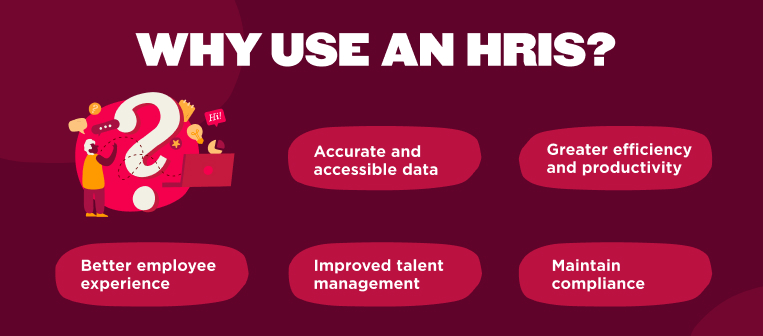
Implementing an HRIS can streamline operations and enhance the team member experience in several ways. Here’s a closer look at the advantages.
Accurate and accessible data
An HRIS centralizes all team member data, helping reduce manual errors and ensuring consistent information across the organization. HR managers can also quickly access up-to-date records for reporting and decision-making purposes.
This kind of centralized visibility is increasingly the gap HR teams are trying to close. Among managers, 60 percent said they spend three or more hours assembling data across systems before making a single people decision, and 83 percent said switching between tools slows work at least 50 percent of the time.
Greater efficiency and productivity
Automation is a key feature of an HRIS that significantly increases efficiency. Automating routine tasks such as payroll processing, time tracking, and benefits administration frees HR professionals to focus on more strategic initiatives.
This reduction in manual labor speeds up processes and reduces costs associated with lengthy administrative tasks. 21 percent of HR teams name improving data and analytics as their top priority for the next year, and 17 percent rank automating manual processes as their top priority over the same period.
Better team member experience
An HRIS improves the team member experience by providing self-service portals that allow people to manage their personal information, access HR services, and find company policies. Empowerment and transparency build a positive workplace culture by making people feel valued and engaged.
Additionally, HR managers can use an HRIS to quickly address concerns and streamline requests, contributing to higher job satisfaction.
Improved talent management
With strong analytics and reporting tools, an HRIS provides insight into HR metrics such as turnover rates, hiring efficiency, and engagement levels. HR leaders can identify trends, forecast needs, and implement targeted talent acquisition and retention strategies.
An HRIS also supports performance management processes that help identify high performers and plan future workforce needs.
Maintain compliance
With employee data centralized in one platform, HR can track certifications, required documentation, and renewal deadlines without letting anything slip. The same system can flag compliance gaps by role, location, or department, making it easier to stay current with national and local regulations.
Challenges of using an HRIS
HR tech adoption is high, but choosing and running an HRIS still entails real trade-offs worth planning for up front. Here are a few challenges companies encounter alongside some potential solutions:
| Challenge | Solution |
| Security and privacy issues: easy accessibility and automation are major benefits, but they can create security and privacy risks if confidential information is unintentionally exposed | Choose a provider with a strong security track record, enforce role-based access controls, and require strong password practices across the organization |
| Potentially high costs: organizations with a workforce of fewer than 100 may find that buying, installing, and maintaining an HRIS costs more than their budget allows | Consider a SaaS HR platform with a monthly payment model instead of a large upfront investment, and scale features as the team grows |
| Transition challenges: moving from point solutions to a comprehensive HRIS can require significant time and resources, and it can disrupt day-to-day operations during migration, data cleanup, and team training | Build a realistic timeline for data migration, audit data quality before the switch, and invest in hands-on training so people aren’t learning the new system and doing their jobs at the same time |
| Customization limitations: some HRIS platforms offer limited flexibility to match an organization’s specific workflows or reporting needs | Confirm configuration and integration options during the evaluation stage, before signing a contract |
Adopting a strategic implementation approach, one that includes detailed training and step-by-step deployment, can help ease the transition to an HRIS. It’s also worth looking for a provider with strong customer support, quick implementation, and ease of use.
How to choose the best HRIS
Let’s look at some things to consider before you choose your HRIS.
Current organizational needs
Choosing the best HRIS for your organization begins with understanding what goals you want it to meet. Consider the challenges you face and how it might help you solve them.
Think about:
- The size and trajectory of your team
- What kind of business your organization is
- Where your team members are located
- Whether your team includes full-time staff, contractors, or both
- What processes you want your HRIS to help with
- Your budget
- Customization and integration requirements
Select potential HRIS solutions
Once you’ve identified the answers to these questions, you can look at the different HRIS types and vendors available on the market and narrow down your choices to the ones that fit your needs and budget.
Submit requests for proposals (RFPs)
After narrowing down your choices, the next step is to submit requests for proposals (RFPs) to the selected HRIS vendors. Here, HR leaders outline their company’s HR requirements and ask vendors to provide detailed proposals including capabilities, costs, implementation strategies, and ongoing support options.
An effective RFP should clearly state your HR challenges, desired outcomes, and expectations from the HRIS, enabling vendors to tailor their responses to your specific needs. This step helps you evaluate how well each system aligns with your organizational goals and prepares you to negotiate terms that best benefit your company.
Schedule HRIS demos or trials
Once you’ve created a shortlist, try out your top choices directly. During each demo, ask the vendor to walk through your actual use cases, like running payroll, pulling a headcount report, or processing a time-off request. Bring in the HR and IT team members who’ll use the system daily, and use any trial period to test how easily people complete everyday tasks on their own.
How to successfully implement an HRIS
Implementing an HRIS is a strategic decision that transforms your organization’s HR operations and team member experience. Here’s a guide to help you navigate this process.
Step 1: Draft a comprehensive plan
Creating a comprehensive plan serves as your roadmap to successful HRIS implementation, outlining all key milestones, timelines, and goals.
Step 2: Gain senior management support
Securing the backing of senior management ensures you have the necessary resources and authority for a successful implementation and builds a supportive environment for change. Having a CFO sign off on budget and a CEO communicate the change to the wider organization can carry far more weight than HR announcing it alone.
Step 3: Assemble a dedicated implementation team
A cross-functional team, consisting of members from HR, IT, and other departments, ensures diverse insights and expertise, driving smooth and effective HRIS implementation. Consider having an HRIS director or HRIS analyst take the lead.
Step 4: Select the right HRIS
The right HRIS can improve efficiencies, enable data-driven decision-making, and enhance the team member experience. Carefully consider the unique needs, size, and budget of your organization. A 40-person startup might prioritize ease of use and fast setup, while a 2,000-person, multi-country company might prioritize global payroll support and deep integrations. The right choice looks different depending on where your organization sits.
Step 5: Consider security and privacy measures
Before implementing your new HRIS, think about privacy and data security best practices. Ensure the system complies with all relevant data protection regulations and has strong security features such as encryption, secure access controls, and regular security updates. This includes:
- Implementing secure user practices. Build secure user behavior within your organization, such as safely handling login credentials and being careful when opening links or certain emails.
- Enforcing strong password policies. Implement strong password policies, including using diverse characters and changing passwords regularly, and avoid reusing passwords.
Step 6: Conduct user acceptance testing
Before going live, have a small group of actual users from multiple teams run through real scenarios in the new system, like submitting a time-off request or running a payroll cycle. Testing with real workflows surfaces gaps and confusing steps so you can fix problems early on.
Step 7: Offer user training and support
Offering training and support ensures that the essential features of the HRIS are utilized. Diverse training methods, such as online tutorials and in-person workshops, can accommodate different learning styles. Ongoing support through helpdesks, FAQs, and regular follow-up training can also address post-implementation questions or issues.
Step 8: Evaluate and maintain the HRIS
Continuous evaluation of your HRIS enables regular updates and improvements, keeping the system aligned with evolving organizational needs and goals. Regular maintenance keeps it functional, secure, and in line with the latest HR and IT developments.
Recommended For Further Reading
- Five types of HRIS systems
- How to choose an HRIS for your business
- HRIS implementation checklist: finding your perfect HRIS
- Complete HRIS requirements checklist (template included)
- What is an HRIS director?
- What is an HRIS analyst?
- Defined.ai wanted a more powerful and user-friendly HRIS, so they switched to Bob
- How iTech Media gamified its Bob launch
HRIS and the modern HR strategy
HRIS plays a transformational role in HR management. Automating routine tasks enables companies to operate smoothly and keep up with the fast-paced world of work. It also frees HR professionals to focus on strategic initiatives such as talent management and organizational development, which help drive growth and competitiveness.
Integrating an HRIS into the HR strategy enhances the employee experience by building productivity, efficiency, engagement, and community. It also empowers people with self-service features for HR-related needs, encouraging engagement and autonomy, ultimately helping people feel more motivated to do their jobs well.
HiBob brings HR, payroll, benefits, performance, and workforce data together in one people-first platform—with the breadth of an HCM, not just core HRIS functionality. Bob Companion helps HR teams and managers ask questions in natural language, surfacing insights from across performance, hiring, payroll, and compensation right when they’re needed.
<< Book a demo to see how HiBob supports your HRIS needs >>
Human resource information systems FAQs
How do HRIS systems work?
HRIS solutions centralize and automate the management of team member data and HR processes. They typically include modules for payroll, benefits administration, time and attendance, and more, allowing for streamlined operations across various HR activities. Data entered once can then be accessed and used by different modules, reducing redundancy and ensuring consistency.
These systems often feature dashboards and reporting tools that provide insights and analytics, enabling HR professionals to make data-driven decisions.
What is an HRIS certification?
An HRIS certification is a credential that demonstrates expertise in HR information systems. The certification typically covers areas such as system management, data analysis, and HR process optimization.
How many people can an HRIS handle?
Every HRIS is different. Some providers claim their systems can handle an unlimited number of team members. Others target organizations of specific sizes. This is why the number of people you need to serve with your HRIS should be a key consideration when choosing the system you want to implement.
Which HRIS is easiest for team members to use?
Ease of use depends on a few consistent traits: a clean, intuitive interface, mobile access for on-the-go requests, and self-service features that don’t require IT support to navigate.
When evaluating systems, ask to see the team-member-facing side, not just the HR admin view, since that’s what most of your organization will interact with day-to-day. HiBob’s own HR tech research found that ease of use is the top priority for 31 percent of small businesses choosing HR software, ahead of features and functionality, and well ahead of cost.
When should I get an HRIS for my business?
All companies, regardless of size, can benefit from an HRIS, but a common rule of thumb is to start considering implementing one once your organization has reached 25 people.
You can also use the following checklist. If you find yourself nodding along to most or all of these statements, it’s probably time for you to get an HRIS:
- Your team spends hours a day on manual tasks like data entry and paperwork
- You get lost in your Excel spreadsheets
- You never seem to have enough time for bigger-picture, strategic thinking
- You often get blocked waiting for signatures, authorizations, and reports
- People come to you with the same questions again and again
How long does it take to implement an HRIS?
How long it takes to implement an HRIS varies with your organization’s size, the complexity of your HR processes, and the HRIS solution you choose. On average, it can take anywhere from a few weeks to several months.
Can an HRIS be customized for specific organizational needs?
Several HRIS solutions offer customization options to align with your specific organizational needs. These can include customized reporting, workflow configurations, and user interface personalization. It’s best to discuss your needs with your HRIS provider during your selection process.
Can an HRIS be accessed remotely?
You can generally access modern HRIS solutions, especially cloud-based ones, remotely. This allows your team members and HR staff to access HR functions and data anytime, anywhere, enhancing workplace flexibility and convenience.