
Choosing workforce management software means evaluating vendors against your organization’s scheduling, compliance, and integration needs to find a platform that scales with your workforce.
The right workforce management software determines how well HR can staff, forecast, and stay compliant for years to come, so the decision deserves more than a simple feature checklist. Vendor reliability matters just as much as feature fit: a 2021 ransomware attack on one major vendor’s cloud platform disrupted payroll for customers, including Tesla and PepsiCo, for weeks. And with your organization’s own 88 percent odds of outgrowing a system as you expand in mind, choosing well the first time is worth the extra diligence upfront. Here’s how to choose workforce management software that fits your organization now and in the future.
<< Download a printable workforce management software checklist >>
Key insights
- Workforce management software centralizes scheduling, time tracking, and compliance, replacing spreadsheets and disconnected tools
- Most organizations outgrow manual workforce processes once they cross a few hundred people or add multiple locations
- The right platform balances must-have features with compatibility, ease of use, and total cost of ownership
- Vendor support and implementation experience often matter as much as the feature list itself
What is workforce management software?
Workforce management software is a system that helps organizations schedule people, track work hours, forecast labor needs, and manage compliance across teams and locations. It typically covers time tracking, attendance, scheduling, and workforce analytics, often connecting to payroll and broader HR systems, so data flows in one direction instead of living in separate spreadsheets.
Workforce management software is sometimes confused with a full HRIS, HRMS, or HCM platform. The distinction matters when comparing vendors: Some workforce management tools stand alone and require integration with your core HR system, while others are modules within a broader HCM. Both approaches work, but they come with different implementation and maintenance tradeoffs worth understanding before you commit.
How do I know when my organization needs workforce management software?
Manual scheduling and spreadsheets can work for small teams, but the cracks tend to show at a predictable point: Headcount grows past what one person can track by hand, locations spread across time zones, or local compliance rules stop being uniform. Smartcat’s people team felt this firsthand: Spreadsheets managed their HR data comfortably until the company reached roughly 200 people, after which manual processes grew difficult to sustain across a workforce spread over 38 countries.
Smartcat’s experience isn’t unique. Most organizations run into one or more of the same signals before they’re ready to admit it’s time for a change:
| Signal | What it looks like |
| Growing headcount | Scheduling and time tracking that worked at 50 people breaks down at 200 or more |
| Multiple locations or time zones | Managers lack visibility into coverage and availability across sites |
| Compliance complexity | Local labor laws, overtime rules, or predictive scheduling requirements vary by jurisdiction |
| Frequent payroll errors | Hours, overtime, or paid time off (PTO) balances don’t reconcile cleanly with payroll |
| Limited forecasting | HR and operations can’t predict staffing needs ahead of demand |
| Disconnected systems | Time, attendance, and HR data live in separate tools that don’t talk to each other |
<< Download a free checklist for choosing workforce management software >>
How to choose workforce management software: Your checklist for finding the right platform
Use this checklist to work through the decision with your team. Each question below is something to review against your own requirements, not a generic feature list.
1. Identify your organization’s needs
Map your current processes: Which departments rely on scheduling and time tracking, and how do they do it today? Pull a month of scheduling conflicts, payroll corrections, or manager complaints—that log tells you more about your real requirements than a feature comparison chart.
Document what’s working, what isn’t, and which requirements are critical versus nice-to-have. This list becomes the foundation for every vendor conversation that follows.
2. Prioritize must-have features
Consider both long-term and short-term planning needs, along with compliance rules specific to your jurisdictions. Predictive scheduling laws, overtime thresholds, and break requirements vary widely, and platforms don’t always include them by default.
Team member self-service (viewing schedules, requesting time off, or swapping shifts) reduces administrative back-and-forth. Weigh how much of that experience each vendor offers, along with permissions and structure options for a growing organization. Ask each vendor directly which of your must-haves are native features and which require a paid add-on or a third-party integration.
3. Check system compatibility
Confirm operating system, database, and mobile requirements, and check compatibility with existing HR, payroll, and ERP systems. Ask for a real integration demo, not just a claim of compatibility—watch how hours and time-off data actually flow into payroll, and ask what happens when a sync fails. A platform that doesn’t integrate cleanly can create the same data silos you’re trying to eliminate.
4. Evaluate user experience and ease of use
A workforce management platform should be intuitive for non-IT users, particularly managers and team members using self-service daily. Where possible, have actual end users test the interface during a trial: Ask a frontline manager to build a week’s schedule, or have a team member request time off, without a guided sales walkthrough. If they need help finishing a basic task, your rollout will need more training time than the vendor’s pitch suggests.
5. Assess vendor support and training options
Read reviews, and ask vendors directly what they include in support and training versus what costs extra. Get specifics: What’s the response time on a support ticket, is there a dedicated contact during implementation, and does that support level change after your contract renews? Transparency here signals how the relationship will work after you sign the contract.
6. Understand pricing and total cost of ownership
Look beyond the license fee to full implementation costs, including setup, training, and add-on modules. Ask how pricing scales with headcount as you grow, whether the contract auto-renews, and what it costs to exit or downgrade if the platform stops fitting your needs. Confirm the platform stays sustainable as your organization grows so you can avoid a costly re-platform in a few years.
<< Download the free workforce management software checklist >>
Benefits of workforce management software
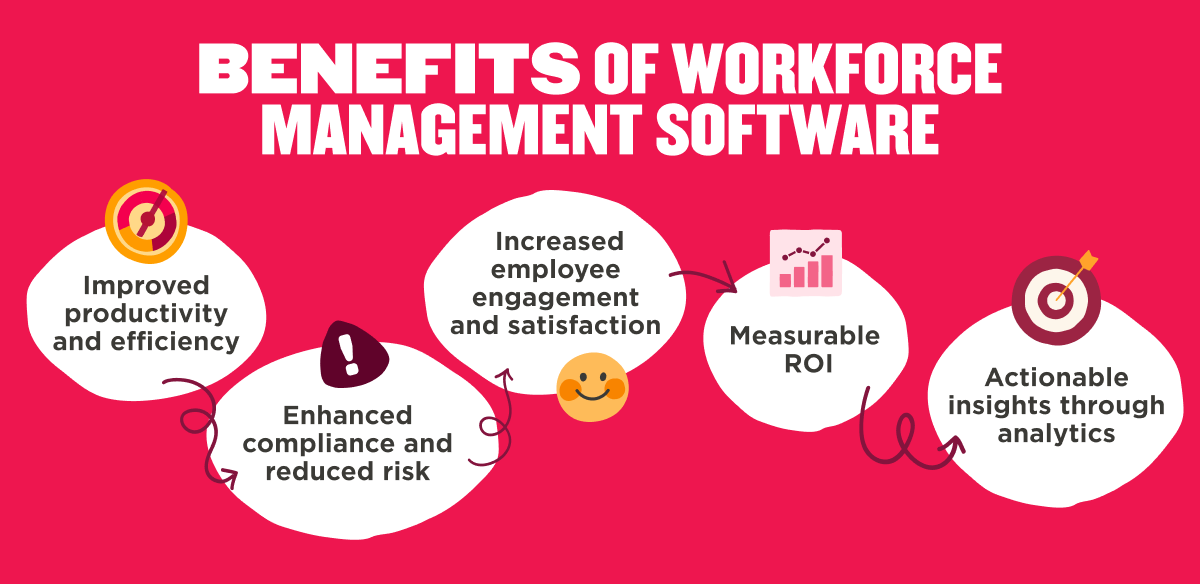
Organizations that centralize scheduling, time tracking, and compliance see the impact across HR and the broader business: less time on manual admin, fewer payroll errors, and faster access to workforce data for decisions. Australia’s leading online marketplace connecting homeowners with local tradies, hipages, cut HR admin time by 30 percent after consolidating workforce processes into one platform.
The benefits break down into five areas worth evaluating vendors against:
- Improved productivity and efficiency: Centralizing scheduling and time tracking removes manual, repetitive work, freeing HR to focus on higher-value projects instead of chasing spreadsheets. ANYMOVE’s people team saved up to 13 hours a week after automating processes that were previously manual.
- Enhanced compliance and reduced risk: Wage and hour disputes are consistently among the most common and expensive employment class actions employers face, and most stem from recordkeeping and classification mistakes that automated systems are built to catch. Built-in rules for overtime, jurisdiction-specific labor laws, and predictive scheduling requirements reduce the chance of costly compliance errors.
- Increased team member engagement: Gallup’s research found that team members who have a say in their own schedule are more likely to see their work arrangement as fair. Self-service scheduling and transparent time-off balances give people more control over their own time.
- Measurable ROI: Executives get clear visibility into labor costs, overtime trends, and staffing efficiency, connecting HR decisions to business performance. At MediaRadar, unifying workforce data gave leadership the visibility to spot trends and identify risks early, rather than relying on guesswork.
- Actionable insights through analytics: Workforce data surfaced in one place helps HR teams spot staffing gaps and forecasting issues before they become costly problems.
Workforce management software challenges and how to resolve them
Even organizations with existing workforce management tools eventually hit limits. Here’s how to recognize when it’s time for a change.
| Challenge | What to do |
| Outdated tools | Evaluate cloud-based options for scalability |
| Siloed systems | Prioritize integration and a single source of truth |
| Inaccurate forecasting | Look for platforms with workforce analytics and demand forecasting |
| Frequent payroll or compliance errors | Choose a system with automated, jurisdiction-aware compliance rules |
| Inflexible scheduling | Prioritize self-service scheduling and real-time updates |
| Difficulty managing hybrid and remote team members | Confirm mobile access and support for distributed teams |
| Low engagement and high turnover | Add self-service tools that give people visibility and control |
| Inefficient compliance and policy management | Choose software built to manage jurisdiction-specific rules automatically |
Recommended For Further Reading
Make an informed decision about workforce management software
There’s no universal “best” workforce management software. The right choice depends on your organization’s size, structure, and where it’s headed next. What doesn’t change is the process: Identify what you actually need, prioritize the features that matter most, and weigh compatibility, usability, support, and total cost together before you sign anything.
HiBob brings time and attendance, payroll, and workforce planning together in one connected platform, with time-off policies and approval workflows that adapt as you add people, locations, and regulatory requirements. Bob Companion adds an AI layer on top, so HR teams can check attendance, get policy answers, and model workforce scenarios without switching tools.
Working through it now sets your organization up to grow into the platform instead of outgrowing it—one search, done well, instead of two.
<< Start your workforce management software search with a free checklist >>
Workforce management software FAQs
Is workforce management software the same as HR software?
Workforce management software focuses specifically on scheduling, time tracking, and labor forecasting. HR software (an HRIS, HRMS, or HCM) covers the broader employee lifecycle, including onboarding, performance, and compensation. Some HR platforms include workforce management as a built-in module; others require integrating a separate tool.
What industries benefit most from workforce management software?
Industries with large or complex scheduling needs, such as contact centers, retail, healthcare, and manufacturing, see some of the clearest benefits, since they depend on precise shift coverage and labor forecasting. Organizations with hybrid or globally distributed teams also benefit, since workforce management software brings visibility to scheduling and compliance across locations that would otherwise require manual tracking.
How much does workforce management software cost?
Pricing varies based on headcount, deployment model, and which modules you need, from basic time tracking to full scheduling and analytics suites. Beyond the license fee, factor in implementation, training, and integration costs when comparing total cost of ownership across vendors.
What is the best workforce management software?
The best workforce management software depends on your organization’s size, industry, compliance requirements, and existing HR and payroll systems. Rather than looking for a universal “best” option, use a structured evaluation, like the checklist above, to compare vendors against your organization’s specific must-have features and growth plans.
For organizations that want workforce management connected to the rest of their people data, HiBob brings time tracking, workforce planning, and payroll together with core HR data in one platform. That shared data for HR, Finance, and leadership matters most for growing organizations juggling multiple locations or entities, where keeping workforce data in sync with the rest of HR saves time that would otherwise go into reconciling separate systems.