![7 Best Cloud Payroll Software [2025]](https://res.cloudinary.com/www-hibob-com/w_1526,h_650,c_fit/fl_lossy,f_webp,q_auto/wp-website/uploads/Best-cloud-based-payroll-software_Lobby-image.png)
Payroll has come a long way, from manual spreadsheets and paper checks to automated, cloud-based platforms that manage everything from tax compliance to direct deposits. Today’s HR professionals have no shortage of options, with many solutions promising to simplify processes, improve accuracy, and reduce risk.
But choosing the wrong payroll software can create more problems than it solves. You risk delayed payments, frustrated team members, compliance issues, and costly penalties. In fact, over 50 percent of companies have incurred payroll fines in the past five years due to non-compliance alone.
This guide compares seven leading cloud payroll software—highlighting their features, pros and cons, and use cases—to help you choose the solution that fits your team’s needs today and supports your growth moving forward.
Best cloud payroll software: Quick review
Before diving deep into each solution, here’s a quick overview of the top cloud payroll platforms that can transform how you handle payroll management in your organization. This shortlist highlights seven widely used and well-reviewed payroll solutions—each offering unique strengths depending on business size, complexity, and geographic footprint.
| Platform | Best for | Key strengths | Notes |
| HiBob | All sizes (50–10,000 people) | Global HR + payroll integration, customizable workflows, people-first UX | Payroll native in select regions; strong integrations with global payroll providers |
| CloudPay | Large global enterprises (500+ people) | Multi-country payroll, global compliance, treasury services | Built for complex international payroll needs |
| Gusto | Small to mid-sized US-based businesses (1–250 people) | User-friendly platform, benefits admin, contractor payments, automated tax filing | US only; not designed for global or complex org structures |
| OnPay | Small or seasonal businesses | Unlimited payroll runs, industry-specific tools (agriculture, nonprofits, etc.) | Limited global features; strong for flexibility |
| Paychex | Growing US businesses (10–1,000+ people) | Scalable solutions, strong support, HR and PEO services | Great for compliance-heavy industries; US-focused |
| QuickBooks Payroll | Small businesses using QuickBooks accounting | Seamless integration with QuickBooks Online, automated tax filing, fast direct deposit | US only; best suited for existing QuickBooks users |
| Wave Payroll | Very small US businesses (1–10 people) | Affordable payroll, integrated with free Wave Accounting | Available in select US states; limited features |
We built this shortlist through a structured research process focused on usability, flexibility, and real-world business needs. First, we reviewed customer feedback across trusted platforms like G2, Capterra, and Gartner and prioritized solutions with strong ratings, consistent reviews, and high user satisfaction.
From there, we analyzed product pages, documentation, and feature sets to understand how each platform supports different company sizes, industries, and jurisdictions. We also considered integration capabilities, global payroll functionality, and compliance tools—key factors for modern HR and finance teams.
What is cloud payroll software?
Cloud payroll software is a web-based solution that manages, automates, and processes payroll entirely through remote servers accessible via the internet. Unlike traditional on-premise systems that require local hardware and software installation, cloud-based platforms store all payroll data securely in remote data centers. They handle every aspect of the payroll cycle, from calculating wages and deductions to generating tax forms and processing direct deposits.
This software-as-a-service (SaaS) model eliminates the need for extensive IT infrastructure or manual software updates. HR teams can access their payroll system from anywhere with an internet connection, making it particularly valuable for remote teams and multi-location businesses.
The subscription-based pricing model means you pay monthly or annually for the service, with automatic updates, security patches, and feature enhancements included. This approach significantly reduces the total cost of ownership compared to traditional payroll systems while providing better scalability and reliability.
How does cloud-based payroll software work?
Cloud-based payroll platforms take a traditionally manual process and transform it into a streamlined, automated workflow. Unlike on-premise systems that require local servers, IT maintenance, and manual updates, cloud solutions operate entirely online. All data is securely stored on remote servers managed by the provider—reducing internal infrastructure costs and improving accessibility.
HR professionals, managers, and team members access the platform through web browsers or mobile apps. Role-based permissions ensure the right level of access for each user. Here’s how the process typically works:
- Data input: Time tracking tools feed hours worked directly into the system, or HR can manually enter hourly or salaried information
- Processing: The platform automatically calculates gross pay, applies tax withholdings, processes benefit deductions, and determines net pay based on up-to-date tax tables
- Approval: Managers review payroll summaries and approve payments within the platform
- Distribution: Direct deposits are processed, pay stubs are generated, and relevant tax forms are created automatically
- Reporting: Built-in reports track payroll costs, tax liabilities, and compliance metrics—giving HR teams the insights they need without manual effort
Best cloud payroll software to consider
With almost one-quarter of enterprises considering payroll their most critical HR function, choosing the right solution is critical. In the list below, we break down some of the best cloud-based payroll platforms based on their key features, strengths, and limitations.
When payroll runs smoothly, HR teams can focus on higher-impact work—knowing that one of their most essential responsibilities is taken care of.
HiBob

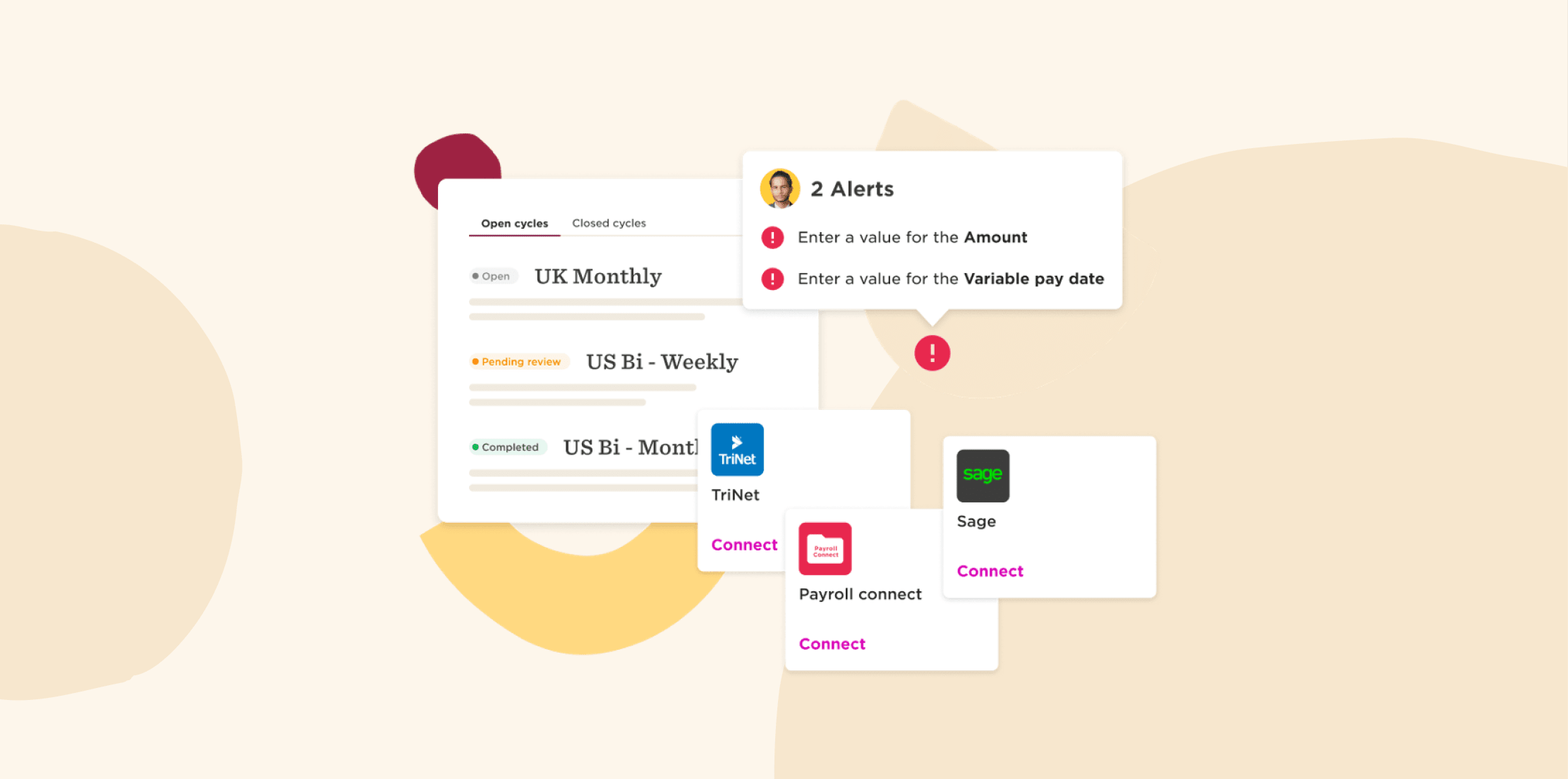
HR leaders use HiBob’s Payroll Hub to connect payroll with HR, time tracking, and employee benefits together in one connected platform. Updates like new joiners, salary changes, and benefits selections flow directly into payroll—no manual data entry needed. Each payroll cycle is powered by trusted payroll processors that automate calculations, flag missing information or errors, and send out accurate paychecks on time.
HiBob’s AI supports faster, more consistent decisions across the platform with explainable insights and guided workflows, including tools like DependentIQ, DecisionIQ, and InsightsIQ, plus built-in governance such as permissions, audits, and approvals.
Features:
- Real-time payroll calculations: Receive automatic gross-to-net calculations to minimize reconciliation errors
- Flexible payroll cycles: Run weekly, biweekly, monthly, or off-cycle payrolls for local and multi-site teams
- Compliance: Access built-in tax updates that apply federal and state changes automatically
- Finance: Connect people plans to budgets by modeling headcount and workforce costs and keeping HR and Finance working from the real-time data
- Audit-ready reporting: Generate reports that simplify audits and year-end filing
- All-in-one HR platform: Sync HR, time, benefits, and payroll data accurately in one system
Pros:
- “Whether I’m updating my profile, checking my pay info, or booking time off, it’s all super easy to find and use.” – user review
- “At our company, we use it for everything from time off and reviews to payroll, benefits, and org charts—all in one place.” – user review
Cons:
- “Some parts of the platform, especially the compensation module, still have a way to go.” – user review
- “Some integrations (especially payroll systems outside of common regions) can be limited or require manual workarounds.” – user review
Pricing: Contact HiBob for a custom plan
Learn more about HiBob payroll
CloudPay

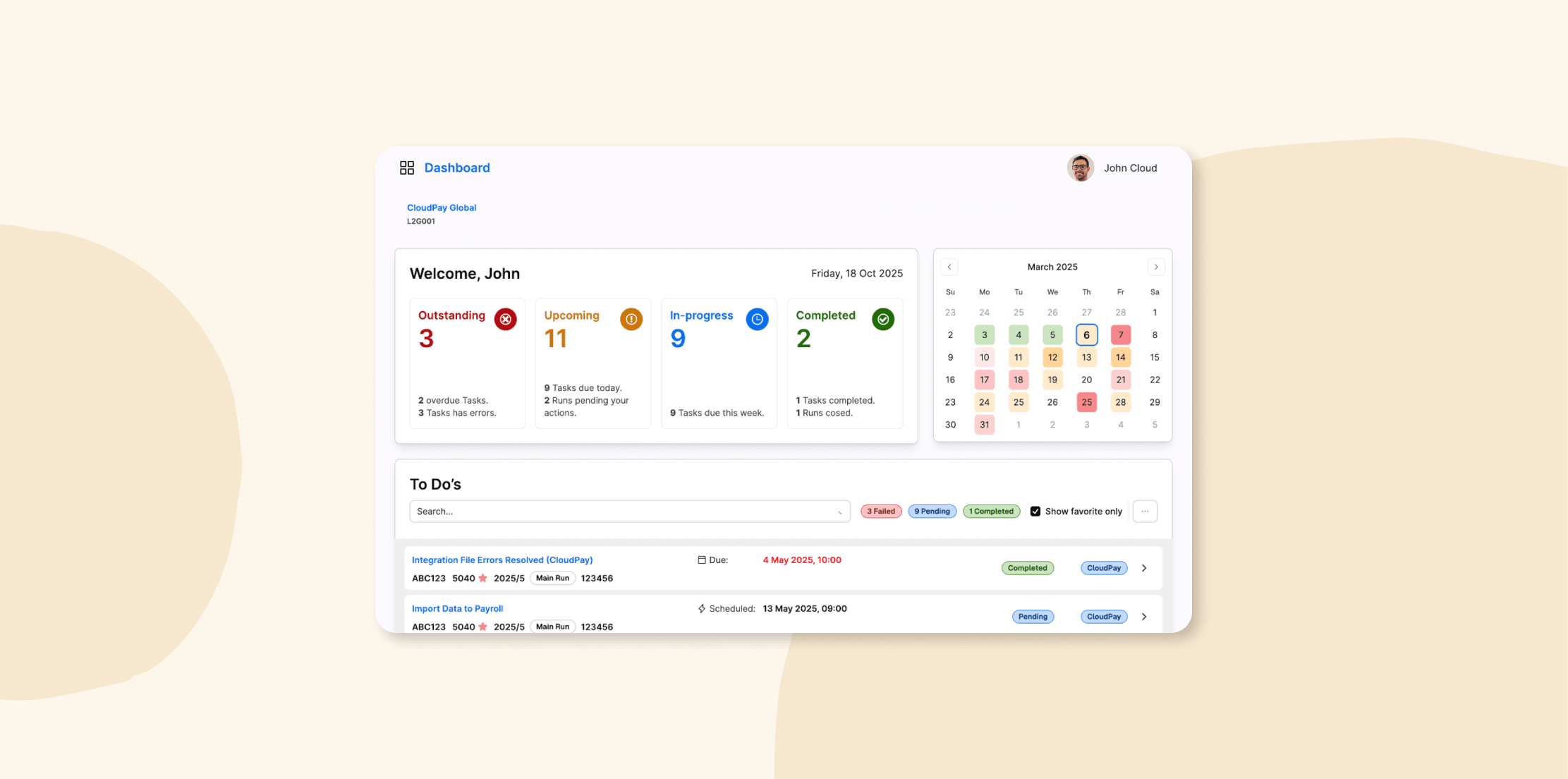
CloudPay brings global payroll and treasury operations together on a single cloud platform—making it a strong fit for companies expanding across borders. It integrates with leading HCM (human capital management) and ERP systems to create seamless data flows and a single source of truth. With built-in tools to monitor performance, ensure compliance, and standardize workflows, CloudPay helps businesses improve operational efficiency while supporting a consistent global payroll experience.
Features:
- Unified payroll: Feed payroll runs directly into treasury workflows.
- Global compliance hub: Automatically apply country-specific tax and labor rules.
- Managed service option: Access global experts who can fully run your payroll operations
Pros:
- “I like that it is accessible on any device.” – user review
- “They’re great when answering questions on payroll in different countries.” – user review
Cons:
- “There are other options from the larger companies that have more resources to provide you with lower fees and more available tech support.” – user review
- “There are few bugs in the system, so enhanced testing and regression should be taken into consideration on a regular basis.” – user review
Pricing: Custom pricing
Gusto

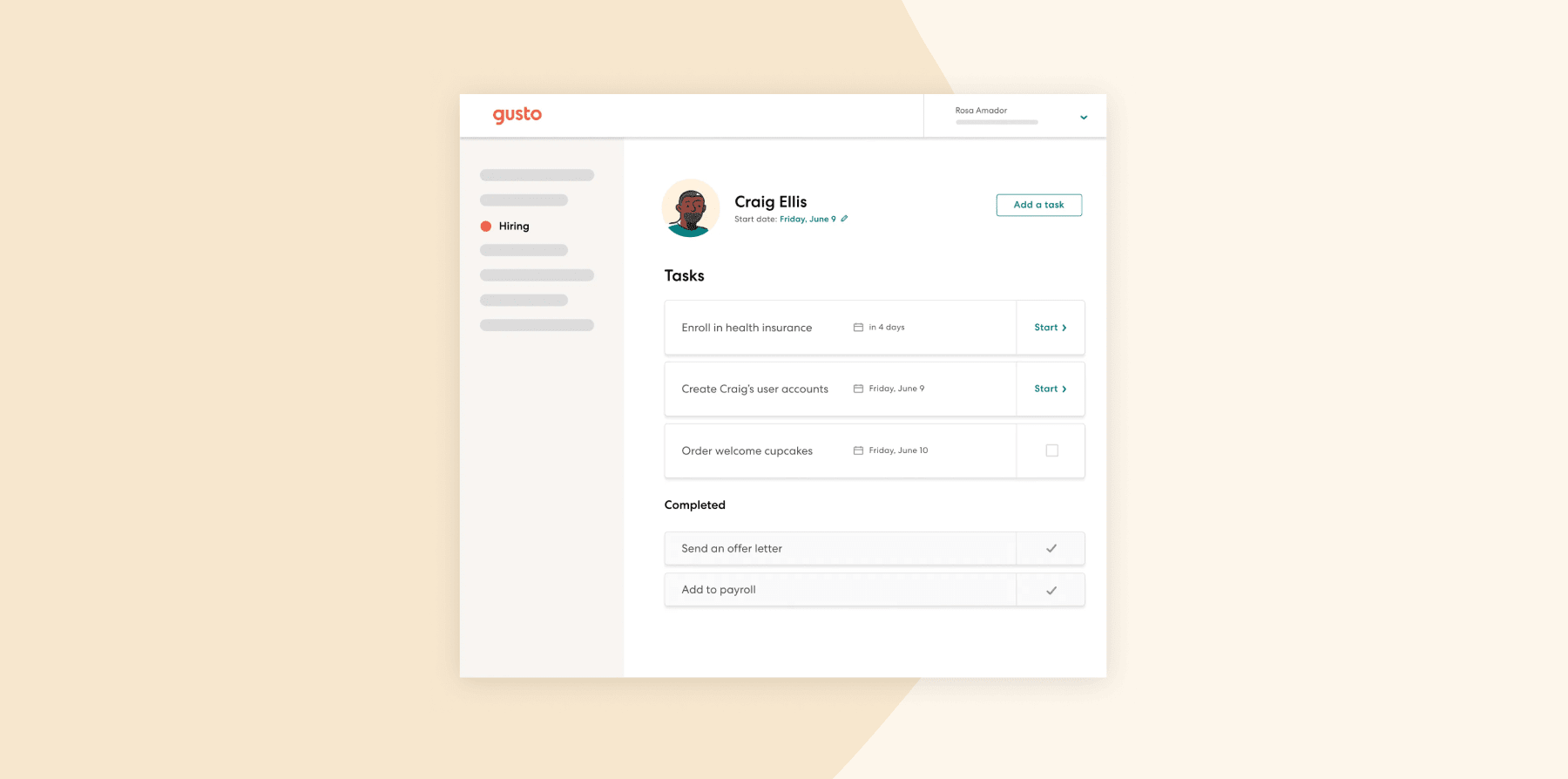
Gusto is an all-in-one platform that brings payroll, benefits, and core HR functions together. It offers integrated benefits administration and unlimited payroll runs managed through a single dashboard. Gusto helps small and growing teams handle the essentials without too much complexity.
Features:
- Payroll automation: Runs payroll with automatic tax filings and compliance management
- Integrated benefit deductions: Syncs pre-tax benefits such as medical, 401(k), and more with payroll
- All-in-one dashboard: Provides an accessible dashboard for payroll, benefits, time, and reporting from anywhere
Pros:
- “Having a documents repository for docs related to payroll is useful.” – user review
- “I was able to fully set up Gusto in less than an hour and run payroll the same week.” – user review
Cons:
- “If you miss even one deadline for payroll service, you’re penalized by months of 4-day payroll response weeks.” – user review
- “It would be nice if the platform had stronger international payroll support.” – user review
Pricing:
- Simple: Starts at $49/mo
- Plus: Starts at $80/mo
- Premium: Starts at $180/mo
- Contractor Only: Starts at $35/mo
Recommended For Further Reading
OnPay

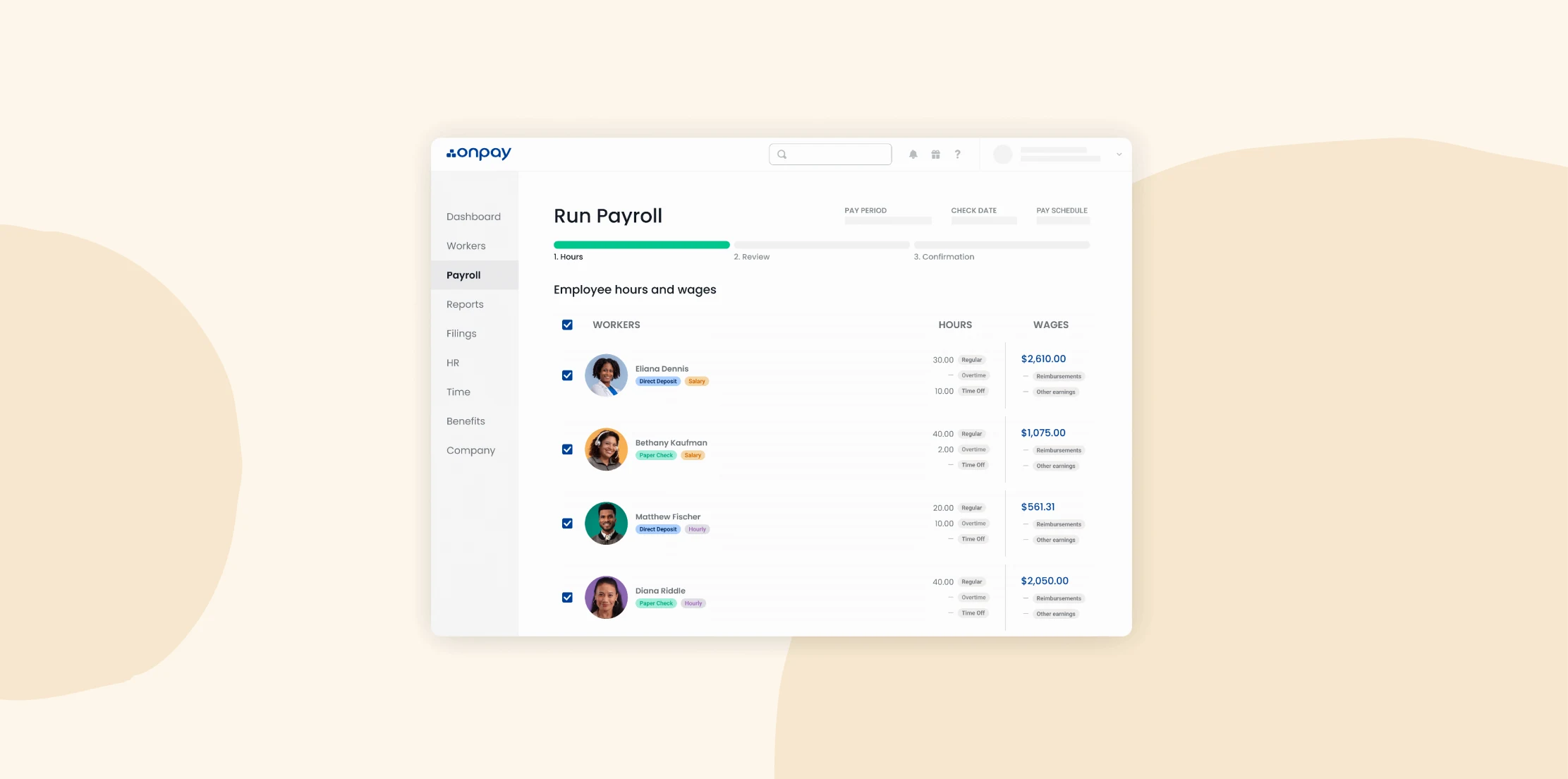
OnPay is a cloud-based payroll and HR platform that includes full-service payroll processing, automated tax filing, and unlimited payroll runs. It operates across all 50 U.S. states and offers support from U.S.-based payroll specialists. The platform is designed for small businesses and includes basic HR features alongside its payroll tools.
Features:
- Unlimited payroll runs: Processes unlimited payroll runs with automatic tax calculations, withholdings, and direct deposits
- Tax filing: Handles all federal, state, and local tax filings including W-2s, 1099s, and quarterly reports
- Self-service: Deploys a portal for people to access pay stubs, tax forms, and personal information
- HR tools: Manages onboarding, PTO tracking, benefits administration, and compliance documentation
Pros:
- “The OnPay user experience is logical and descriptive which lead to less of my time onboarding & submitting.” – user review
- “The connection to QuickBooks worked well.” – user review
Cons:
- “OnPay’s onboarding system seems drawn-out and clunky compared to other payroll providers.” – user review
- “OnPay’s opening the account for running payroll is not a quick process.” – user review
Paychex

Paychex provides payroll and HR services through its cloud-based platform, Paychex Flex. The system combines payroll processing with tools for benefits administration, HR management, and compliance tracking. Paychex offers solutions for businesses of all sizes, from small teams to large enterprises, and supports a range of industries with varying workforce needs.
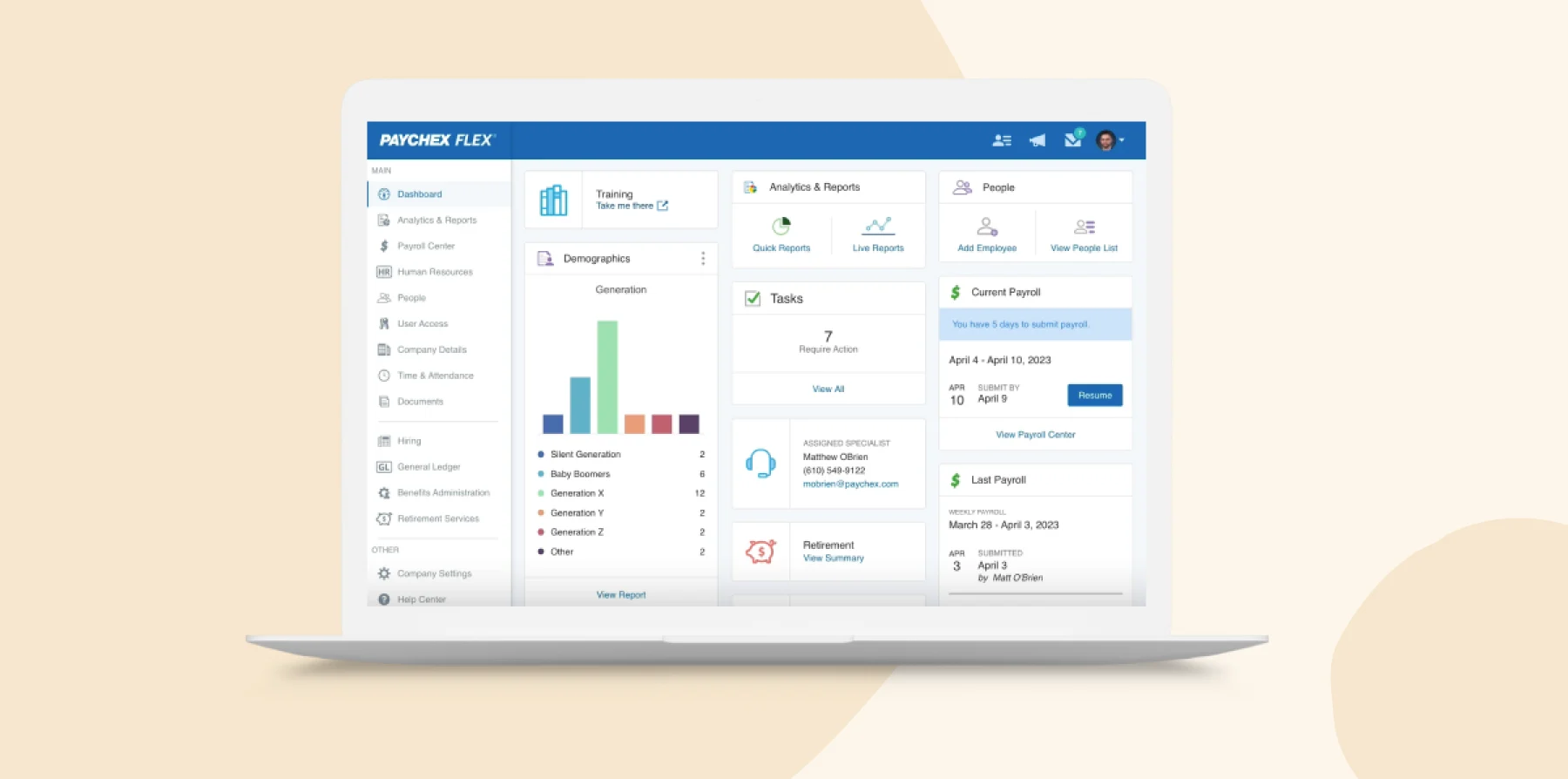
Features:
- Flexible payroll: Runs payroll online from desktop or mobile
- Automated tax management: Calculates, pays, and files payroll taxes automatically
- Self-service options: Allows people to initiate new joiner onboarding, access pay stubs, update direct deposit, and view W‑2s
- Reporting: Preprocess and run reports like payroll journals, cash requirements, and job costing within the platform
Pros:
- “Paychex takes a lot of the stress out of managing payroll and HR tasks.” – user review
- “Paychex provides a user-friendly website for payroll entry.” – user review
Cons:
- “Navigating between sections isn’t as smooth as we’d like.” – user review
- “Sometimes the interface is a bit clunky and I’ve had a few instances where their system times out or just doesn’t work efficiently.” – user review
QuickBooks Payroll

QuickBooks Payroll is part of the Intuit product ecosystem and is designed for businesses already using QuickBooks for accounting. The platform integrates payroll with accounting, time tracking, and basic HR features. It allows users to run payroll, manage tax filings, track hours, and administer team benefits within a single system.
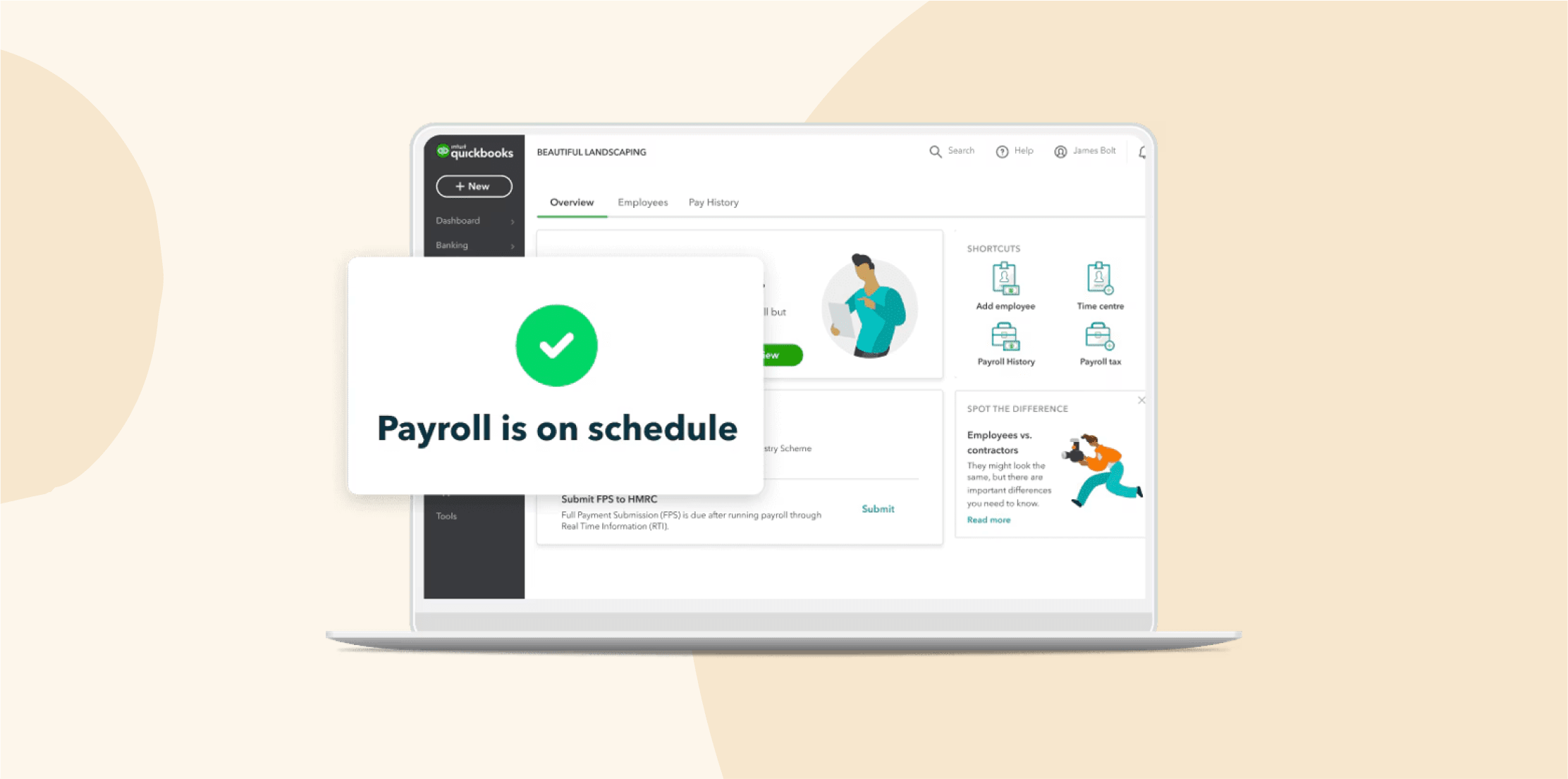
Features:
- Payroll and tax filing: Automatically calculates, files, and pays federal and state payroll taxes
- Accounting integrations: Syncs payroll with QuickBooks Online
- Next-day or same-day direct deposits: Offers fast direct deposit options
- Team member portal: Allows people to view pay stubs and W‑2s through an online portal
Pros:
- “It was easy to install, and we used it bi-weekly.” – user review
- “We like that it is easy to start accounting journal entries for any new entities which are considered to have separate balance sheets.” – user review
Cons:
- “Having some employees who were on salary and some hourly made it more difficult to add in the taxes for each. And we had to file our own taxes.” – user review
- “No notice on tax payment withdrawal.” – user review
Pricing:
- Payroll Core: Starts at $50/mo
- Payroll Premium: Starts at $88/mo
- Payroll Elite: Starts at $134/mo
Wave Payroll

Wave Payroll is part of Wave’s suite of financial tools and is designed for small businesses using Wave for accounting or invoicing. It offers basic payroll features with direct integration into Wave’s bookkeeping system. The platform provides a budget-conscious option for teams looking to connect payroll with financial tracking.
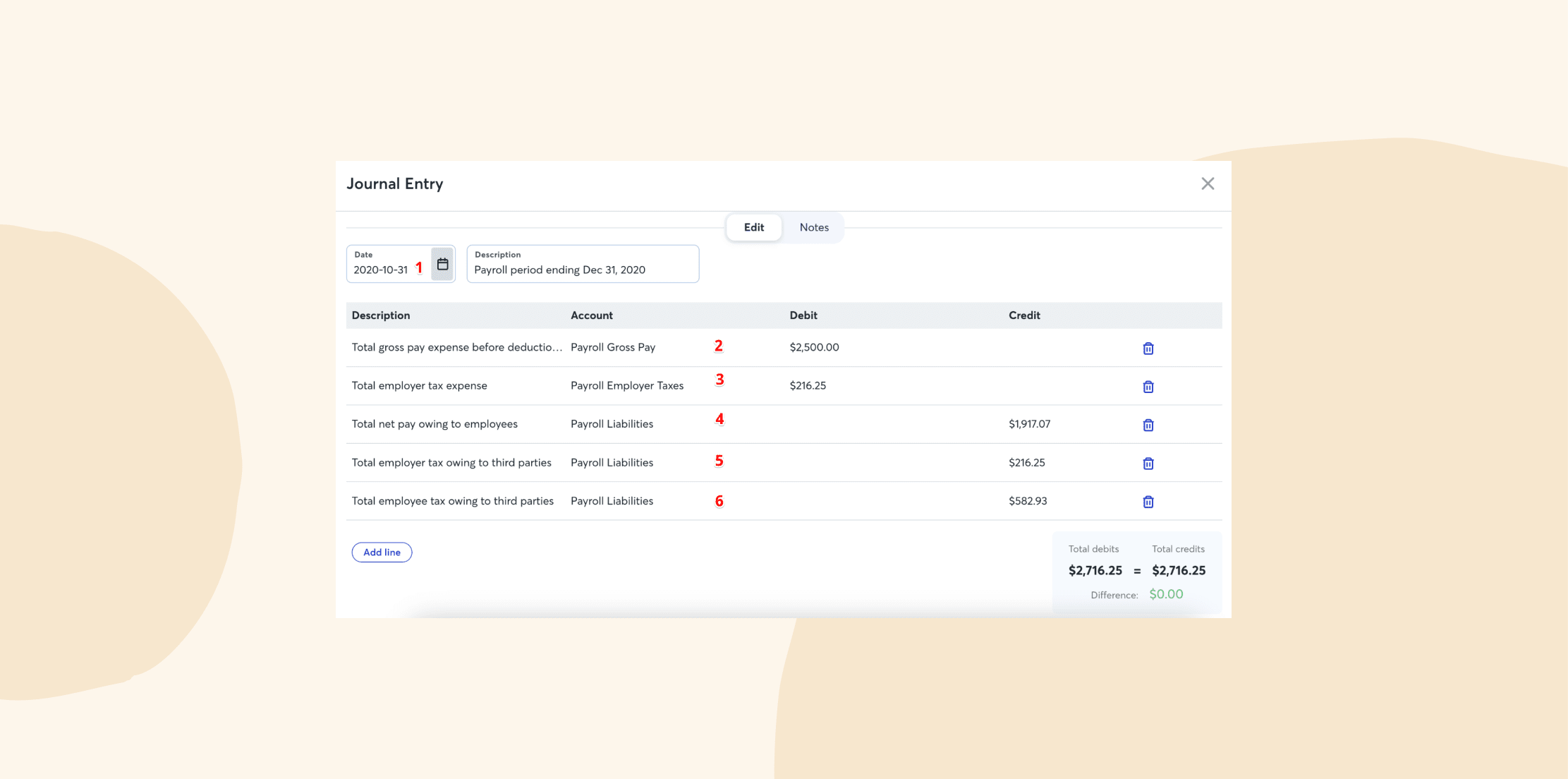
Features:
- Integration with accounting: Automatically sync payroll entries with Wave’s accounting tools
- Direct deposit: Pay people directly to their bank accounts
- Tax form creation: Produce W-2s and 1099s for all users
- Self-service options: Staff can access pay stubs, tax forms, and update bank/contact information
Pros:
- “The flexibility to run payroll is what I liked about Wave.” – user review
- “It has almost all the features that any small to mid-sized company might need to manage its payroll and finances.” – user review
Cons:
- “Need to pay overtime? Not well supported. Need to resolve an issue? Be prepared to wait a week or more to hear back.” – user review
- “The software interface is overly simplistic and doesn’t support very basic payroll use cases.” – user review
Pricing:
- Starter: $0
- Pro: $19/mo
Key features of cloud-based payroll software
These payroll capabilities help HR teams reduce manual work, improve accuracy, and stay compliant while supporting business growth and people-first strategies.
Automated payroll processing
Manual payroll processing leaves too much room for error and inefficiency. A modern cloud-based solution eliminates repetitive tasks and automates calculations like overtime, bonuses, commissions, and deductions, ensuring timely and accurate payroll.
Effective payroll automation means HR doesn’t have to chase tax table updates or manually schedule pay runs. Instead, tax calculations are handled in real time, approvals are automatically routed to managers, and tax forms like W-2s and 1099s are generated without intervention. Compliance requirements are kept current through automatic updates, helping businesses adapt to regulatory changes without added workload.
As Rick Hammel, founder of employer-of-record Atlas, emphasized: “Payroll is a necessary but complex task, so it’s important to simplify the often complicated aspects like reporting, taxes and managing a global payroll. Removing manual processes by incorporating automation and self-service functionality helps to ensure that payments are on-time and accurate while also improving the experience for both employers and employees.”
Team member self-service
Self-service portals empower your people to access their payroll information independently while reducing HR workload and improving satisfaction. These features provide around-the-clock access to important payroll documents and help people manage their payroll data.
Valuable self-service features include:
- Digital pay stub access: Secure online access to current and historical pay statements
- Tax form downloads: Direct access to W-2s, 1099s, and other tax documents
- Personal information updates: Ability to update addresses, direct deposit information, and tax withholdings
- Direct deposit management: Options to split deposits across multiple accounts or change banking information
- Time-off requests: Integration with leave management for seamless payroll processing
- Benefits enrollment: Direct access to benefits selection and changes that affect payroll deductions
Tax compliance and support
Staying compliant with tax laws across multiple jurisdictions is complex but critical. A cloud-based payroll platform helps you manage this complexity automatically by calculating taxes according to the latest local, state, and federal rules. It also generates required forms and filings for all relevant jurisdictions, from onboarding to year-end processing.
Built-in tools support remote teams by applying the correct tax rules for each team member’s work location, even across different cities or countries. Alerts and reminders keep you informed of filing deadlines or legislative changes, while audit-ready reports simplify internal reviews or external audits.
Pro tip: Equip your managers with the knowledge they need to stay compliant. Rohini Shankar, Chief People Officer for Nations Benefits, said: “Education, automation, and process excellence are key to a great payroll system. Educating managers on dates and compliance requirements in each state will provide them with a clear process that outlines what is critical to ensuring that employees are paid.”
Reporting and analytics
Payroll holds valuable data that can guide smarter decision-making. Modern cloud platforms go beyond basic summaries to offer deep, flexible reporting across departments, locations, time periods, and cost centers.
Essential reporting features include:
- Payroll summary reports: Comprehensive overviews of payroll costs by department, location, or time period
- Department cost allocation: Detailed breakdown of labor costs across different business units
- Tax liability reports: Current and projected tax obligations for planning purposes
- Labor cost analysis: Trends in overtime, benefits costs, and total compensation
- Custom report builders: Ability to create tailored reports for specific business needs
- Scheduled report delivery: Automatic distribution of key reports to stakeholders
Benefits of cloud payroll software for modern businesses
Cloud payroll solutions help businesses navigate today’s most pressing challenges—whether that’s managing different pay schedules, keeping up with compliance, or scaling efficiently. Unlike legacy systems, cloud platforms offer flexibility, real-time access, and continuous improvements that support both day-to-day operations and long-term business strategy.
Real-time access
Cloud payroll software enables teams to manage and access payroll anytime, from anywhere. This flexibility is especially valuable for remote or hybrid teams, global businesses, or organizations with multiple office locations. As Bjorn Reynolds, Founder & CEO of Safeguard Global, advises, “Global payroll regulations differ in every country and errors are costly. Leveraging a global payroll provider that can centralize payroll for any country you have people in—and where you may open markets later—removes the compliance burden and harmonizes your payroll data, creating a seamless payroll system.”
Real-time access improves operations through:
- Remote payroll processing: HR teams can manage payroll from any location with internet access
- Mobile manager approval: Supervisors can approve timesheets and payroll while traveling or working remotely
- Instant access: Team members can view pay information and update personal details immediately
- Multi-location coordination: Centralized payroll management across different office locations and time zones
This flexibility reduces payroll processing delays and improves satisfaction through immediate access to payroll information and services.
Affordability
Cloud-based payroll solutions are typically more cost-effective than traditional on-premise software. Instead of large upfront licensing fees and costly server infrastructure, businesses pay a predictable subscription fee, which includes automatic updates and support.
With fewer IT requirements and no need for dedicated hardware, ongoing maintenance costs are lower. Plus, the subscription model turns capital expenses into operational ones—making it easier to scale as the business grows.
This cost structure supports better cash flow management and a more agile approach to payroll operations.
Seamless integrations
Cloud payroll platforms work best when they’re part of a connected tech stack. Leading solutions integrate with time tracking systems, accounting software, HR information systems, benefits administration platforms, and more. Look for integrations with:
- Time and attendance systems: Automatic import of hours worked and attendance data
- Accounting software: Direct posting of payroll expenses and tax liabilities
- HR information systems: Unified team member data management across all HR functions
- Benefits administration platforms: Coordinated deduction management and enrollment processing
- Expense management tools: Integration of expense reimbursements with payroll processing
- Banking systems: Direct deposit processing and account reconciliation
Effective integrations reduce data entry time significantly while improving accuracy and providing comprehensive business insights across all connected systems.
Cloud-based security
Data security is non-negotiable, especially when handling sensitive payroll information. Reputable cloud providers offer enterprise-grade protections that go well beyond what most on-premise systems can provide.
Security features to prioritize include end-to-end encryption, multi-factor authentication, and granular role-based access controls. Regular security patches and updates are applied automatically, and detailed audit logs help you track all payroll activity. Look for compliance with standards like SOC 2 and GDPR to ensure your provider meets strict regulatory requirements.
Investing in secure payroll technology helps reduce the risk of data breaches while protecting both the business and your people.
Scalability
As your business grows or changes, your payroll system should grow with you. Cloud platforms are built for scalability—supporting everything from seasonal workforce increases to international expansion without the need for new infrastructure.
Scalability advantages include:
- User capacity expansion: Add new users without hardware upgrades or system limitations
- Seasonal workforce support: Handle temporary increases in team member count during busy periods
- Geographic expansion: Support new locations without additional software installations
- Feature upgrades: Access new capabilities as business needs evolve
- Performance consistency: Maintained system performance regardless of usage volume
Scalable solutions eliminate the need for costly system replacements as businesses grow, providing long-term value and operational continuity across all growth phases.
How to choose between cloud-based payroll software
Finding the best fit starts with understanding your current operations and future plans. Look beyond features—focus on the experience, support, and integration your business needs.
Business requirements assessment forms the foundation of your decision:
- Current team size: Ensure the solution handles your current workforce efficiently
- Growth projections: Evaluate scalability for your three- to five-year expansion plans
- Industry needs: Consider specialized requirements for your business sector
- Geographic scope: Assess multi-state or international payroll requirements
Technical considerations impact daily operations and long-term success:
- Integration requirements: Compatibility with existing business systems and workflows
- Mobile accessibility: Support for remote work and mobile management capabilities
- Security standards: Compliance with your industry’s security and privacy requirements
- Customization options: Flexibility to adapt to unique business processes and needs
Support and implementation factors determine your success with the new system:
- Customer support quality: Availability and expertise of support teams during business hours
- Implementation timeline: Resources required for system setup, data migration, and training
- Training resources: Available materials and ongoing support for user adoption
- Vendor stability: Company track record, financial stability, and long-term viability
Key questions to ask during evaluation include:
- Immediate needs: Does this solution address our current payroll challenges effectively and efficiently?
- Future growth: Will it scale with our business over the next several years without major disruptions?
- User adoption: Will our team find the interface intuitive and easy to use on a daily basis?
- Support availability: What level of assistance is available when technical concerns arise?
- Integration capabilities: Does it connect seamlessly with our existing business systems?
- Total cost: What is the complete cost including implementation, training, and ongoing support?
Request demonstrations and free trials whenever possible to evaluate the user experience firsthand. Plus, most reputable providers offer trial periods that allow you to test functionality with your actual payroll data before making a commitment.
Find the right cloud payroll software for your business
When done right, payroll becomes more than a back-office task—it becomes a powerful contributor to business growth and operational efficiency.
HiBob’s platform combines advanced payroll capabilities with intuitive, people-first HR and finance tools. Whether you’re operating across jurisdictions or scaling quickly, the solution grows with your business. With deep integrations, robust automations, and flexible self-service options, HiBob empowers HR professionals to lead strategically while ensuring accuracy and compliance.
Ready to see how HiBob can streamline your payroll management while empowering your HR team to focus on strategic initiatives? Get a free demo to explore our comprehensive payroll capabilities and discover how we can support your business growth.
Disclaimer:
This content reflects HiBob’s perspective, informed by our experience supporting HR teams as they evaluate and implement HR software. It is provided for informational purposes only and is not intended as independent research or professional advice. Prospective users should conduct their own evaluation before making a decision.
Feature descriptions, pricing references, and availability for third-party platforms are based on publicly available information at the time of publication and may change. HiBob does not guarantee the accuracy or completeness of information related to third-party products. Prospective users should verify details directly with each provider.
Cloud payroll software FAQs
What is the difference between cloud payroll and traditional payroll software?
Cloud payroll operates online through secure servers, while traditional software is installed locally. Cloud solutions offer remote access, automatic updates, and typically lower costs.
How secure is cloud-based payroll software for sensitive data?
Reputable platforms use enterprise-grade encryption, multi-factor authentication, and certifications like SOC 2 and GDPR to protect sensitive data.
Can cloud payroll software handle multi-state or international payroll requirements?
Yes. Leading platforms support tax compliance across jurisdictions and offer global payroll capabilities tailored to complex workforce needs.
What happens to payroll data if I switch cloud payroll providers?
Most cloud providers offer data export tools and support for seamless transitions. You can typically export historical records in standard formats.
How long does it typically take to implement cloud payroll software?
Implementation timelines vary based on business complexity, typically ranging from two to eight weeks. Simple setups for small businesses may take just a few days, while complex organizations may need several months.