When HR and Finance rely on the same up-to-date people information, decisions move quickly. Teams act with clarity instead of stopping to reconcile data or confirm assumptions.
However, that alignment still doesn’t exist in many organizations. In HiBob’s recent survey of 4,700 full-time people managers, only two percent said they already have a unified HR and Finance dashboard. This results in substantial time waste: 83 percent said switching between tools slows them down at least half the time.
“Teams also need space to think, recover, learn, and try new ideas,” says Tali Sachs, Senior Content Manager at HiBob. “Without it, sustained performance is hard to hold—and burnout becomes an even greater risk to the business.”
HiBob’s data backs this up. Sixty-two percent of managers say they sometimes rely on an educated guess to avoid missing a deadline when the right HR or Finance data isn’t easily accessible. Sixty-eight percent say missing or conflicting information contributes to negative outcomes like pay errors, delayed promotions, or disengagement—at least half the time.
That’s why unified platforms matter. Enterprise solutions that connect HR and Finance reduce friction, support better planning, and help organizations scale with clarity and confidence. This guide covers the top enterprise platforms for HR and Finance, what each one does best, and how to choose the right solution to support performance-driven growth.
Key insights:
- Strong alignment between HR and Finance helps enterprises plan faster and perform better
- The right enterprise software reduces manual work so teams can focus on strategy instead of upkeep
- Enterprise platforms vary widely in how well they connect people data to payroll, planning, and reporting
Top enterprise platforms for unified HR and Finance
This list highlights enterprise platforms that help HR and Finance work as one. Rather than ranking by popularity, we focused on how well each tool supports real-time collaboration, operational efficiency, and data alignment across complex organizations. Each tool on this list supports core HR operations while also helping with faster decision-making, clearer ownership, and smoother execution across complex organizations.
| Platform | Best for |
| HiBob | Aligning HR and Finance to accelerate business performance |
| ADP | Running payroll and managing compliance at enterprise scale |
| Oracle | Connecting workforce data to enterprise Finance and ERP systems |
| Paycor | Managing payroll and core HR workflows in a single system |
| Rippling | Combining HR, payroll, IT access, and spend management |
| SAP SuccessFactors | Supporting global HR operations tied closely to SAP finance tools |
| Workday | Running HR and financial planning on a shared data model |
Why enterprise software is essential for centralized Finance and HR
As organizations scale, the volume of everyday people-related activity increases dramatically. Payroll changes, role updates, paid time-off (PTO) requests, compensation adjustments, and reporting questions multiply across teams and regions. Without systems built for that volume, HR and Finance spend their time reacting instead of coordinating. In practice, that can mean “data stitching” before decisions, with 60 percent of managers reporting that they’ve spent over three hours assembling data across systems before making a people decision.
HR teams end up resolving the same issues across dozens or hundreds of team members, while Finance teams repeatedly validate headcount and compensation data before they can trust a report. Over time, these manual loops slow execution and introduce inconsistencies that are hard to unwind. They also raise the odds of formal pushback, with roughly 75 percent of managers reporting that at least some of their decisions in key areas like pay, promotions, performance ratings, headcount, and development access were formally challenged or appealed in the past year.
Enterprise software that connects finance and HR standardizes how work gets done. Apply changes once, and the platform reflects them consistently across HR and Finance workflows, reducing the need for follow-ups. This allows both teams to operate from shared assumptions and focus on execution rather than correction.
As global HR industry analyst, Josh Bersin, says, “Technology has become an essential element in optimizing the practice of human resources.” At scale, centralized enterprise software gives HR and Finance the operational footing they need to keep pace with the business without adding friction as complexity grows.
Top enterprise software for Finance and HR
Each platform approaches HR and Finance alignment differently, based on how tightly teams need to connect people strategy with financial outcomes. In HiBob’s survey, 61 percent of people managers said a unified HR and Finance dashboard would improve decision-making and fairness, and 79 percent said it would help them manage their teams fairly and effectively. The tools below help organizations manage growth through more coordinated planning, execution, and decision-making.
Recommended For Further Reading
HiBob

Customer review rating: 4.5/5 on G2
HR and Finance leaders use HiBob’s enterprise software to operate in sync without slowing the business down. HR teams manage the full employee lifecycle—from onboarding and performance to compensation and workforce planning—while Finance teams work from the same live people data to support payroll, planning, and forecasting. Instead of stitching together spreadsheets and handoffs, both teams operate from a shared foundation.
When a role changes, a salary is updated, or a new hire starts, that information is immediately reflected across HR and Finance workflows. This allows both teams to stay in sync as priorities shift by connecting decisions around people, payroll, and performance in real time.

Features:
- Core HR: Manage people data, job changes, documentation, and lifecycle events in one system
- Compensation management: Run salary reviews, bonuses, and equity cycles with structured approvals and visibility
- Payroll: Prepare payroll using real-time people data and sync with payroll providers to reduce manual checks
- People analytics: Track headcount, growth, retention, and absenteeism using standardized reports
- Workforce planning: Plan future roles and hiring scenarios using live people data
- Performance: Support reviews, goals, surveys, and ongoing feedback at scale
- Financial Suite: Connect headcount data to budgeting, forecasting, and scenario planning, so Finance teams can model costs accurately
Pros:
- “The integration with our payroll system saves time for the finance department. The software provides excellent visibility into workforce management, and the organizational chart building is brilliant.” – verified user
- “Many tasks we implement are key triggers for important processes like promotions, finance approvals, and expense management, which is really useful.” – verified user
Cons:
- “It would be helpful to have the ability to save filters for different departments when downloading reports.” – verified user
Pricing: Contact the HiBob team for a custom quote
What users say:
Recent feedback from nearly 100 HR, payroll, and HRIS professionals over the past 18 months shows overall positive sentiment toward HiBob. Around 70 percent of HR and Finance professionals report positive experiences with HiBob, while 20 to 25 percent share mixed or situational feedback. Fewer than 10 percent express dissatisfaction.
Positive sentiment is especially strong among companies navigating growth, global expansion, or evolving workforce needs:
- HiBob’s intuitive design, flexibility, and people-first experience are frequently cited as standout features
- Teams highlight ease of use, configurable workflows, and strong core HR capabilities compared to rigid or legacy systems
- Most report smooth implementation and high satisfaction beyond go-live
- High adoption is common across both HR and Finance functions
Six to 18 months post-implementation, some teams identify additional needs, such as stronger historical data continuity, deeper analytics, or more robust accounting integrations:
- A few professionals note that the ATS module is lighter than some dedicated solutions, but still sufficient for many growing companies
- Specialized reporting and analytics may require complementary tools in some cases
- The platform performs best with clear ownership, defined workflows, and strong integration across HR and Finance systems
HiBob continues to earn strong marks for usability and impact, particularly when teams align on implementation goals and embed it fully into their operating model.
ADP

Customer review rating: 4.2/5 on G2
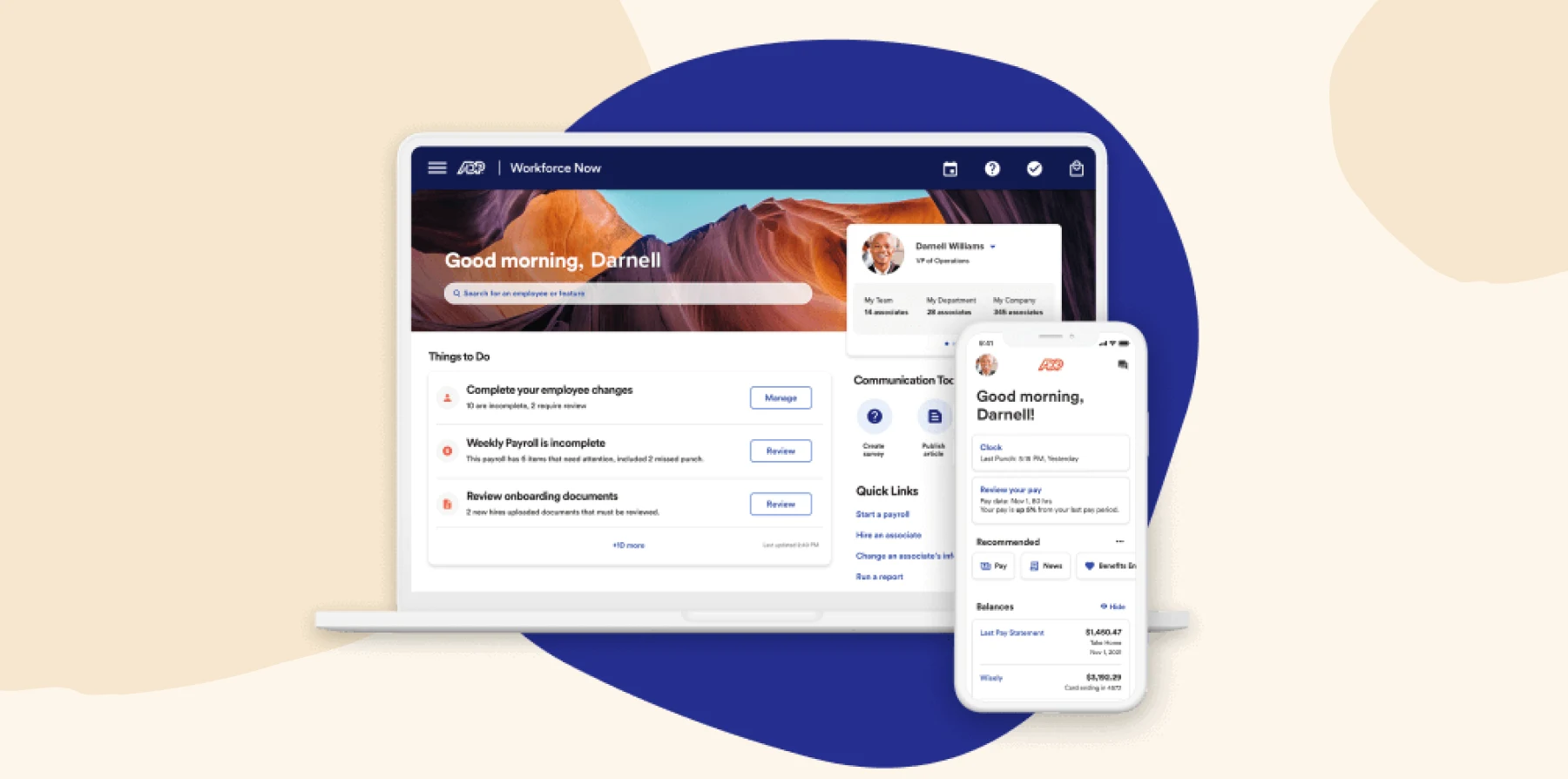
ADP offers payroll and human capital management (HCM) software used by large organizations worldwide. Its platform supports core HR functions while placing an added emphasis on payroll accuracy, tax compliance, and regulatory coverage. Finance teams use ADP or payroll execution, tax filings, and workforce cost reporting. HR teams use ADP to manage people records, time tracking, and benefits administration.
Features:
- ADP Workforce Now: Manage core HR, payroll, time tracking, and benefits administration
- ADP Global Payroll: Support payroll processing and compliance support across multiple countries
- ADP DataCloud: Access workforce analytics and benchmarking based on aggregated payroll and HR data
- Time and Attendance: Track hours worked, overtime, and attendance data tied to payroll
Pros:
- “I appreciate the ease of reporting with ADP Workforce Now.” – verified user
- “The platform gives you all of your information in one place.” – verified user
Cons:
- “I find certain aspects of the payroll system clunky and manual, which can be cumbersome to deal with.” – verified user
- “The timecard should have easier terms, very confusing to get from anyone.” – verified user
Pricing: Pricing is not publicly available
What users say:
Feedback from nearly 100 HR, payroll, and HRIS professionals over the past year reveals negative sentiment toward ADP. Roughly 70 percent of professionals report dissatisfaction with ADP, while 15 to 20 percent describe mixed or conditional experiences. Just 10 to 15 percent share positive outcomes, primarily from large organizations with 1,000 to 2,000+ team members that benefit from ADP’s strengths in tax compliance, reporting accuracy, and multi-state payroll.
- Positive sentiment is most common in complex enterprise environments
- Teams value ADP’s reliability in tax processing, audit support, and payroll compliance
- High-functioning setups often rely on premium support, external consultants, or custom configurations
- Works best when treated as critical payroll infrastructure, not a flexible, end-to-end platform
Challenges frequently begin during implementation and increase three to six months after go-live, once internal teams assume daily ownership. A second wave of issues often surfaces between six and 18 months, typically around audits, tax notices, or year-end processing.
- Organizations without experienced payroll teams report higher operational risk and internal strain
- Core platform is seen as rigid, with limited adaptability to changing business needs
- Post-implementation support varies, and value depends heavily on paid add-ons or account management
- Misaligned expectations around ease of use and configuration contribute to long-term frustration
ADP is best suited for enterprises that prioritize compliance and payroll precision—and are prepared to resource it accordingly. Teams expecting a streamlined or intuitive people platform may face challenges unless they bring deep internal expertise and treat ADP as part of a broader, integrated HR and Finance stack.
Oracle Fusion Cloud HCM

Customer review rating: 4/5 on G2
Oracle Fusion Cloud HCM is part of Oracle’s broader cloud suite for large, complex organizations. It combines core HR, payroll, workforce management, and talent processes within the Oracle Cloud ecosystem. Finance teams use it to connect workforce data to budgeting, accounting, and reporting workflows. HR teams use it to manage records, payroll, and global workforce operations.

Features:
- Oracle Global Human Resources: Manage team records, job data, and organizational structures
- Oracle Payroll: Run payroll with country-specific rules and statutory reporting requirements
- Oracle Workforce Management: Track time, labor, and scheduling data tied directly to payroll and compliance
- Oracle HCM Analytics: Analyze workforce trends, headcount changes, and labor costs using built-in reporting tools
Pros:
- “Accommodates the standard business functions in Finance, HCM, EPM.” – verified user
- “Comes with Tax module where you can define the tax config.” – verified user
Cons:
- “Reporting is clunky. There are several reporting resources. One is very difficult to set up, One has restrictions for size of data reported, which always causes issues for big companies.” – verified user
- “Admin and roles are difficult – all installs have a hard time figuring out the right roles needed and only the needed ones.” – verified user
Pricing: Pricing is not publicly available
What users say:
User feedback around Oracle’s HR and recruiting products—especially Oracle Recruiting Cloud and Oracle HCM—is primarily negative. Roughly 80 to 90 percent of public feedback on Oracle HCM highlights dissatisfaction, while 10 to 15 percent share mixed reviews—often noting that outcomes depend heavily on thoughtful implementation design.
- Users describe Oracle as highly flexible but difficult to manage without deep technical expertise
- Positive feedback centers on specific ERP modules like Fusion Financials, which are seen as valuable but not user-friendly
- Some teams note that once configured correctly, it works—but the path to stability is long and resource-intensive
- Oracle is often seen more as an ERP skill set than a modern, intuitive platform for HR or recruiting
Most challenges are operational. Quarterly product releases frequently disrupt existing configurations, requiring regression testing and ongoing rework. Recruiting is a consistent pain point, with reports of broken automations, email failures, and a clunky admin experience.
- Teams cite complex configuration, fragile workflows, and limited out-of-the-box value
- Poor user experience and inconsistent system behavior are recurring issues
- “Lift-and-shift” implementations often lead to failure, especially when legacy processes are directly ported over
- Long-term success requires strong governance, rigorous testing, and expert internal ownership
Oracle can support large, complex environments, but only when approached as a multi-year program with clear ownership and specialized resources. For teams seeking a modern, intuitive HR or recruiting platform, it is more often a source of friction than of momentum.
Paycor

Customer review rating: 3.9/5 on G2
Paycor is an HCM and payroll platform that supports HR and Finance teams with daily workforce operations. The platform combines payroll, HR, time tracking, and talent management in one system. Finance teams rely on Paycor for payroll processing, labor cost visibility, and workforce reporting. HR teams manage records, benefits, and performance.

Features:
- Paycor Payroll: Process payroll, manage tax filings, and maintain accurate pay data
- Paycor HCM: Manage team records, job changes, and HR workflows in one system
- Compensation Planning: Plan and manage salary adjustments within structured workflows
- Paycor Analytics: Access workforce and payroll reports to monitor labor costs and trends
Pros:
- “I like that Paycor is an all-in-one HRIS system.” – verified user
- “My favorite thing about Paycor is the simplicity of having all of my payroll/timecard information easily accessible in one convenient location.” – verified user
Cons:
- “Reports stop working, navigation to review upcoming time off can be difficult and constant updates.” – verified user
- “It is difficult to locate organization documents and performance/salary information.” – verified user
Pricing: Pricing is not publicly available
What users say:
Recent input from approximately 50 HR and payroll professionals shows a clear trend: sentiment around Paycor is largely negative. Roughly 70–80 percent of comments reflect dissatisfaction, 15–25 percent are mixed, and fewer than 10 percent are clearly positive.
- Paycor performs well in demos but struggles with real-world complexity, especially during open enrollment and when using multiple modules like performance, LMS, and recruiting
- Support is often described as slow and case-based, with some teams waiting weeks or months for resolution
- Repeated follow-ups are commonly required just to validate issues
- Cost transparency is a recurring issue, with users noting that core features like tax services, integrations, and reporting often come at additional cost
A growing number of professionals express concern about changes following acquisitions, including potential shifts in domains, platforms, or support models. Most concerns focus on inconsistent support, unclear pricing, and challenges that surface after go-live.
- Teams with multi-state operations, remote workforces, or frequent tax changes report the most friction
- Premium support tiers and add-on fees often drive total cost well beyond the original estimate
- Operational inconsistency and unclear ownership paths make long-term use difficult to scale
- Organizations prioritizing stability and predictability are increasingly exploring alternative platforms
Paycor may meet short-term needs for smaller or less complex teams, but for growing organizations with evolving compliance and support demands, it’s often seen as a high-friction option with unpredictable costs.
Rippling

Customer review rating: 4.8/5 on G2
Rippling is a workforce management platform that brings HR, payroll, IT, and finance-related operations into a single system. It’s used for managing people data alongside device access, app permissions, and payroll processes. Finance teams use Rippling to run payroll, manage benefits costs, and track workforce-related expenses. HR teams handle onboarding, role changes, and lifecycle tasks that extend beyond traditional HR systems.

Features:
- Rippling HCM: Manage team member records, payroll, job changes, and lifecycle events in one platform
- Rippling Spend: Manage corporate cards, expenses, and bill payments in one system
- Expense Management: Track, approve, and reimburse expenses with policy controls
- Workforce Reporting: Generate reports on headcount, payroll, and workforce costs
Pros:
- “It has all of the HR functions that you need. Payroll, benefits administration, time tracking, time off, recruitment, applicant tracking, onboarding/offboarding, auto generating ROEs, etc.” – verified user
- “I love Rippling’s quick and easy-to-use payroll processing.” – verified user
Cons:
- “I dislike that Rippling does not provide visibility on when the payment will arrive.” – verified user
- “It struggles with customization for our unique schedule and union contract needs.” – verified user
Pricing: Pricing is not publicly available
What users say:
Recent feedback from 75–100 HR, payroll, and operations professionals reveals a divided experience with Rippling. For smaller, United States-based teams (typically 100–500 people), especially those moving off legacy systems like ADP or Paychex, Rippling is often seen as a significant upgrade. These users highlight strong automation, unified data, and faster onboarding as clear wins:
- Teams appreciate the unified system across HR, IT, payroll, benefits, and spend
- Onboarding, offboarding, and workflow tools help lean HR teams operate efficiently
- Satisfaction stays high post–go-live when payroll and compliance needs are simple
- A solid option for first-time consolidation of point solutions
As organizations scale—especially past 300 team members or across multiple regions—users report more limitations. While early demos and go-live experiences tend to impress, real-world usage sometimes reveals gaps in reporting, analytics, and global functionality:
- HR and Finance professionals cite bugs, limited global payroll support, and unfinished features
- Reporting and headcount tools feel engineer-driven and often need custom configuration or external help
- Add-on complexity and inconsistent regional capabilities frustrate users expecting a fully mature platform
- Requires strong internal ownership and careful contract scoping to maintain long-term value
Rippling is a compelling choice for small to mid-sized U.S. teams modernizing away from legacy tools. However, as complexity grows—across multi-entity payroll, compliance requirements, or audit readiness—the platform may demand more internal effort than expected.
<<Compare Rippling vs HiBob.>>
SAP Success Factors

Customer review rating: 3.9/5 on G2
SAP SuccessFactors is an enterprise HCM platform geared toward large organizations with complex workforce needs. It’s part of the broader SAP ecosystem, which allows workforce data to connect with SAP finance and ERP systems. Finance teams use SuccessFactors to support workforce cost planning, payroll inputs, and reporting that ties into SAP Financials. HR teams use it to manage core HR, talent, and performance processes across large, global workforces.

Features:
- Employee Central: Manage team member records, job data, and organizational structures
- Payroll: Run payroll processes and support country-specific compliance requirements
- Compensation: Plan and manage salary reviews, bonuses, and pay adjustments
- People Analytics: Access workforce reporting that integrates with SAP financial systems
Pros:
- “It is a one shop stop with multiple HR functions.” – verified user
- “Its analytics and reporting capabilities are powerful.” – verified user
Cons:
- “Some workflows require multiple steps, which can be time-consuming.” – verified user
- “Redundant tasks, report functionality not that user friendly, intransparency about features.” – verified user
Pricing: Pricing is not publicly available
What users say:
Over the past 6 to 12 months, feedback on SAP SuccessFactors has remained steady and consistent in the enterprise HCM space. Most HR, Finance, and HRIS professionals describe it as stable, reliable infrastructure—especially for global organizations already embedded in the SAP ecosystem. Sentiment skews neutral to positive, with teams emphasizing its fit for compliance-driven, multinational environments:
- Trusted by large, global organizations operating across dozens of countries
- Strong configurability and support for complex org structures
- Reliable performance in core areas like Employee Central, compensation, and succession
- Reporting, security controls, and localized rule enforcement receive consistent praise
However, satisfaction tends to be pragmatic, not enthusiastic. While core functionality is solid, many users describe the interface as dated and less intuitive than modern alternatives. These tradeoffs are widely accepted by organizations that prioritize stability, auditability, and global compliance:
- UI and usability fall short of newer platforms
- Payroll complexity often leads to hybrid setups with Employee Central Payroll or S/4HANA
- Pain points emerge when expanding global payroll or modernizing surrounding systems
- Success depends on internal SAP expertise and long-term ecosystem alignment
SuccessFactors remains a dependable choice for large, global organizations seeking control, compliance, and integration across SAP systems, but it’s less suited for teams looking to modernize fast or simplify their tech stack.
Workday

Customer review rating: 4.1/5 on G2
Workday is an enterprise platform that combines human capital management and financial management in a single cloud system. It’s used by large organizations that want HR and Finance operating on the same underlying data model. Finance teams use Workday to manage payroll-related costs, budgeting, forecasting, and financial reporting alongside workforce data. HR teams rely on it to manage people records, compensation, performance, and global workforce operations.

Features:
- Payroll: Run payroll and manage pay calculations with country-specific rules
- Financial Management: Track budgets, expenses, and financial reporting connected to workforce data
- Adaptive Planning: Build budgets, forecasts, and workforce plans using live HR and financial inputs
- People Analytics: Analyze headcount, labor costs, and workforce trends across the organization
Pros:
- “It is an all-encompassing tool that covers all aspects of human capital (resource) management, including time off, pay, among other domains.” – verified user
- “This tool allows for the integrated management of payroll, talent, performance, recruitment, and employee development.” – verified user
Cons:
- “Although the platform offers some flexibility, generating reports or adapting very specific processes often requires advanced configurations or even the intervention of external support.” – verified user
- “The search function isn’t very useful. For example, I can’t easily search candidates by phone number.” – verified user
Pricing: Pricing is not publicly available
What users say:
Recent feedback from HR and Finance professionals points to a divided experience with Workday. Among mid-market and enterprise organizations (500 to 2,000+ team members), about 50 to 60 percent report ongoing frustration, particularly within Finance, Accounting, and reporting workflows. At the same time, 30 to 40 percent share more positive experiences, especially once teams are familiar with the system.
- Positive sentiment is strongest in HR and benefits, global compliance, and customizable workflows
- Supports complex benefit plans, multi-country operations, and advanced logic flows
- Can act as a central platform for HR, payroll, finance, and benefits when configured well
- Works best with strong internal HRIS teams or skilled implementation partners
Many describe the system as challenging for new users, particularly in Finance roles. The learning curve is steep, with a search-heavy interface that often lacks intuitive navigation. Friction tends to increase six to 18 months post-implementation, when teams begin relying on more advanced reporting, historical context, or complex financial planning and analysis needs.
- Common pain points include rigid standard reports, overlapping hierarchies, and complex spend structures
- Early configuration decisions have long-term impact, especially in financial reporting
- Smaller organizations may find it over-engineered and costly to maintain
- Sustained value depends on dedicated administrators, expert partners, and ongoing training
Workday can support deep compliance and financial operations, but success relies heavily on internal expertise and upfront implementation quality. Teams without the resources to manage and evolve the system may struggle to fully realize its potential.
Key features of enterprise software for Finance and HR
The most effective enterprise platforms help HR and Finance operate as a unified function. Instead of managing people and money in parallel, these features create shared workflows where planning, execution, and measurement stay aligned as the organization grows.
Finance management
Finance management features connect workforce activity directly to financial planning. This includes headcount, compensation, bonuses, and the cost impact of hiring or role changes. In enterprise organizations, these inputs change constantly and must be reflected quickly in budgets and forecasts. Enterprise software keeps this information structured and connected, so Finance teams can plan better as people make decisions.
Payroll and benefits
Payroll and benefits features apply pay, deductions, and benefits accurately across the workforce. At scale, payroll depends on clean handoffs between HR and Finance, especially when teams span locations, roles, and pay structures. Enterprise software applies changes consistently across systems, reducing errors and keeping payroll cycles predictable and reliable.
People management
People management features support how roles, performance, and development are tracked over time. Enterprise HR teams need consistent processes that work across large populations, not one-off solutions. Enterprise software provides a shared structure for managing reviews, promotions, and role changes, ensuring people decisions stay organized and visible to both HR and Finance.
Compliance and security
Compliance and security features protect sensitive people and pay data while enforcing clear approval paths. In large organizations, many stakeholders interact with the same systems, making access control essential. Enterprise software applies permissions, audit trails, and safeguards automatically, supporting accountability without slowing execution.
Analytics and reporting
Analytics and reporting features give HR and Finance a consistent view of workforce trends. This includes headcount, turnover, compensation, and other HR metrics used to guide decisions. Enterprise software standardizes definitions and calculations so teams can review performance, plan ahead, and communicate results using the same assumptions.
Automation opportunities
Automation features handle repeatable tasks that don’t need human judgment. Approvals, reminders, updates, and routine tasks are handled automatically as activity increases. This allows teams to maintain consistency at scale while freeing time for planning and decision-making.
Integration capabilities
Integration capabilities connect enterprise software with payroll, accounting, and financial planning systems. As organizations grow, no single platform operates in isolation. Strong integrations ensure people and financial data move accurately across systems, supporting alignment without manual reconciliation.
Find the best enterprise software for your HR and Finance teams
The right enterprise software helps HR and Finance operate as one during planning, approving, paying, and reporting from the same foundation. With one connected view of people and cost, HR and Finance can act quickly, plan precisely, and support stronger business outcomes.
For organizations looking to support both HR and Finance without adding unnecessary friction, choose HiBob. HiBob links workforce data to payroll, planning, and reporting so teams can track people costs in real time, analyze variances, and forecast with precision. This shared visibility allows HR to operate as a strategic partner to Finance, supporting productivity, profitability, and sustainable growth across the enterprise.
Explore HiBob to see how it unifies enterprise HR and Finance teams
Disclaimer:
This content reflects HiBob’s perspective, informed by our experience supporting HR teams as they evaluate and implement HR software. It is provided for informational purposes only and is not intended as independent research or professional advice. Prospective users should conduct their own evaluation before making a decision.
Feature descriptions, pricing references, and availability for third-party platforms are based on publicly available information at the time of publication and may change. HiBob does not guarantee the accuracy or completeness of information related to third-party products. Prospective users should verify details directly with each provider.