
Most HR teams don’t run on a single system. You’re juggling an HRIS alongside payroll, applicant tracking, learning, IT, finance, benefits, and collaboration tools, each managing a piece of the team member lifecycle. These systems are supposed to work together. Too often, they don’t, and HR teams end up spending more time moving data between platforms than using it to make decisions.
The impact goes well beyond administrative inefficiency. HiBob’s Budget Smart – People Fair research found that 60 percent of people managers spend three or more hours assembling data from multiple systems before making a single people decision. Industry research tells a similar story: While organizations continue to invest in HR technology, many still struggle to achieve business goals. This is often due to fragmented HR tech stacks, integration challenges, and disconnected people data.
That’s why effective HRIS integrations matter. They connect your HRIS with the business-critical tools your teams already use, creating a reliable flow of data across HR, Finance, payroll, recruiting, IT, and more. Instead of maintaining duplicate records or reconciling conflicting reports, teams can work from a shared source of truth, automate repetitive processes, and make faster, more confident decisions.
This guide covers what HRIS integrations mean in practice, which types to consider, how long implementation takes, and how to run a clean rollout from start to finish. If you’re evaluating HRIS software or rethinking your current setup, this is a practical starting point.
Key insights
- HRIS integrations connect your HR platform to payroll, benefits, ATS, finance, and productivity tools, giving teams a single, accurate source of people data
- Integration complexity scales with organization size: Small businesses can go live in weeks, while large enterprises with custom systems may need six months or more
- There are three main integration architectures, and the right choice depends on your existing tech stack and IT capacity
- A phased rollout and end-to-end testing before go-live dramatically reduce the risk of data errors disrupting payroll, compliance, or reporting
What is HRIS integration?
HRIS integration is the process of connecting your human resources information system to other software your organization uses. These may include payroll software, applicant tracking systems (ATS), benefits platforms, time-tracking tools, finance systems, and productivity apps. The goal is to let data flow between systems without manual exports, duplicate entry, or reconciliation work.
At a basic level, HRIS integration might automatically add a new joiner to payroll once you add them to your HRIS. At a more advanced level, integrations synchronize compensation data, organizational structure, performance records, and headcount figures across every system your HR and Finance teams rely on.
Benefits of effective HRIS integration
A well-integrated HR tech stack changes the quality of decisions your teams can make. Here are a few benefits integration provides:
- Fewer manual errors. Data synced automatically across systems is far less likely to contain discrepancies than data entered manually across multiple platforms. This matters especially for payroll accuracy and compliance reporting.
- Faster decisions. 83 percent of managers say switching between tools slows them down at least half the time. When systems share data in real time, managers spend less time hunting for numbers and more time acting on them.
- Stronger HR and Finance alignment. When your HRIS connects to finance tools, headcount planning, budget tracking, and salary reviews can all draw from the same data. 65 percent of managers say they’re unable to ensure truly fair pay decisions without a unified view of budget and people data—a gap that integration directly addresses.
- Reduced operational and administrative overhead. Less time reconciling systems means HR teams can focus on higher-impact work: strategic planning, team member development, and supporting managers.
- Better compliance. Integrated systems make it easier to maintain accurate records across regions, automate required reporting, and track audit trails—all critical for organizations operating across multiple jurisdictions.
- Scalability. A connected HR tech stack grows with your organization. When you add teams, locations, or new tools, integrations mean new data flows without rebuilding processes from scratch.
How long does an HRIS integration take?
Your implementation timeline depends on three factors: organization size, integration complexity, and the number of systems you’re connecting.
| Organization size | Typical timeline | Complexity | Integration type |
| Small (under 100 team members) | 2–6 weeks | Low | Native or marketplace |
| Mid-size (100-500) | 4–12 weeks | Medium | Marketplace or API |
| Large (500-2,000) | 2–4 months | Medium-high | API or custom |
| Enterprise (2,000+) | 3–6+ months | High | Custom API or hybrid |
These are general ranges. A straightforward native integration between two modern platforms can go live in days. A custom API integration connecting a legacy payroll system to a new HRIS, including data transformation and validation steps, can take a full quarter.
Types of HRIS integrations
Not all integrations work the same way. Understanding different types of HRIS integrations helps you choose the right approach for your tech stack and team structure.
By architecture
Integration architecture defines how your systems connect and exchange data. Most HRIS integrations fall into one of three categories:
- API-based integrations: Connect systems directly through APIs to sync data in real time, making them ideal for complex workflows and custom business needs. They offer the most flexibility but typically require developer support to implement and maintain.
- Marketplace or integration hub: Use pre-built connectors to integrate with common payroll, ATS, finance, and productivity platforms. These integrations are quicker to deploy, require less technical expertise, and work well for standard use cases.
- Native or embedded integrations: Built directly into the HRIS, these integrations require little to no setup and are typically the easiest to maintain. Because the platform vendor or an official partner maintains them, they’re often the most reliable option.
By data flow direction
Data flow defines how information moves between systems. Choosing the right direction helps ensure the right system remains your source of truth while keeping data accurate across your tech stack.
- One-way integration: Data flows from one system to another, making one application the single source of truth. This approach is simpler to implement and works well when only one system needs to maintain or update records.
- Two-way (bidirectional) integration: Data flows between both systems, automatically syncing updates in each direction. While more complex to configure, it’s the best option when multiple systems need current, consistent information.
By scope
Integration scope defines whether your HRIS connects to internal systems or external vendors.
- Internal integration: Connects your HRIS with internal business systems, such as finance, time tracking, or IT tools. These integrations streamline workflows and keep data consistent across teams.
- External integration: Connects your HRIS to third-party providers, such as payroll, benefits, or background-check vendors. Because data leaves your organization’s environment, these integrations require strong security, access controls, and governance.
<< Explore Bob’s integrations from payroll and benefits to finance and productivity >>
Step-by-step guide to smooth HRIS integration
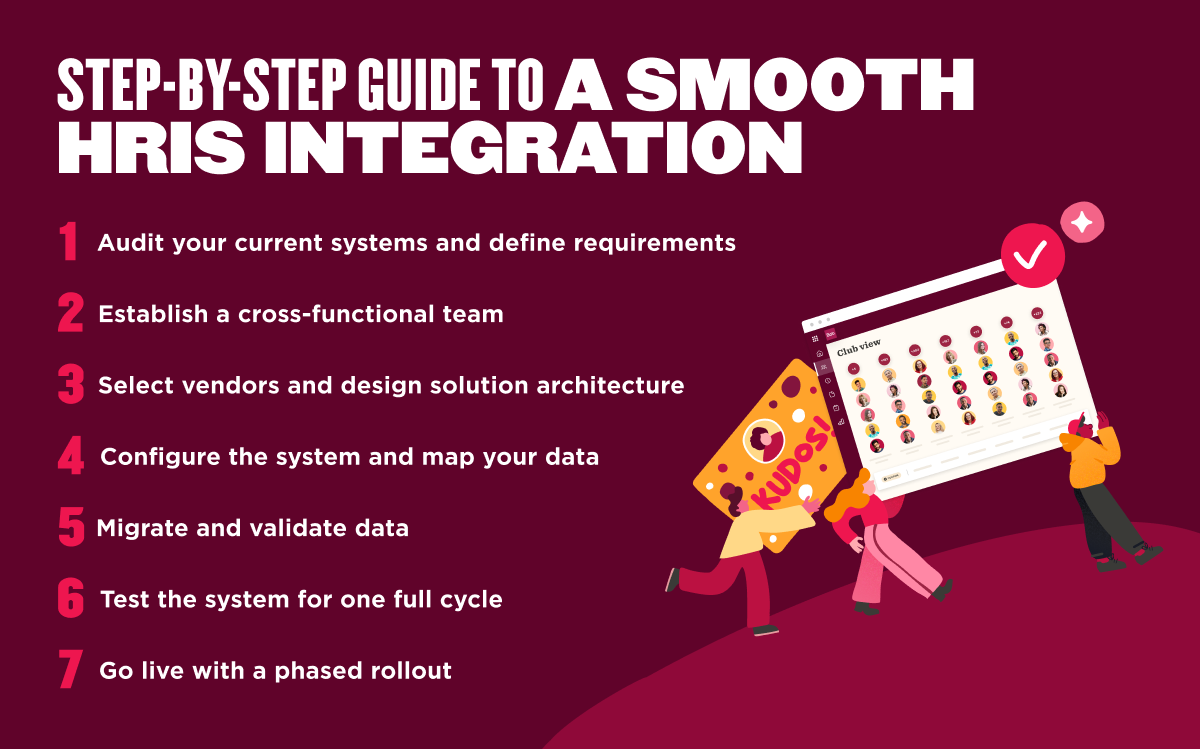
Whether you’re connecting a single system or rebuilding your entire HR tech stack, getting an HRIS integration right the first time saves significant work down the line. Here’s how to approach it.
1. Audit your current systems and define requirements
Start by creating a complete inventory of every system that stores or relies on people data. That includes your HRIS, payroll, ATS, benefits platform, finance software, time and attendance tools, learning platform, identity management solution, and any spreadsheets or point solutions teams still use.
Next, document how each system fits into your workflows. Identify the data each one owns, how frequently records change, who relies on that information, and where duplicate data already exists. This exercise often uncovers unnecessary manual work, outdated processes, and systems that no longer serve the business.
Once you understand your current environment, define what success looks like. Decide which fields need to sync, how frequently data should update, which system serves as the source of truth for each record, and which business outcomes the integration should support.
2. Establish a cross-functional team
HRIS integrations affect far more than HR. They influence payroll accuracy, workforce planning, financial reporting, IT security, compliance, and the day-to-day experience of managers and team members.
Build a project team with representatives from HR, Finance, IT, and any other departments that rely on workforce data. Assign a project owner to coordinate timelines, manage decisions, and keep stakeholders aligned throughout implementation.
Involve every function early to prevent surprises later:
- Finance can validate compensation and cost center mapping
- IT can identify technical dependencies
- Legal or Compliance can confirm that data handling meets internal policies and regulatory requirements
3. Select vendors and design solution architecture
Choose an integration approach that matches your business needs, technical resources, and long-term growth plans. For many organizations, native integrations or marketplace connectors provide the fastest path to value. More complex workflows may require custom APIs or middleware.
As you evaluate vendors, look beyond functionality. Consider security certifications, uptime commitments, support quality, documentation, and the level of activity for each integration. An integration that works well today should continue evolving alongside your business.
Before implementation begins, define your architecture. Decide which application owns each data set, how the team will resolve conflicts, when information should sync, and where manual approvals or overrides should occur. Clear governance at this stage prevents confusion later.
4. Configure the system and map your data
Data mapping is one of the most important parts of any integration project. Even small inconsistencies between systems can create reporting errors, duplicate records, or failed synchronizations.
Review every field that needs to move between systems. Confirm naming conventions, formats, dropdown values, required fields, and validation rules align across platforms. Different systems may define fields that appear to be the same in different ways—something as simple as a department name or job title may follow different standards.
Document every mapping decision as you configure the integration. Clear documentation makes troubleshooting easier, simplifies future updates, and helps new administrators understand how information flows across your HR technology ecosystem.
5. Migrate and validate data
Before launching the integration, test your data in a sandbox or staging environment. Use a representative sample of records to confirm information transfers accurately and consistently between systems.
Look closely for missing values, duplicate records, formatting issues, failed mappings, and unexpected changes to historical data. Small errors can multiply quickly once an integration begins processing thousands of records automatically.
Validation can be a shared responsibility. HR can review people records, Finance can verify compensation and organizational data, and IT can confirm the integration performs reliably without introducing security or performance issues.
6. Test the system for one full cycle
Continue testing after confirming individual fields sync correctly. Test the integration across an entire business process, whether that’s onboarding, payroll, benefits enrollment, performance reviews, or workforce reporting.
Include real-world scenarios that often expose hidden issues. Test promotions, department transfers, manager changes, leaves of absence, terminations, rehiring, and other lifecycle events that happen every day in growing organizations.
Capture every issue, resolve it, and repeat testing until stakeholders are confident the integration performs consistently. Investing extra time before launch costs far less than correcting payroll or workforce data after go-live.
7. Go live with a phased rollout
A phased rollout gives your team more control than launching every integration at once. Start with a smaller group, department, or workflow, validate that everything performs as expected, then expand to the rest of the organization.
Monitor data quality, user adoption, synchronization logs, and support requests throughout each phase. Regular check-ins help you identify trends early and make adjustments before they affect more users.
Remember that integration isn’t a one-time project. As your business grows, you’ll add new systems, update existing workflows, and introduce new data requirements. Reviewing integrations regularly helps ensure your HR technology continues delivering accurate, connected workforce data that supports better business decisions.
The future of HRIS integrations: How it’s changing
As HRIS integration moves from a one-time IT project to a continuous, real-time capability, several trends are driving that shift:
- AI-powered data workflows: AI adoption is accelerating across HR, with researchers expecting AI to handle up to half of HR duties by 2030. This makes integrated data even more important. Vendors are embedding AI into integration layers to handle data transformation, flag anomalies, and surface insights as data flows between systems. Rather than waiting for a report, HR teams get alerts when data looks inconsistent or when a downstream system hasn’t received an expected update.
- Unified platforms reducing integration complexity: Only 26 percent of HR professionals at multinational companies say their current HCM enables them to handle global HR complexity—a gap that is driving investment in more connected platforms. Growing adoption of all-in-one HCM platforms is reducing the number of point solutions organizations need to connect. When payroll, benefits, performance, and workforce planning live in one system, integration complexity drops significantly.
- Real-time sync replacing batch processing: Legacy integrations often ran on nightly batch syncs—meaning a change someone made in the morning wouldn’t appear in a connected system until the next day. Modern API-based integrations are shifting to real-time or near-real-time sync, which leaders increasingly expect in fast-moving organizations.
- Stronger data governance requirements: As privacy regulations expand across jurisdictions, integration architecture needs to account for where data lives, who can access it, and how long the system retains it. Organizations are building governance into their integration design from the start rather than retrofitting it later.
- iPaaS adoption: Demand for integration platforms continues to grow. Gartner estimates the global iPaaS market grew 23.4 percent in 2024 to $8.5 billion, driven by cloud adoption, AI, and the need to connect expanding SaaS ecosystems. As a result, mid-market organizations can build and manage sophisticated HR integrations without maintaining custom code for every connection.
Recommended For Further Reading
Simplify HRIS integration with HiBob
HiBob brings HR, payroll, benefits, performance, and workforce data together in one people-first platform so your systems stay connected without constant maintenance overhead. Bob’s open API and marketplace of pre-built connectors make it straightforward to link the tools your teams already use, from payroll and benefits providers to finance systems and productivity apps.
When your HR data flows cleanly across systems, managers spend less time chasing numbers and more time making the decisions that actually move the business forward. Bob Companion makes that data even more accessible—HR teams and managers can ask questions in natural language, surface workforce insights faster, and get support without leaving the flow of work.
<< Book a demo to see how HiBob supports a connected, low-friction HR tech stack >>
HRIS integrations FAQs
Is Excel an HRIS system?
No. Excel is a spreadsheet tool, not an HRIS. Many HR teams use spreadsheets to manage people data before implementing a dedicated system, but spreadsheets don’t offer the automation, access controls, audit trails, or integration capabilities that an HRIS provides.
Does HRIS integration improve compliance?
Yes. When people data syncs automatically across systems, it’s easier to maintain accurate records, generate required reports, and respond to audits. Manual data transfers create gaps—teams miss records, updates don’t carry over, and inconsistencies appear between systems. Integration reduces those gaps, which is particularly important for organizations operating across multiple jurisdictions with different reporting requirements.
Can systems still operate independently after integration?
Generally, yes. Developers design most integrations so each system continues to function independently—the integration layer handles data exchange without creating a hard dependency. Good integration design includes monitoring and alerting so your team can quickly detect and resolve those issues.
How do you choose the right HRIS vendor?
Start with your requirements: size of your organization, the countries you operate in, which systems you need to connect, and what data you need the HRIS to manage. From there, evaluate vendors on depth of integration options, security certifications, support quality, ease of configuration, and total cost of ownership.
What’s the difference between a native integration and an API?
A native integration is a pre-built connection between two specific platforms. Vendors design native integrations to work out of the box with minimal configuration and maintain these integrations themselves. An application programming interface (API) is a general mechanism that allows two systems to communicate.
Building an API-based integration requires developer resources to configure the data mapping, authentication, and logic. Native integrations are faster to activate and more stable; API integrations offer more flexibility for custom or complex use cases.