
Running HR in a manufacturing business is no small feat. You’re managing shift schedules, safety training, payroll for hourly and salaried team members, and compliance across multiple sites. The right HR software can bring these moving parts together in one system to streamline operations and keep your teams productive and safe.
But many organizations still use HR technology mainly for core administration. In a CIPD and HiBob study, 85 percent of respondents said their organization uses an HRIS, while only 37 percent use workforce planning software and 12 percent use people analytics tools. For manufacturers, that means leaving efficiency gains, cost savings, and better individual experiences on the table. When fully utilized, these tools can automate repetitive tasks, surface actionable data, and help you meet industry-specific needs like tracking certifications, managing complex pay rules, and planning across sites and shifts.
This guide walks through the best HR software for manufacturing companies so you can choose a solution that supports your people, reduces administrative strain, and makes every shift run smoother.
Key takeaways
- Manufacturing HR software has to handle shift scheduling, overtime, safety certifications, and multi-site compliance, not just core HR records
- The right platform depends on how your workforce is structured: union or non-union, single-site or multi-site, hourly or salaried
- HiBob suits mid-sized and multinational manufacturers that want HR, Payroll, and Finance in one platform, while tools like UKG Pro and ADP Workforce Now focus on deep time and payroll for large hourly workforces
Best HR software for manufacturing businesses: Quick overview
We reviewed some of the best HR platforms for the manufacturing industry based on workforce management features, scheduling capabilities, payroll options, and pricing. We compared product documentation, verified customer reviews, and publicly available feature information to assess how well each platform supports manufacturing teams.
| Platform | Shift scheduling | Multi-site and multi-country payroll | Self-service | Pricing |
| HiBob | Tracks hours, overtime, and shift changes | Native payroll, plus global payroll for multinational teams | Mobile app for every team member | Custom quote |
| ADP Workforce Now | Built-in scheduling and time tracking | Multi-state US payroll; global through ADP Global Payroll | Mobile app | Custom quote |
| BambooHR | Time tracking; limited shift scheduling | US payroll add-on | Mobile app | Custom quote |
| Deel | Time-off tracking; limited scheduling | Payroll and EOR in 150+ countries | Mobile app | Free core HR; payroll priced separately |
| Paylocity | Scheduling and time and labor tracking | Multi-state US payroll; global through partners | Mobile app and Community hub | Custom quote |
| Personio | Time tracking and shift planning | Native payroll in the UK, Ireland, and Germany | Mobile app | Custom quote |
| Rippling | Time tracking and scheduling | US and global payroll | Mobile app | Custom quote |
| UKG Pro | Advanced scheduling and workforce management | Multi-state US and Canada; global through partners | Mobile app for deskless workers | Custom quote |
| Workday | Scheduling and time tracking for large workforces | Native payroll in select countries; partners elsewhere | Mobile app | Custom quote |
| Zoho People | Shift scheduling and geolocation clock-ins | Separate Zoho Payroll product | Mobile app | From $1.50/user/month |
We published the full scoring, with all features, customer ratings, and review counts, in the spreadsheet linked here.
The importance of HR software in the manufacturing industry
Managing HR operations in manufacturing involves more moving parts than a typical office job. You’re juggling complex shift patterns, keeping safety certifications up-to-date, and managing a workforce that’s often spread across multiple sites.
Without the right system in place, manufacturing HR teams can face challenges like:
- Scheduling errors that disrupt production
- Payroll mistakes that lead to compliance issues and turnover
- Missing or expired safety certifications
- Difficulty filling roles quickly in a competitive labor market
- Limited visibility into workforce performance and costs
The right HR software acts as your central hub, replacing disconnected spreadsheets and manual processes with a single, easy-to-access system. A powerful HR software for manufacturing companies can help you:
- Automate scheduling for multiple shifts, overtime, and rotating rosters, so production always stays on schedule
- Store records of safety training, equipment operation licenses, and HR compliance requirements in one place
- Post jobs, manage applicants, and set up new joiners with the right tools and training before their first day on the floor
- Handle different pay rules, overtime calculations, and deductions without manual intervention
- Spot absenteeism trends, track HR KPIs, and identify where extra support or resources are needed
- Stay ready for audits with accurate records, documented safety protocols, and adherence to labor laws across regions
Types of manufacturing HR needs
How your workforce is structured changes what you need from HR software. A unionized plant, a multi-country operation, and a team of salaried engineers each put different demands on scheduling, pay rules, and compliance. Use this chart to see what’s different for each type of manufacturing team:
| Manufacturing HR type | What’s different about their HR needs |
| Union workforce | Contract-compliant scheduling, grievance/seniority tracking, collective bargaining pay rules |
| Non-union workforce | More scheduling flexibility, but still needs consistent policy documentation to avoid disputes |
| Single-site | Centralized safety/compliance tracking, simpler shift coordination |
| Multi-site / global | Standardized policies across locations, region-specific labor law and pay-rule handling, cross-site headcount visibility |
| Hourly / shift-based | Time clock accuracy, overtime rules, shift-swap workflows, deskless mobile access |
| Salaried / corporate | Standard PTO and performance-review cycles, less scheduling complexity |
Best HR software platforms for manufacturing companies
Let’s look at some of the best HR software platforms for manufacturing businesses on the market today.
HiBob

Customer rating: 4.5/5 on G2 (2,700+ reviews)
HiBob is the all-in-one HR and payroll software for mid-sized and multinational companies, bringing HRIS, payroll, and Finance together in one intuitive platform. For manufacturers, that means one connected workforce across every site: frontline and office-based team members get the same mobile access to HR information, self-service, company updates, and time and attendance, and leaders get one consistent view of headcount, turnover, attendance, and engagement across plants, entities, and regions.
Built on trusted workforce data, HiBob gives manufacturers an enterprise-grade foundation without the complexity of legacy HCM suites. Configurable workflows and role-based permissions let you standardize core HR across sites while handling local differences, HR and Finance work from the same numbers on headcount and workforce costs, and Bob AI helps leaders spot workforce trends across sites and see where support is needed. HiBob is fast to implement and easy to migrate to, with HiBob’s team supporting you through implementation.

Key features:
- Core HR: Automate essential HR tasks, maintain accurate personnel records, and create reports to streamline daily operations
- Time and Attendance: Track hours worked, overtime, and shift changes with integrated time-tracking tools
- Compensation and Payroll: Manage payroll, pay structures, bonuses, and overtime policies across different roles and locations
- Hiring: Manage job postings for plant, warehouse, and office roles, track candidates, and streamline interview scheduling
- Finance: Connect people plans to budgets with real-time visibility into headcount and workforce costs, keeping HR and Finance aligned on the same trusted data
Pros:
- “Thanks to its modern and user-friendly interface, employee adoption was nearly immediate, reducing the friction usually associated with administrative tasks.” (source)
- “The workflow automation is highly reliable, helping us streamline our processes and reduce manual overhead effortlessly.” (source)
- “The onboarding flows are fantastic.” (source)
Cons:
- “I’ve noticed notifications can be a bit inconsistent” (source)
- “Once you make a manual adjustment to an employee’s time-off balance, you cannot simply edit it.” (source)
Pricing: Contact the HiBob team for a custom plan
Discover how HiBob helps manufacturing companies manage their people.
ADP Workforce Now

Customer rating: 4.2/5 on G2 (4,400+ reviews)
ADP Workforce Now helps manufacturing companies centralize HR, payroll, scheduling, and compliance in one platform. It automates repetitive admin tasks like onboarding and shift-based payroll, supporting smoother operations on the shop floor. Built-in compliance tools help manufacturers stay audit-ready across multiple jurisdictions.

Key features:
- Payroll and time tracking: Automate shift-based pay, overtime calculations, and direct deposit
- Recordkeeping and compliance logging: Maintain team member records, certification statuses, customized dashboards, and compliance reports
- Onboarding: Use fillable forms, e‑I‑9, and document acknowledgement features to standardize hiring
- ADP Marketplace: Connect with external ERP or scheduling systems
Pros:
- “The most helpful aspect of ADP Workforce Now is that everything is centralized.” (source)
- “The reporting and dashboards are excellent, providing clear insights.” (source)
- “The interface is really intuitive—employees can handle their own time off requests, pay stubs, and personal info updates without constantly bugging HR.” (source)
Cons:
- “The main thing I disliked was that resolving complex payroll, tax, or technical issues often meant working through tier-one representatives who didn’t have deep system knowledge.” (source)
- “My main dislike about WFN is that, if you’re not a power user, an administrator can end up spending a lot of time refining reports” (source)
Pricing: Pricing is not publicly available
Deel

Customer rating: 4.7/5 on G2 (1,600+ reviews)
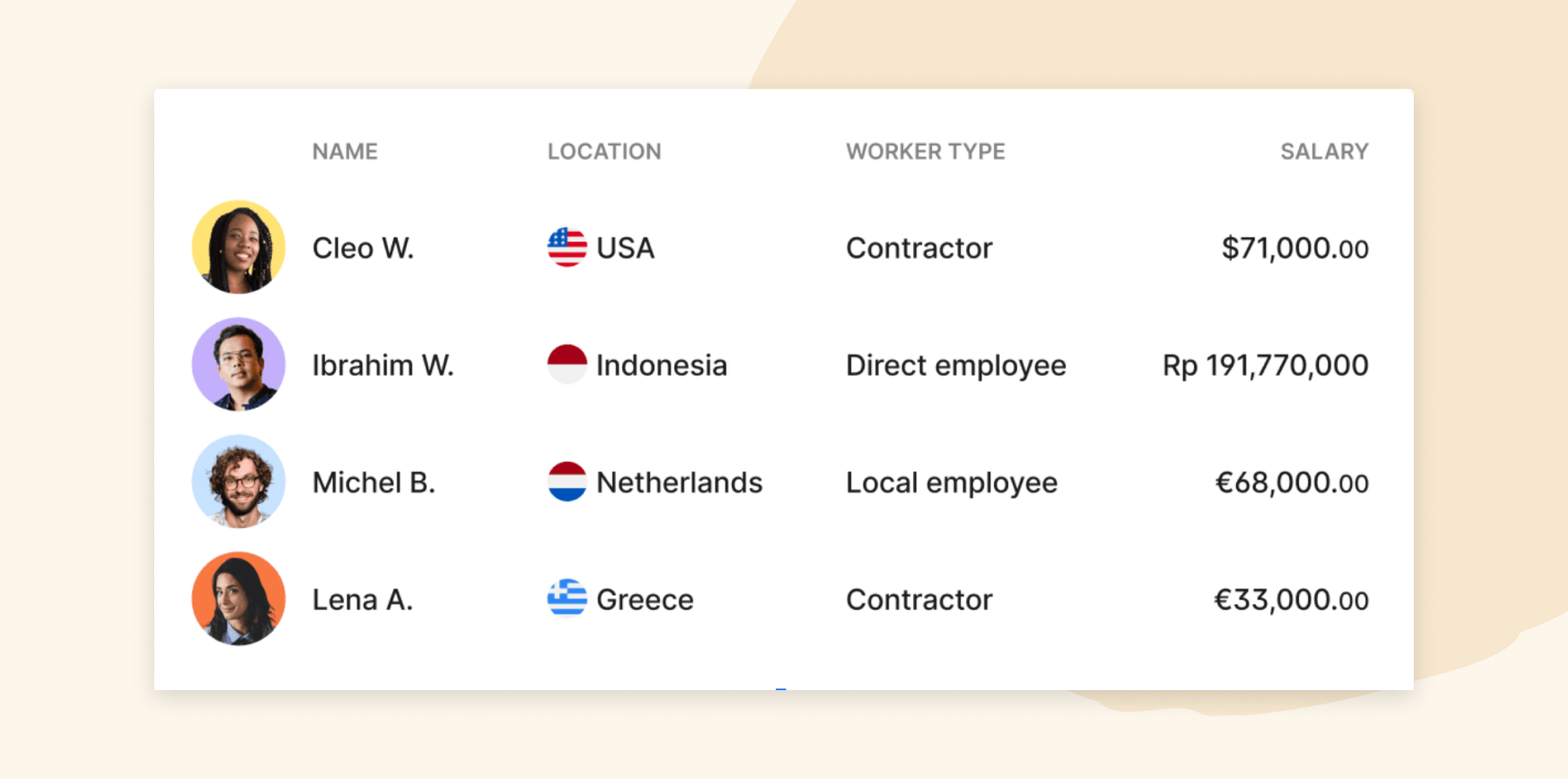
Deel helps global manufacturing companies manage payroll, compliance, and workforce operations across borders. With capabilities for contractors, EOR hires, and full-time staff, manufacturers can scale hiring without legal complexity.
Key features:
- Global payroll and compliance: Manage payroll, tax deductions, filing, and compliance across 130+ countries
- Global worker management: Handle employees, contractors, and EOR staff in one system
- Workflow automation: Automate onboarding, document management, time-off, performance, and payroll tasks
- Compliance Hub: Receive real-time legal updates and risk alerts for global workforce management
Pros:
- “The best thing about Deel is having everything in one platform.” (source)
- “Deel is an all-in-one system that has made workforce management much easier for us, saving time and effort along the way.” (source)
- “The platform is straightforward, and I can quickly find what I need without any confusion.” (source)
Cons:
- “The performance and career features in Engage still feel less mature than the core HRIS.” (source)
- “One area that could be improved is making certain features more intuitive and easier to locate, especially for first-time users.” (source)
Pricing:
- Deel HR: Free
- Deel Engage: $20/mo per person
BambooHR

Customer rating: 4.4/5 on G2 (7,100+ reviews)
BambooHR offers manufacturing teams a centralized system for team data, payroll, and hiring. It supports hourly shift-based operations and global teams, with tools to simplify candidate management, compliance, and workforce reporting across locations.

Key features:
- Centralized data: Store team data and generate custom people data reports
- Payroll, time, and benefits: Manage payroll, hour tracking, and benefits in a unified workflow
- Hiring: Post jobs, review applications collaboratively, and automate candidate-to-team member record transfer
- Integrations: Connect to over 150 external tools
Pros:
- “The user interface is extremely friendly.” (source)
- “Employees enjoy how intuitive it is for onboarding, time off requests and holiday calendars.” (source)
- “Everything is organized in one place, including employee records, time-off requests, company updates, and important documents.” (source)
Cons:
- “At times, BambooHR can feel a bit limited in terms of customization and reporting.” (source)
- “I find the reporting is lacking.” (source)
Pricing: Pricing is not publicly available
<<Compare HiBob vs. BambooHR and see which fits your business best>>
Paylocity
Customer rating: 4.4/5 on G2 (6,200+ reviews)
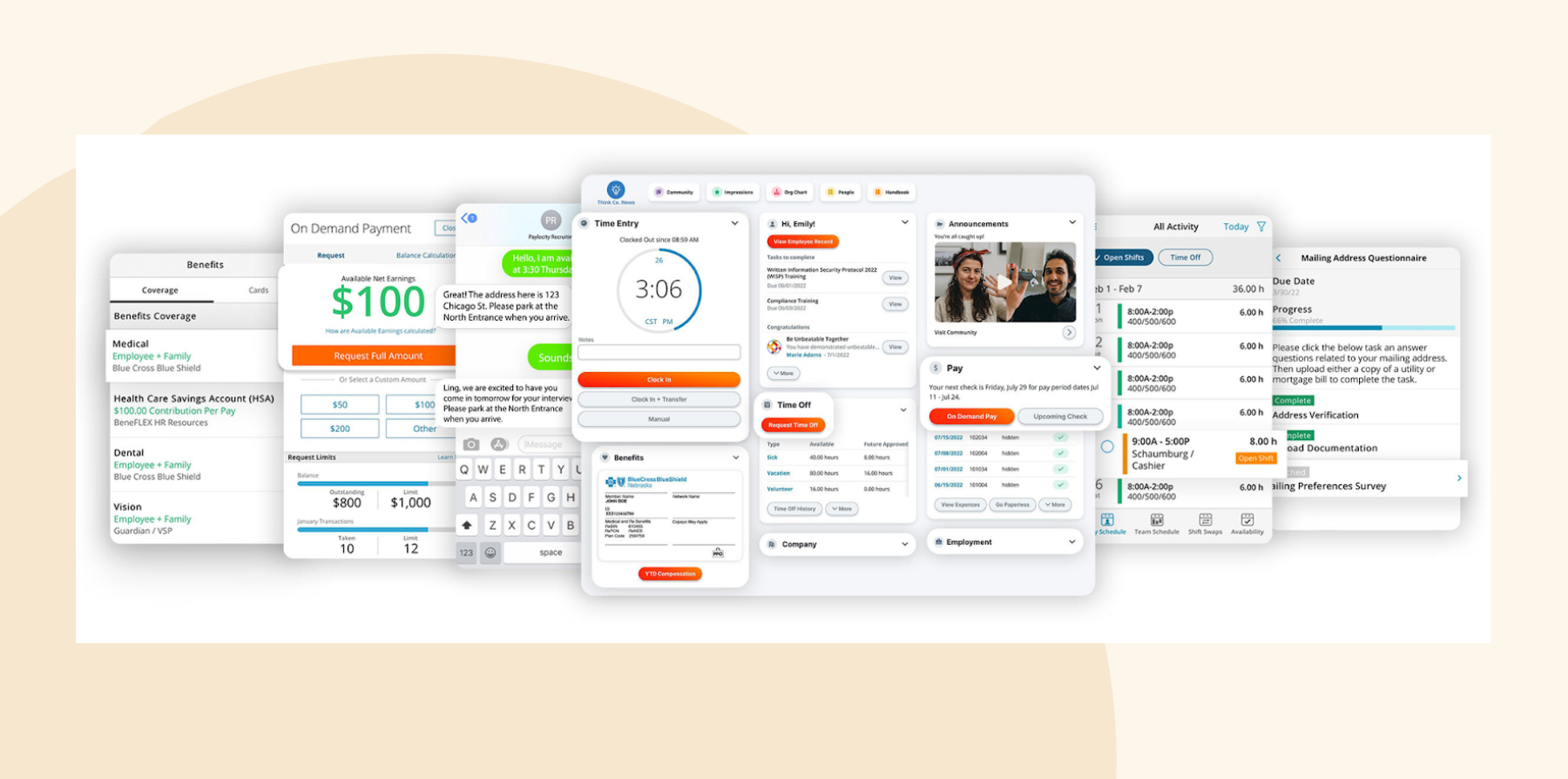
Paylocity gives US manufacturers payroll, time and labor tracking, and HR in one platform. Its scheduling and time tools sync hours and overtime to payroll, and the Community hub gives frontline teams one place to get company updates on their phones.
Key features:
- Payroll: Run payroll with built-in tax filing, reconciliation reports, and on-demand pay options
- Time and labor: Schedule shifts, track hours and overtime, and sync them to payroll
- Benefits administration: Manage open enrollment and connect with 401(k) providers and benefit carriers
- Community and surveys: Share company news, recognize team members, and collect feedback from the floor
Pros:
- “I like that everything with Paylocity is in one place, making it very convenient for managing HRIS and payroll.” (source)
- “The community feature is great for connecting employees and recognizing their efforts” (source)
- “I love how Paylocity makes our onboarding process so much smoother” (source)
Cons:
- “HR and Payroll being completely separate from Time and Labor causes some issues, like discrepancies in payroll, time tracking, and PTO balances.” (source)
- “I wish Paylocity was less expensive and one account manager versus several.” (source)
Pricing: Pricing is not publicly available
Personio

Customer rating: 4.4/5 on G2 (1,000+ reviews)
Personio supports manufacturers with an HR system that handles recruiting, time tracking, and performance reviews across distributed teams. Automations free up time for frontline managers while maintaining accuracy across HR processes.

Key features:
- Cloud HR: Centralize recruiting, onboarding, time tracking, performance reviews, and payroll
- Smart Automations: Enable AI to suggest workflows, highlight tasks, and help automate HR routines
- Onboarding and offboarding: Handle structured processes for welcoming new joiners and managing departures
- Marketplace: Receive support for over 200 integrations and custom workflows.
Pros:
- “The best part is the recruiting.” (source)
- “The ability to easily configure Personio Core and adapt it to the individual requirements and processes of the company.” (source)
- “Personio has a beautiful UI that was even praised by our team (we build digital products).” (source)
Cons:
- “From my perspective, Personio is not optimal for companies with many seasonal and recurring employment relationships.” (source)
- “The reporting isn’t exactly where I would like it to be.” (source)
Pricing: Pricing is not publicly available
<<Compare HiBob vs. Personio to see which fits your business best>>
Rippling

Customer rating: 4.7/5 on G2 (14,100+ reviews)
Rippling is a workforce management platform that covers HR, payroll, IT, and finance management for manufacturing teams. It streamlines onboarding and offboarding, automates device and app provisioning, and centralizes data for reporting and security. It also supports over 600 integrations.

Key features:
- HRIS: Centralize data, reporting, and insights via a shared data model.
- Device management: Provision devices and apps automatically when someone joins or leaves the company
- Global payroll and benefits: Handle pay, benefits, and compliance across multiple locations with payroll processing
- Attribute-based access control: Apply granular role-based permissions
Pros:
- “Payroll has been a breeze to set up and run. I enjoy the simplicity and automation.” (source)
- “I love its sleek, automated approach on both payroll and HR Management.” (source)
- “One of the standout aspects has been their exceptional customer support— we love the chat feature!” (source)
Cons:
- “Maybe the login flow could be easier at first.” (source)
- “One thing I dislike about Rippling is that it can sometimes be a bit tricky to figure out all the features, especially if you’re new to the platform.” (source)
Pricing: Pricing is not publicly available
<<Compare HiBob vs. Rippling to see which fits your business best>>
UKG Pro

Customer rating: 4.3/5 on G2 (2,200+ reviews)
UKG Pro gives large manufacturers workforce management features alongside core HR and payroll. Its time, attendance, and scheduling tools come from UKG’s workforce management roots, so it handles complex shift patterns, overtime rules, and union pay rules across multiple plants. Reviewers say setup takes real effort, so it fits best with a dedicated HR operations team.

Key features:
- Workforce management: Build schedules, manage shift swaps, and track hours, breaks, and overtime across plants
- Payroll: Run multi-state payroll with pay rules for overtime, shift differentials, and union agreements
- Compliance: Track labor law requirements and certifications across locations
- Analytics: Monitor labor costs, overtime, and absenteeism by site
Pros:
- “I like the ease of use of the UKG Pro interface, as it is intuitive and allows tasks to be performed quickly and efficiently.” (source)
- “UKG Pro really shines when you’re managing a complex organization.” (source)
- “I love the freedom and support that UKG offers.” (source)
Cons:
- “UKG Pro and UKG Pro WFM still feel like two separate systems, even with the new look.” (source)
- “The reports are broader than I like but they still cover the bases of what is needed.” (source)
Pricing: Pricing is not publicly available
<<Compare HiBob vs. UKG to see which fits your business best>>
Workday

Customer rating: 4.1/5 on G2 (2,100+ reviews)
Workday empowers manufacturing companies to manage complex workforce needs, from shift coverage to succession planning. Its AI-driven tools support production forecasting, skill mapping, and organizational planning at scale. Workday places a strong emphasis on skills data and AI-powered talent matching.

Key features:
- Global workforce management: Manage HR data, structures, and staffing across global operations
- Workday Illuminate: Surface predictive analytics and personalized recommendations to guide talent and compensation strategies
- Payroll: Automate payroll accuracy, compliance, and real-time auditing
- Skills and organizational modeling: Build and evaluate workforce skills with org charts and role modeling
Pros:
- “I like how it combines all HR related things, like payroll, time off, and employee benefits into one system.” (source)
- “Workday is highly configurable, which allows companies to scale across a broad range of HR functions as their needs evolve.” (source)
- “I like that Workday HCM streamlines processes across the employee lifecycle.” (source)
Cons:
- “There’s a steep learning curve, sometimes even for tasks that feel like they should be fairly straightforward.” (source)
- “Workday has many partners like Peakon and HireRight that exist outside of the native Workday platform and that creates complex user experiences for the add on tools.” (source)
Pricing: Pricing is not publicly available
<<Compare HiBob vs. Workday to see which fits your business best>>
Zoho People

Customer rating: 4.5/5 on G2 (400+ reviews)
Zoho People offers affordable HR tools built for growing manufacturing teams. From geolocation time tracking to flexible shift scheduling, it helps managers streamline operations across distributed worksites and departments. It’s best suited to small and midsize manufacturers, especially those already using other Zoho apps.

Key features:
- Core HR: Central hub for files, self-service, and data security
- Attendance: Access mobile-enabled time tracking, geolocation-based shifts, and flexible leave policies
- Performance and compensation: Manage goal-setting, reviews, and salary structures
- HR analytics: Access custom dashboards, smart workflows, and daily task automation
Pros:
- “It’s also cost-effective for small and growing organizations, with minimal upfront commitment.” (source)
- “The centralized dashboard makes it incredibly easy to track attendance, manage leave requests, and oversee employee onboarding all in one place.” (source)
- “Zoho People integrates seamlessly with other Zoho applications, which makes it easier to keep HR processes connected.” (source)
Cons:
- “The reporting module, while functional, isn’t as flexible as I’d like” (source)
- “Configuring custom workflows or user permissions has a steep, frustrating learning curve for admins.” (source)
Pricing:
- Essential HR: $1.50/mo per user
- Professional: $2.50/mo per user
- Premium: $3.50/mo per user
- Enterprise: $5.00/mo per user
- People Plus: $10.00/mo per user
How to choose the right HR software for your manufacturing company
Use these steps to build your shortlist and choose a platform that works for every plant, shift, and team.
1. Determine what features you need
List how many sites you run, which teams are hourly or salaried, and which are covered by a union agreement. Match those needs to the right features for your company, which could include:
- Shift scheduling and time tracking: Build rotating rosters, approve shift swaps, and track hours and overtime so every line stays covered
- Time-off tracking: See how leave requests affect production schedules before you approve them, and keep balances updated in real time
- Digital filing: Store safety certifications, equipment licenses, and OSHA records so you can pull them up in seconds during an audit
- Training and certifications: Assign courses, track completions, and set automatic reminders before certifications expire
- Retention tools: Track turnover by plant or shift and spot at-risk teams early, so you can act on scheduling or manager issues
- Payroll and compliance coverage: Make sure the platform can run payroll, overtime rules, and tax filings for every state or country you operate in, or that it connects cleanly to the payroll provider you already use
2. Book demos to review real scenarios
Ask vendors to walk through workflows you’ve dealt with before (or have run into issues dealing with before), like a last-minute shift swap, an overtime calculation, a certification that’s about to expire, and a new hire’s first week.
Include a floor supervisor in the demo so you hear from the people who’ll use the system every day. Pay close attention to how easy the software is to use. If common tasks take too many clicks or require extra training, adoption can suffer, and HR may end up fielding more questions than before.
3. Compare implementation time and total cost
Ask each vendor for an implementation timeline, setup fees, and per-person pricing for the modules you need. Ask what’s included in implementation, too: who migrates your data, who configures pay rules and shift patterns, and how much training floor supervisors get before you go live.
On G2, reviewers report average implementation times of about one month for Rippling, two months for HiBob and Paylocity, three months for ADP Workforce Now, five months for UKG Pro, and seven months for Workday HCM.
4. Compare the implementation experience
Ask each vendor how they would roll out the system across your sites, shifts, and teams. Find out whether they recommend a phased launch, how they support mobile access, and what training they provide for supervisors and team members.
Look for an implementation process that feels practical for your workforce. The easier it is for people to learn the system and complete everyday tasks, the more likely you are to see strong adoption after launch.
Recommended For Further Reading
Find the right HR software for your manufacturing business
The right HR tool streamlines shift scheduling, helps manage compliance, and gives managers the insights they need to support their people. It also helps create a safer, more connected workplace where everyone can focus on delivering their best work.
For manufacturers that want one connected workforce across every site, consider HiBob. It’s the all-in-one HR and payroll platform for mid-sized and multinational companies, bringing HR, payroll, and Finance together on one set of trusted workforce data.
Frontline and office-based teams get the same mobile access to HR, time and attendance, and company updates, while Bob AI helps leaders spot turnover, attendance, and engagement trends across plants and see where support is needed. HiBob is easy to use, fast to implement, and flexible enough to support the complex mix of shifts, sites, roles, and workforce needs that manufacturing teams manage every day.
Learn what HiBob can do for your manufacturing company.
Manufacturing HR software FAQs
Pricing depends on your headcount and the modules you need. Zoho People starts at $1.50 per user per month, while most platforms built for mid-sized and large manufacturers, including HiBob, ADP Workforce Now, UKG Pro, and Workday, use custom quotes. Budget for implementation and add-ons too, like scheduling, time clocks, or payroll in additional countries.
Yes. Platforms built for manufacturing can apply different pay rules, overtime policies, and scheduling rules to union and non-union groups, and track seniority and contract terms. Ask each vendor to show how it handles your specific collective bargaining agreement.
HR software supports OSHA compliance by storing safety training records, certifications, and incident documentation in one place, and by reminding team members and managers when recertifications are due. That makes it faster to show proof of training during an audit. It doesn’t replace your safety program, but it keeps the records behind it organized and up to date.
Yes. HR software helps you spot turnover trends by plant, shift, or manager, so you can act early with schedule changes, training, or manager support. Onboarding matters too: HiBob research found that 64 percent of people said they’re likely to leave a new job within their first year after a poor onboarding experience.
Yes. Most modern platforms offer mobile apps that let team members check schedules, request time off, view payslips, and complete training from their phones, without a company email or desk. Look for logins that work with a personal email or phone number, shared kiosks or time clocks on the floor, and simple self-service screens. HiBob’s mobile app gives team members access to HR information, self-service, communications, surveys, recognition, performance, and development from their phones, so factory-floor, office-based, and distributed teams all get the same connected experience.
Disclaimer:This content reflects HiBob’s perspective, informed by our experience supporting HR teams as they evaluate and implement HR software. It is provided for informational purposes only and is not intended as independent research or professional advice. Prospective users should conduct their own evaluation before making a decision.
Feature descriptions, pricing references, and availability for third-party platforms are based on publicly available information at the time of publication and may change. HiBob does not guarantee the accuracy or completeness of information related to third-party products. Prospective users should verify details directly with each provider.