When you’re managing HR across different locations and time zones, the right HRIS system matters. Only 26 percent of HR professionals at multinational companies say their current system enables them to handle global HR complexity. Managing teams across locations, time zones, and compliance requirements at scale requires a platform built for it.
We’ve reviewed some of the leading HRIS software for large companies to find out which platforms hold up at scale. Here’s what each one does well and where they fall short for growing organizations.
Key insights
- Enterprise HRIS adoption jumps to 91 percent at large organizations, reflecting the operational complexity of managing multiple locations, currencies, and compliance requirements at scale
- The best enterprise HRIS platforms connect HR, payroll, and Finance data in one system, so leaders make faster decisions without manual data consolidation
- Global capabilities matter more at enterprise scale, including multi-currency support, localized workflows, and compliance automation across jurisdictions
- AI-powered automation is now table stakes for large organizations; platforms without scheduling, analytics, or workflow automation are falling behind
Quick guide: Best HRIS systems for large companies
| HRIS platform | Ideal company size | G2 rating | Pricing |
|---|---|---|---|
| HiBob | 50-5,000+ | 4.5/5 (2,600+) | Custom pricing |
| Personio | 10-5,000 | 4.4/5 (900+) | Custom pricing |
| ADP | 50-1,000+ | 4.2/5 (4,200+) | Custom pricing |
| Workday | 500+ | 4.1/5 (1,700+) | Custom pricing |
| UKG | 350-10,000 | 4.3/5 (2,200+) | Custom pricing |
| SAP SuccessFactors | 1,000+ | 4.1/5 (1,650+) | From $6.30 per person/mo |
| Rippling | 2-2,000+ | 4.8/5 (13,400+) | Custom pricing |
| Dayforce | 500+ | 4.2/5 (970+) | Custom pricing |
| Oracle HCM | 1,000+ | 3.8/5 (90+) | Custom pricing |
| Paylocity | 50-5,000+ | 4.4/5 (6,200+) | Custom pricing |
We scored all HRIS systems on the same set of capabilities, and the full scoring, with ratings and review counts, is in this spreadsheet here.
How we chose the best HRIS systems for large companies
We looked at the HRIS platforms enterprises most often shortlist, then narrowed the list to the 10 below. For each one we read the vendor’s own product and pricing pages, then reviewed those claims against verified customer reviews on G2 and Capterra, paying particular attention to what reviewers say about implementation at scale. If an HRIS system’s marketing and its reviewers disagreed, we went with the reviewers.
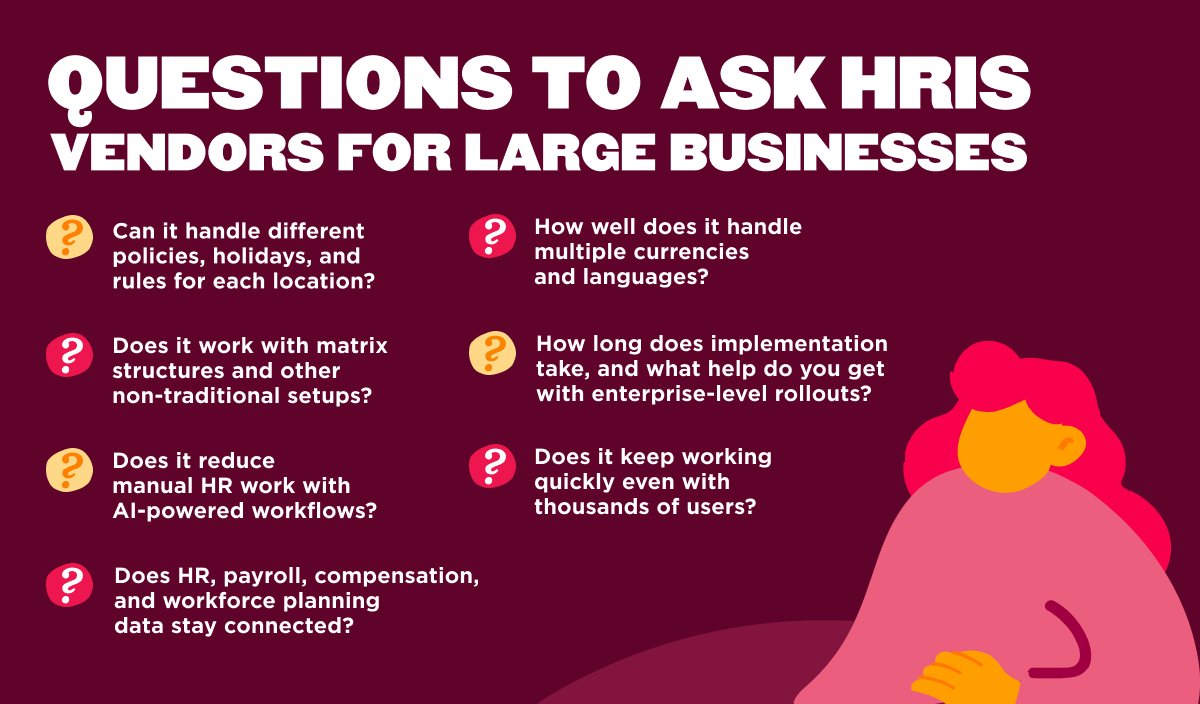
- Multi-site capabilities: Can it handle different policies, holidays, and rules for each location?
- Organizational flexibility: Does it work with matrix structures and other non-traditional setups?
- AI and automation: Does it reduce manual HR work with AI-powered workflows, reporting, analytics, or workforce planning tools?
- HR and Finance connectivity: Can HR, payroll, compensation, and workforce planning data stay connected across teams?
- Global workforce management: How well does it handle multiple currencies and languages?
- Scalability architecture: Will it grow smoothly from 500 people to 5,000 or more?
- Integration capabilities: Does it connect to your existing systems properly?
- Implementation: How long does implementation take, and what help do you get with enterprise-level rollouts?
- Performance at scale: Does it keep working quickly even with thousands of users?
Best HRIS systems for large companies
The platforms below help enterprise organizations manage everything from payroll and performance to workforce analytics, AI-powered automation, and HR-Finance alignment across thousands of team members.
1. HiBob: Best overall HRIS for scaling global companies
G2 rating: 4.5/5 across 2,332 verified reviews
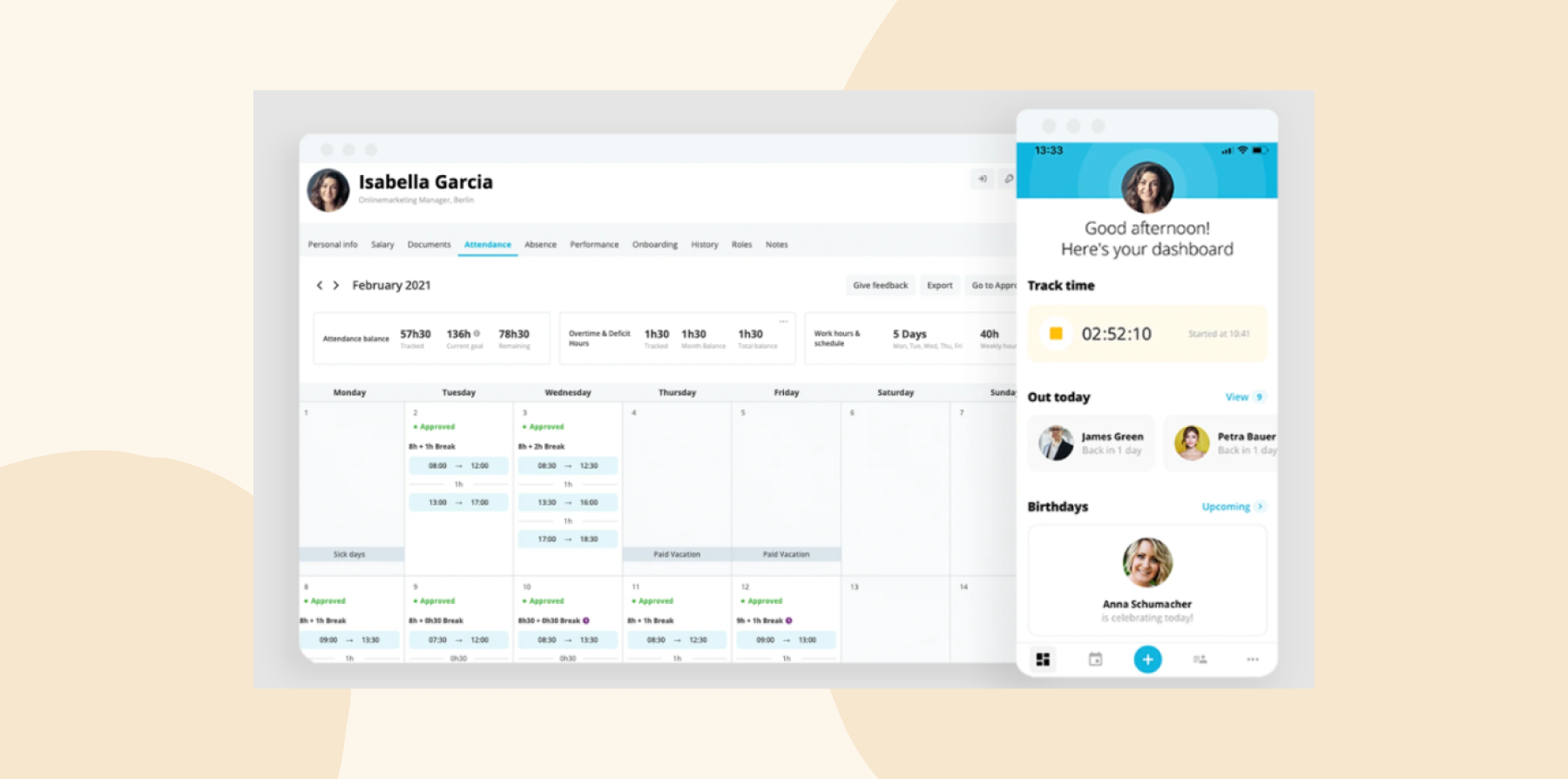
HR leaders use HiBob’s global HR feature to manage multiple locations, entities, and teams without separating everything into disconnected systems. You can customize workflows, time-off policies, approvals, and holiday calendars by location while keeping workforce data connected across the organization. Support for multiple currencies, localized workflows, and global payroll integrations also helps international teams manage compliance and operations more consistently.
With hiring, onboarding, payroll, performance, workforce planning, and people analytics in one system, HR and Finance teams share visibility into headcount, compensation, and labor costs. Managers can run 360-degree reviews, track OKRs, manage compensation cycles, and use real-time workforce analytics without manually pulling data across systems. Bob Companion, HiBob’s AI interface, also helps teams surface workforce insights, answer people-data questions in plain language, and automate repetitive reporting tasks.
HiBob’s key features
- Multi-site support with custom workflows, policies, and approvals for different locations
- Workforce planning and compensation tools that connect HR and Finance data in real time
- Bob Companion AI for workforce insights, reporting, and people-data questions
- Performance management with 360-degree reviews, OKR tracking, and compensation cycles
- People analytics dashboards for headcount, retention, engagement, and workforce reporting
- 100+ integrations across payroll, Finance, IT, and business systems

HiBob pros and cons
Pros:
- “HiBob is an excellent platform for organisations of all sizes” – verified review
- “It cut payroll down from three days to one hour” – verified review
- “HiBob helped us to streamline our performance review cycle” – verified review
- “Its reporting is great…beneficial for strategic planning” – verified review
- “Customer support has been fantastic and quick” – verified review
- “Transitioning to HiBob HRIS has been a considerable improvement over previous systems, offering a market-leading solution that aligns well with the needs of our medium-sized enterprise.”– verified review
Cons:
- “We would love to have calculation fields in compensation planning” – verified review
- “I can no longer easily see all the ‘essentials’ in one long list” – verified review
Easily connect to the tools your HR team uses every day
2. Personio: Choice for European companies needing GDPR compliance

G2 rating: 4.4/5 across 840 verified reviews
Personio Core and Core Pro plans support teams of up to 5,000 people. Designed for growing European companies, the platform includes built-in GDPR compliance and document storage that meets European data regulations. It provides access to 200+ integrations and dedicated customer support.
Personio’s feature set is built around European operations. Organizations with teams outside Europe should confirm whether the platform’s payroll and compliance tools cover their full geographic scope before committing.
Personio key features
- All-in-one platform that grows from 10 to 5,000 people
- 200+ integration options
- Built-in European compliance and GDPR features
Personio pros and cons
Pros:
- “The best aspect of Personio is its ease of use and implementation” – verified review
- “The platform is easy to navigate with a great user experience” – verified review
- “It’s incredibly user-friendly, making it accessible even for those with limited IT skills” – verified review
Cons:
- “Its pricing can be a bit steep for smaller businesses or startups” – verified review
- “At renewal they decided to sneak in a new model where they changed the contract to commit us to many more seats than we ever needed” – verified review
- “The mobile app could benefit from additional functionality to match the desktop version” – verified review
Compare HiBob vs. Personio – see which fits your business best
3. ADP: Reliable payroll for companies with strict compliance needs

G2 rating: 4.2/5 across 4,230verified reviews
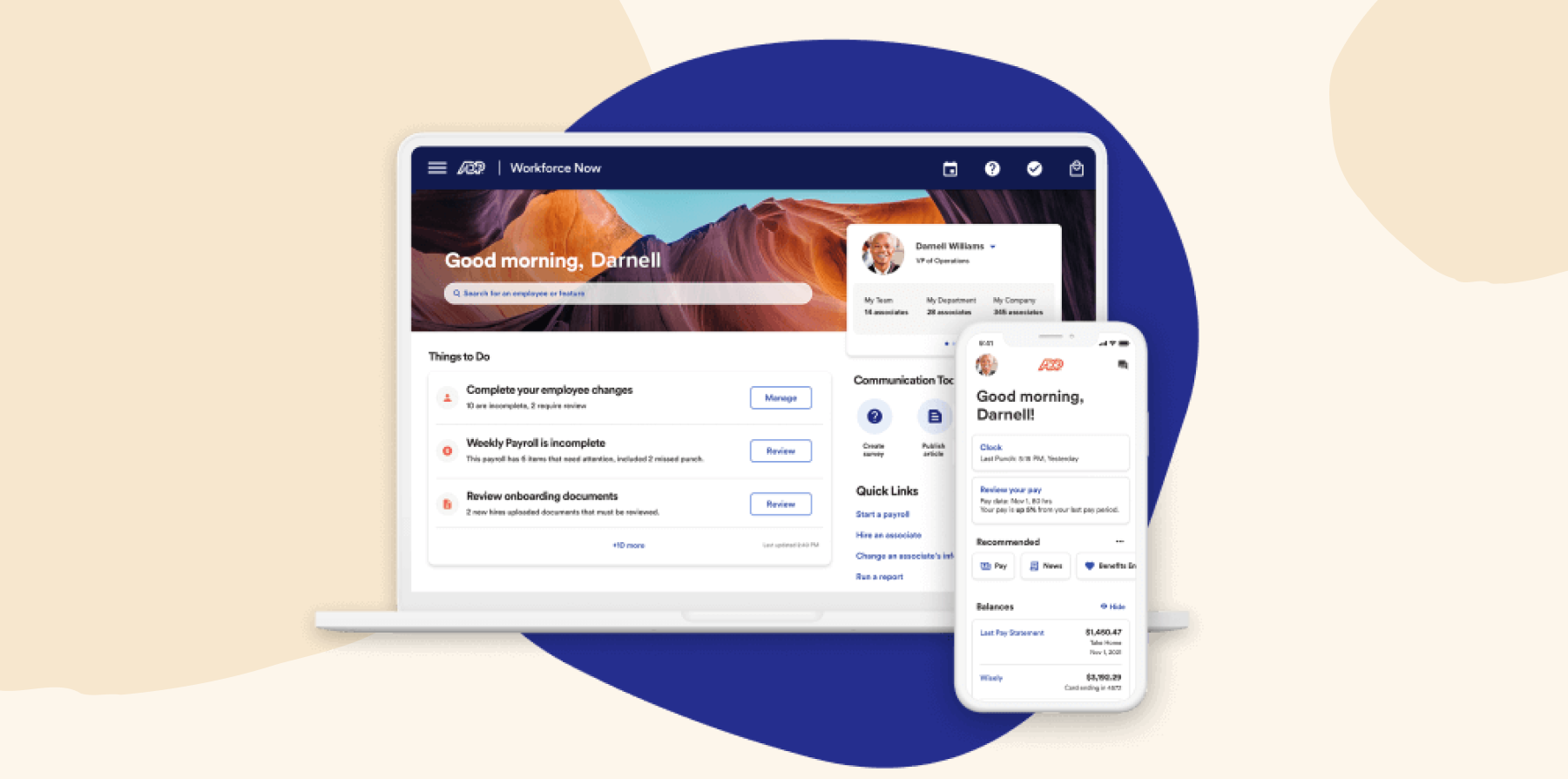
ADP Workforce Now is a cloud-based HCM platform covering HR, benefits, talent management, and payroll in one system. It supports multi-country operations with configurable rules for different locations, worker contract types, and compliance requirements. The platform includes AI-powered payroll with anomaly detection and scales from 50 to 1,000+ people.
ADP is primarily designed for US operations, so organizations running global teams may need to add additional products for full international coverage.
ADP key features
- System that adapts to your business rules, worker types, and compliance needs
- AI-powered payroll with ongoing calculations and error spotting
- Platform supports companies from 50 to 1,000+ people
ADP pros and cons
Pros:
- “WorkforceNow can fit practically any business and payroll model, from small businesses to enterprise-level companies” – verified review
- “The custom reports ‘Field Grabber’ is extremely useful and allows me to run any report I need” – verified review
- “We enjoy having many different features/systems/modules integrated into one platform” – verified review
Cons:
- “The system is not intuitive and requires navigating multiple disconnected areas to complete even basic tasks” – verified review
- “It’s difficult to create customized reports, and it’s easy to make manual errors that the system won’t catch” – verified review
- “There are too many customer service reps who are unqualified and not knowledgeable about the service we need help with” – verified review
4. Workday: Scalable option for Fortune 500 companies

G2 rating: 4.2/5 across 3,028 verified reviews
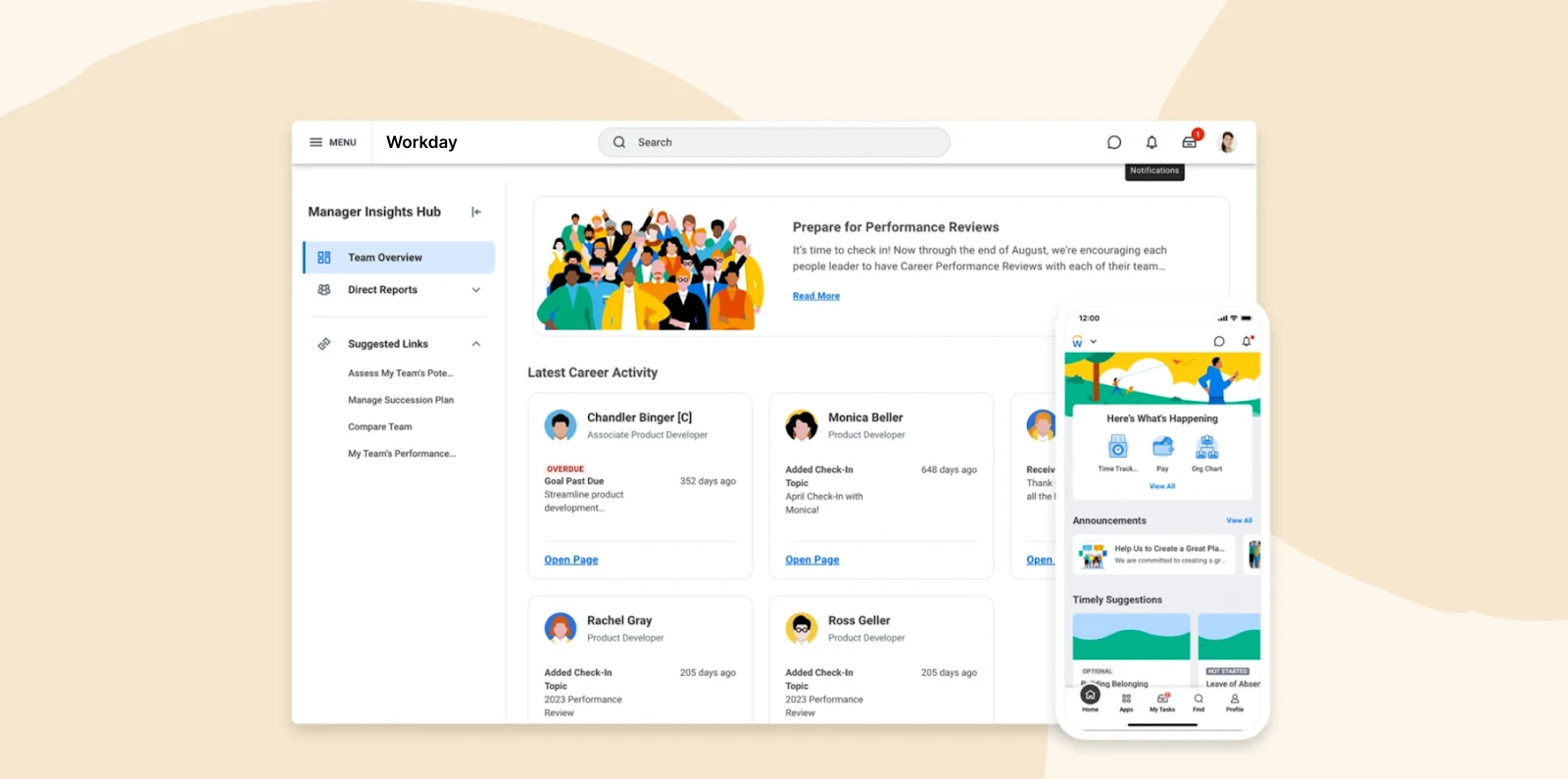
Workday connects HR, finance, and planning in a single system, giving HR and Finance teams real-time data across the organization. The platform supports complex restructuring through drag-and-drop org modeling tools that let teams preview and execute changes simultaneously, and it handles multiple reporting hierarchies including supervisory, matrix, and custom organization types.
Implementation typically takes six to ten months for enterprises and requires specialized expertise. Organizations prioritizing faster time-to-value should weigh this against Workday’s feature depth before committing.
Workday key features
- Single platform pulls HR, finance, and planning together with one set of data
- Drag-and-drop tools for reorganizing your company structure quickly
- Handles complicated reporting setups including supervisory, matrix, and custom organization types
Workday pros and cons
Pros:
- “Workday centralizes HR, payroll, and time tracking into one platform, reducing manual work and improving data accuracy” – verified review
- “We love that we have multiple functions within one system” – verified review
- “It’s great for mid- to large-size companies” – verified review
Cons:
- “One potential drawback of Workday HCM can be the complexity of implementation and configuration, which may require significant time and resources” – verified review
- “Not the fastest or nicest looking platform” – verified review
- “Workday is a complex tool, and I went through a steep learning curve to navigate the platform” – verified review
Compare HiBob vs. Workday – see which fits your business best
5. UKG: Scheduling-focused for healthcare and retail operations

G2 rating: 4.3/5 across 2,187 verified reviews
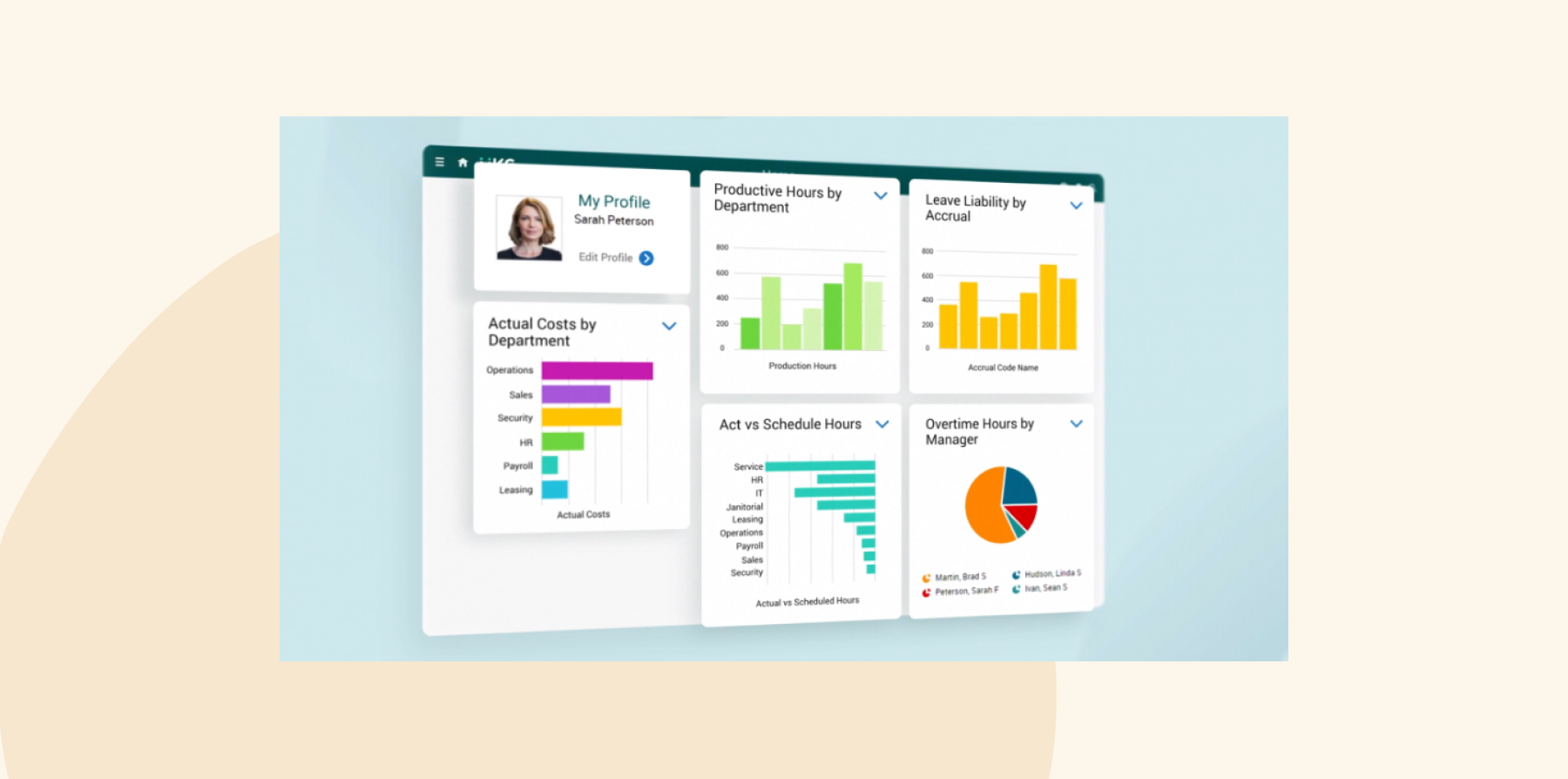
UKG is a workforce management and HCM platform built for shift-based operations. It offers AI-powered scheduling, real-time activity tracking, position control, and credential scheduling for regulated industries like healthcare, retail, and manufacturing. The platform integrates with enterprise tools across HR, payroll, and operations.
However, users say implementation timelines can be lengthy, and customer support responsiveness varies. Training resources are sometimes difficult to navigate.
UKG key features
- Tools built specifically for healthcare, retail, and manufacturing needs
- AI-powered scheduling with real-time activity tracking
- Position control and credential scheduling for regulated industries
UKG pros and cons
Pros:
- “UKG Pro does exactly what we need it to do” – verified review
- “One of the best things about UKG Pro is its configurability and reporting and analytics capabilities” – verified review
- “We really like that it has worked well for us as an ‘all in one’ solution” – verified review
Cons:
- “The implementation team was more worried about ‘checking boxes’ than actually completing the tasks” – verified review
- “Their customer service is very slow and it takes days to get issues resolved.” – verified review
- “Learning and training are a bit more difficult to navigate” – verified review
Compare HiBob vs. UKG – see which fits your business best
6. SAP SuccessFactors: Talent management for companies with 2,000+ people

G2 rating: 4.1/5 across 1,649 verified reviews
SAP SuccessFactors supports complex organizational structures including multiple companies, divisions, and custom hierarchies. The platform includes visual org management tools, team OKR tracking linked to individual performance reviews, and advanced recruiting with CRM features across 46 languages.
SuccessFactors integrates most natively within the SAP ecosystem. Organizations using non-SAP finance or talent tools should evaluate integration requirements before implementation, as connecting to external systems can add complexity and cost.
SAP SuccessFactors key features
- Flexible structure supporting custom organization types through Generic Objects
- Team management with OKRs that work outside traditional hierarchies
- Advanced recruiting with CRM features in 46 languages

SAP SuccessFactors pros and cons
Pros:
- “Great functionality and flexible enough to use for a lot of diverse requirements” – verified review
- “It is stable and integrated and pretty much does everything needed for full talent management” – verified review
- “An end-to-end system to handle recruitment, onboarding through to employee management” – verified review
Cons:
- “Maintenance cost is high and integration is complex” – verified review
- “Some parts of the interface feel a bit outdated and not very intuitive” – verified review
- “Standard reporting tools can be less flexible than other HCM systems, often requiring IT support for custom reports” – verified review
Compare HiBob vs. SAP SuccessFactors – see which fits your business best
7. Rippling: All-in-one for teams wanting to consolidate HR, IT, and finance

G2 rating: 4.8/5 across 12,711 verified reviews
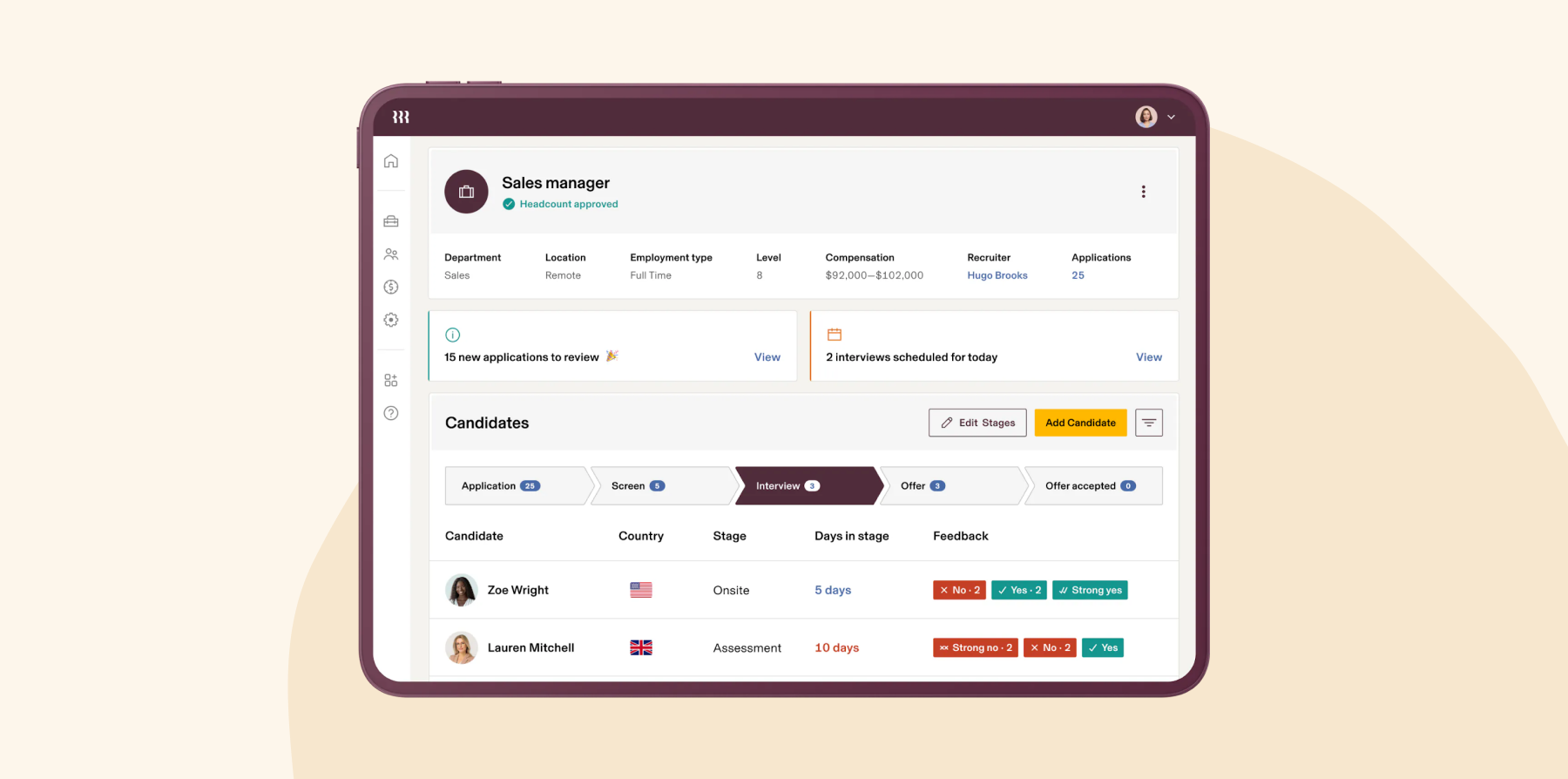
Rippling unifies HR, IT, and Finance in a single platform, with data syncing automatically across all three functions. The Unity Connector keeps more than 500 apps in sync, reducing manual data entry and keeping information consistent across tools. Custom workflows can trigger actions across departments—for example, creating an offer in HR can automatically prompt IT to order a laptop and provision an email address.
The platform includes global payroll and compliance management tools for international teams. Rippling is designed for organizations of up to approximately 2,000 people; larger enterprises should confirm whether its feature set covers their full operational complexity.
Rippling key features
- One platform combining HR, IT, and Finance with a single source of truth
- Custom workflows with detailed triggers for automating cross-team processes
- Global workforce tools including international payroll and compliance
Rippling pros and cons
Pros:
- “Rippling integrates with a ridiculous amount of other applications” – verified review
- “It is user-friendly for all our employees and supports our growing business” – verified review
- “Almost everything is automated” – verified review
Cons:
- “The platform is cluttered and disjointed. I either experience multiple notification about features and issues irrelevant to my organization or having to dig through confusing sub menus and help articles to find a clear answer to a question” – verified review
- “Many of the issues we’ve experienced have been caused by a poor sales experience that promised functionality that either doesn’t exactly exist as presented, or only exists in higher tiers” – verified review
- “While support has improved, there’s still room for better follow-through on commitments” – verified review
Compare HiBob vs. Rippling – see which fits your business best
8. Dayforce: Workforce management for global enterprise operations

G2 rating: 4.2/5 across 974 verified reviews
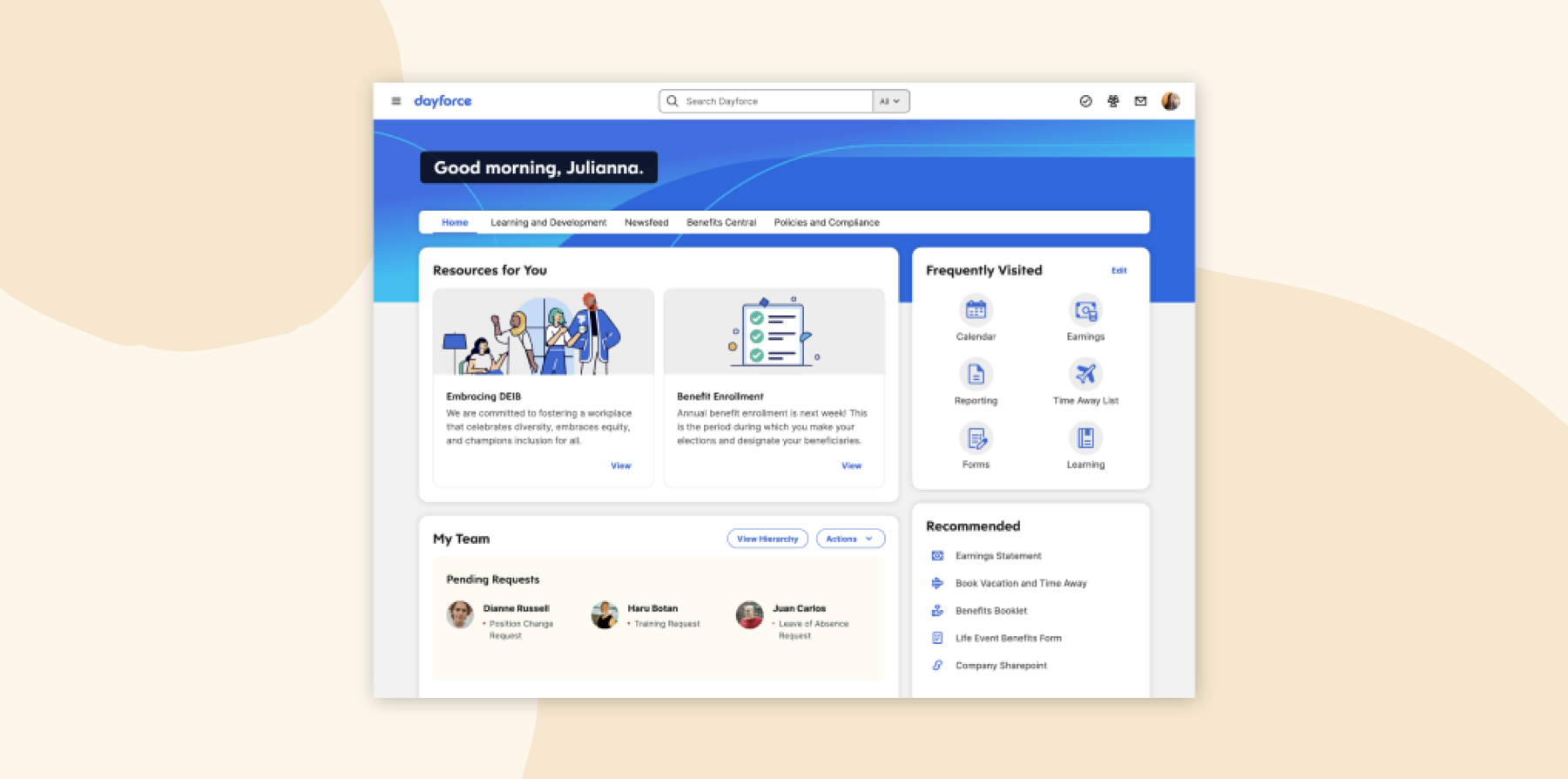
Dayforce is an enterprise HCM platform combining workforce management, payroll, HR, talent management, and analytics in one system. It offers AI-powered scheduling and labor forecasting, multi-location workforce operations, and global payroll across 200+ countries. The unified data model connects payroll, time tracking, scheduling, HR, and analytics.
The platform is designed for organizations with shift-based workforces managing complex scheduling and global payroll operations. However, users say that occasional system slowdowns occur during peak payroll processing times, and some users report technical glitches with specific payroll modules.
Dayforce key features
- Unified platform connecting HR, payroll, workforce management, talent, and analytics
- AI-powered scheduling and labor forecasting tools for staffing coverage and overtime costs
- Global payroll capabilities supporting operations across 200+ countries
Dayforce pros and cons
Pros:
- “This reduces the need for multiple disconnected tools.” – verified review
- “Serves as a really strong workforce management tool.” – verified review
- “Everything is in one system, including payroll, HR, benefits, and time tracking.” – verified review
Cons:
- “Occasional system slowdowns, particularly during peak payroll processing times.” – verified review
- “It’s very clunky to approve time off for employees.” – verified review
- “I’ve encountered frequent technical glitches, particularly with income tax processing.” – verified review
9. Oracle HCM: Enterprise workforce planning for global organizations

G2 rating: 3.8/5 across 87 verified reviews
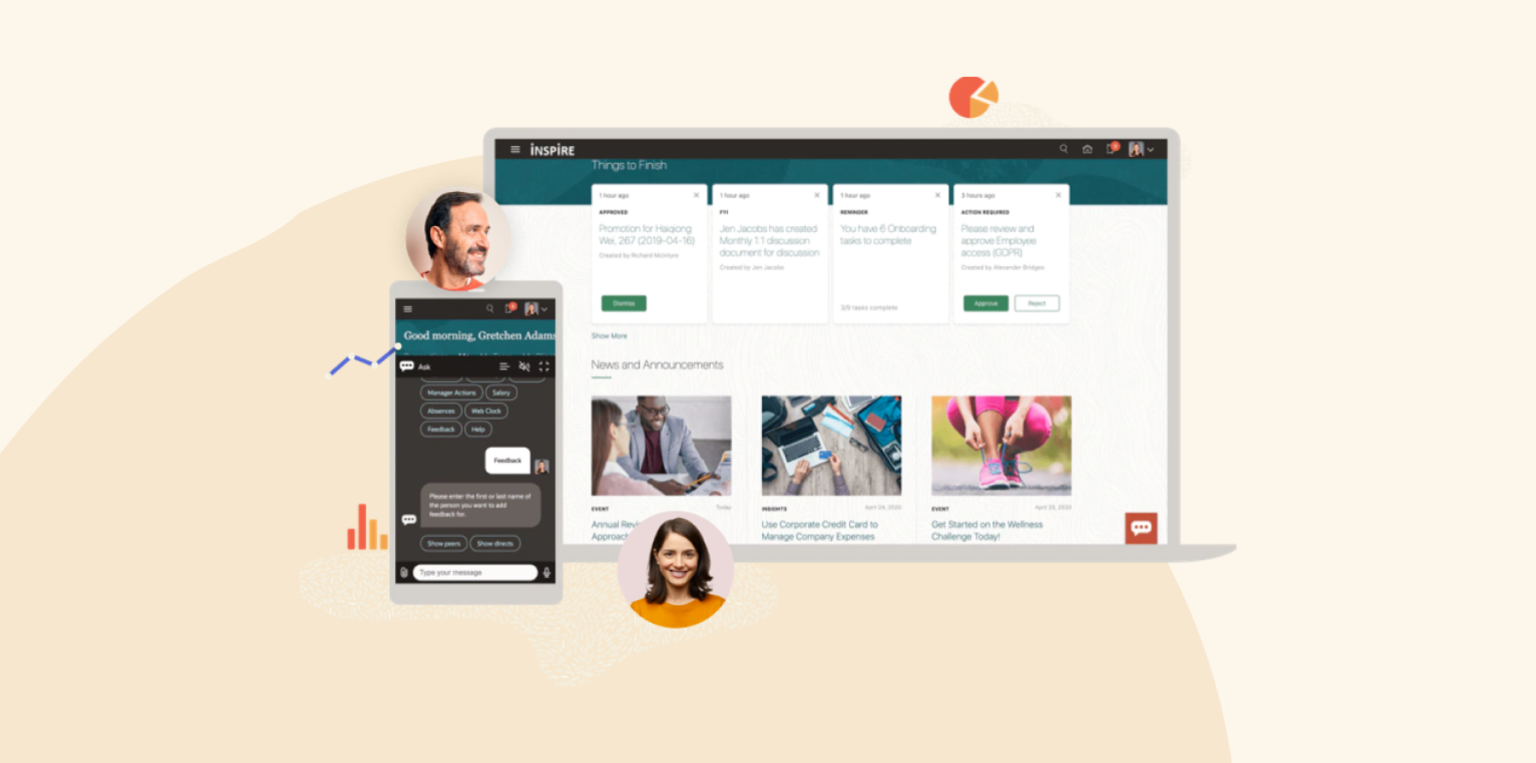
Oracle HCM (Fusion Cloud HCM) is a unified platform for large enterprises covering HR, payroll, workforce planning, talent management, and Finance. It includes AI agents and embedded analytics for recruiting, performance management, and workforce planning. The platform supports complex global structures, multiple reporting hierarchies, and multinational operations.
Oracle HCM key features
- Unified cloud platform connecting HR, payroll, workforce planning, talent, and analytics
- AI-powered assistants and automation tools embedded across recruiting, performance, and workforce management workflows
- Workforce planning and organizational modeling tools for large-scale restructuring and headcount planning
Oracle HCM pros and cons
Pros:
- “It serves as a single source of truth for employee information.” – verified review
- “It’s great for managing core HR records.” – verified review
- “I really like the native, real-time U.S. labor compliance automation for federal and 50 state rules.” – verified review
Cons:
- “The initial setup was functional but not quick or simple like a small-business HR tool.” – verified review
- “Mobile usability for U.S. field/remote teams needs to be elevated, as it’s critical for on-the-go work.” – verified review
- “Data model is complicated to understand and less documentation is available.” – verified review
10. Paylocity: Team communication for distributed workforces

G2 rating: 4.4/5 across 5,500 verified reviews
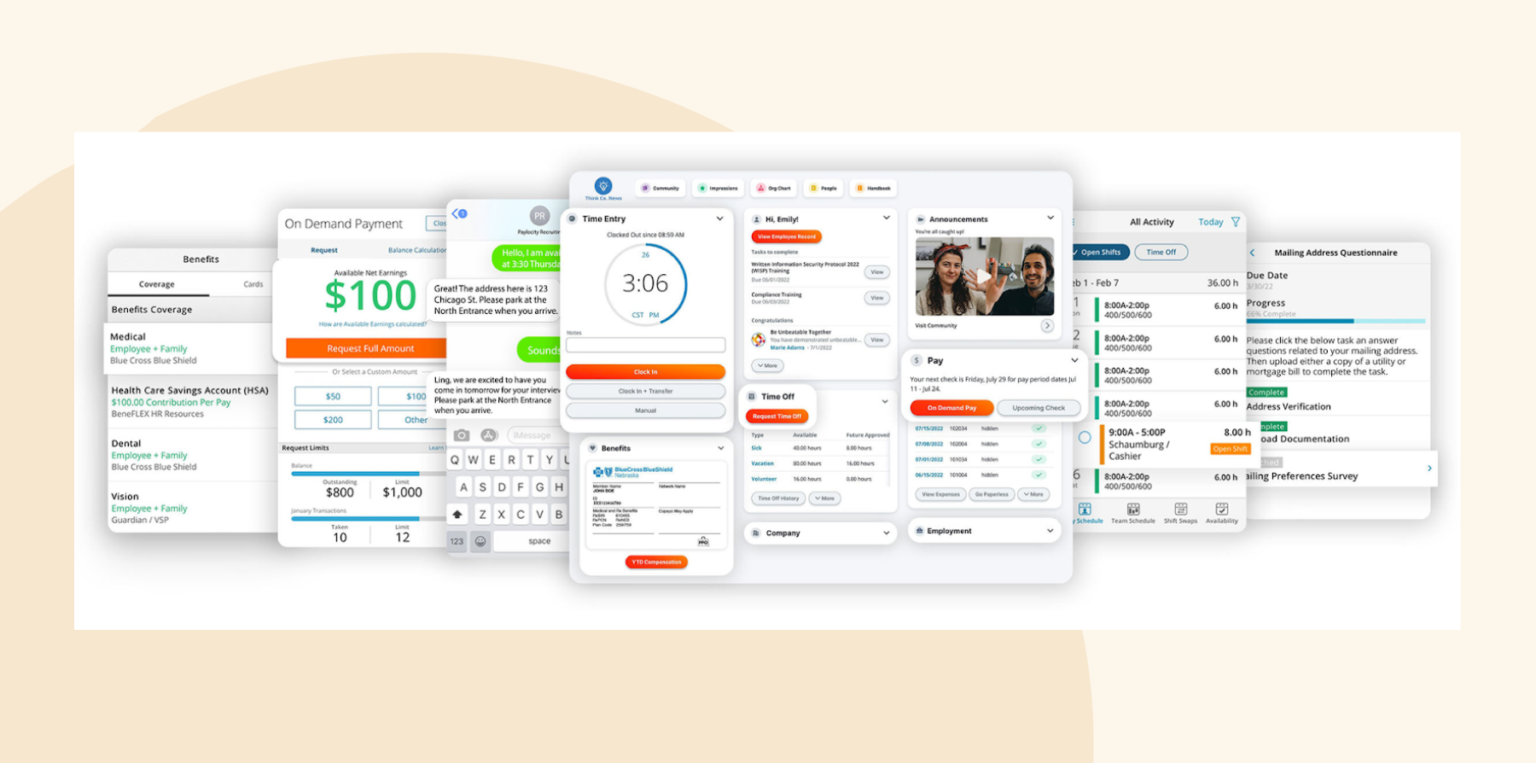
Paylocity is an HCM platform combining HR, payroll, talent management, recruiting, onboarding, and internal communication tools. It includes built-in community feeds, peer recognition, surveys, and engagement features. The platform offers workforce dashboards, analytics for labor and engagement tracking, and AI-powered reporting and workflow automation.
Paylocity key features
- Built-in communication tools including community feeds, surveys, peer recognition, and employee engagement features
- AI-powered reporting and workflow automation tools that reduce repetitive HR administration
- Workforce analytics and dashboards that help leaders monitor labor trends, engagement, and operational metrics
Paylocity pros and cons
Pros:
- “Payroll is a very straightforward process with Paylocity.” – verified review
- “I appreciate how it allows us to use the HR platform for document acknowledgments and other compliance.” – verified review
- “The reporting is super simple to create and navigate!” – verified review
Cons:
- “The time clock and syncing really hurts us for when a new hire starts or someone loses the badge.” – verified review
- “Sometimes it’s difficult to find just the right report with the search feature.” – verified review
- “The biggest downside was that the custom reporting tools could sometimes feel clunky and difficult to navigate when we needed to pull specific data.” – verified review
Which features matter most for enterprise HRIS systems?
Running HR for thousands of people means you need features that can scale. You want tools that handle complexity while keeping things manageable for your team:
- Role-based permissions that work at scale: You’ll want to control who sees what across thousands of users. HiBob research shows 83 percent of managers say tool-switching slows them down. Granular access controls help prevent having to move between systems just to find the right data.
- Bulk data management tools: These tools are essential—especially since 60 percent of managers spend 3+ hours assembling data. These tools let you update hundreds of records at once instead of clicking through them one by one.
- Support for non-standard organizational structures: Many companies have matrix reporting, project teams, and dotted lines everywhere. Your HRIS should be able to handle this without workarounds.
- Ready-made integrations plus open APIs: You’re probably using at least 20 other tools already. Look for platforms with pre-built connections to your existing stack, plus APIs for custom HRIS integrations when you need them.
- True multi-country capabilities: Teams need different policies by location, local compliance tracking, and reliable multi-currency support. Only 26 percent of HR professionals at multi-national companies say their current HRIS enables them to tackle global complexity effectively.
The right enterprise HRIS makes complex things simple. HiBob brings all these features together in a user-friendly platform, handling matrix organizations, global teams, and complex workflows naturally.
How much do enterprise HR systems cost?
Enterprise HR system costs vary depending on company size, global workforce complexity, payroll requirements, integrations, and implementation scope. Most enterprise platforms charge somewhere on this spectrum:
| Cost category | Typical enterprise range |
| Enterprise HRIS subscription | ~$6-$30+ per user/month depending on platform and feature depth |
| Implementation costs | Can range from several thousand dollars to $100K+ for large enterprise rollouts |
| Training and onboarding | Often included in implementation packages, but some vendors charge additional onboarding fees |
| Integrations and customization | Costs vary significantly depending on ERP, payroll, and third-party system complexity |
| Ongoing support and maintenance | Premium support plans and advanced service tiers may cost extra annually |
How long does it take to implement a new enterprise HR system?
Enterprise HRIS implementations take longer than smaller HR software rollouts because they often involve payroll migrations, integrations, compliance reviews, workflow customization, and training across multiple teams and locations. Most enterprise implementation timelines take anywhere from six months to over a year depending on organizational complexity, including:
| Implementation phase | Typical timeline | Key activities |
| Planning and system scoping | 2-6 weeks | Define business requirements, map HR processes, identify integrations, and align stakeholders |
| Data cleanup and migration | 4-12 weeks | Audit team member records, standardize historical data, and migrate payroll and HR information |
| System configuration and integrations | 2-6 months | Configure workflows, permissions, payroll settings, reporting structures, and third-party integrations |
| Testing and validation | 2-8 weeks | Run payroll tests, validate workflows, review reporting accuracy, and identify system issues |
| Training and change management | Ongoing throughout implementation | Train HR teams, managers, and staff while preparing teams for rollout |
| Phased rollout and optimization | 1-6 months after launch | Launch modules gradually, monitor adoption, resolve issues, and refine workflows over time |
Best HRIS for larger companies according to Redditors
We reviewed several recent Reddit discussions of over 700 comments from HR leaders, HRIS specialists, and HR practitioners managing organizations ranging from a few hundred people to global enterprises. The clearest takeaway: There is not one “best” HRIS for large companies. The right platform depends on organizational complexity, global footprint, compliance needs, reporting requirements, and the internal resources available to manage implementation and ongoing administration.
Still, some patterns emerged. HiBob and Rippling were often recommended for growing companies scaling into the mid-market and lower-enterprise segment, while Workday and SAP SuccessFactors were most often recognized as platforms built for large, complex enterprises.
Modern platforms for growing and scaling organizations
- HiBob: HiBob earned strong praise from HR leaders at growing, distributed organizations. Redditors frequently highlighted its intuitive interface, international workforce support, onboarding, performance management, and flexibility. Many positioned it as a modern alternative to heavier enterprise systems for companies that need strong HRIS functionality without unnecessary complexity.
- Rippling: Rippling also received frequent positive discussion, especially from teams looking to connect HR, payroll, IT, onboarding, and workflow automation. Supporters praised its ability to reduce duplicate work across systems and improve operational efficiency. Critical feedback focused on implementation experience, support responsiveness, add-on costs, feature availability by module, and limitations in some international payroll scenarios.
Enterprise platforms recognized for scale
- Workday: Workday received frequent recognition as a strong option for large organizations. Redditors described it as powerful, configurable, and capable of supporting global teams, complex reporting needs, and sophisticated organizational structures. While many noted that it can require significant administration and expertise, practitioners often said its value becomes clearer as organizational scale and complexity increase.
- SAP SuccessFactors: SAP SuccessFactors was also discussed as a mature enterprise platform, especially for large multinational organizations and companies already invested in the SAP ecosystem. Redditors pointed to its global capabilities, payroll support, and long-term stability. Feedback was generally strongest from practitioners familiar with enterprise environments and complex global HR operations.
Platforms attracting more critical feedback
- ADP Workforce Now: ADP Workforce Now received frequent criticism around usability, administrative complexity, and inconsistent support experiences. Some Redditors acknowledged that ADP can support larger organizations, but positive feedback often came with caveats around account management and day-to-day ease of use.
- Dayforce: Dayforce appeared regularly in more critical HRIS discussions. Feedback often focused on implementation challenges, usability, and administrative burden. Some users recognized its strengths in payroll and workforce management, but overall sentiment was more mixed to negative.
Overall Reddit consensus
For large and scaling organizations, Redditors often discussed HiBob and Rippling as modern options for teams that need more automation, flexibility, and operational efficiency than small-business HR tools typically provide. Workday and SAP SuccessFactors were most often recognized for supporting significant enterprise complexity, particularly in large multinational environments.
Sources
- https://www.reddit.com/r/remotework/comments/1qk0vyf/looking_for_the_best_global_hris_for_my_team/
- https://www.reddit.com/r/askmanagers/comments/1s8sp65/top_hris_platforms_that_hold_up_for_200_employees/
- https://www.reddit.com/r/recruiting/comments/1snbrhw/hris_recommendations_for_a_company_thats_outgrown/
- https://www.reddit.com/r/humanresources/comments/1ad1g35/your_favorite_hris_system/
- https://www.reddit.com/r/humanresources/comments/1o25j7n/best_hris_software_youve_ever_used_na/
Recommended For Further Reading
Choose the right HRIS system for your enterprise
Large organizations need an HRIS that does more than store people records. The right platform connects HR, Finance, payroll, workforce planning, and AI-powered analytics in one system, giving leaders the visibility they need to make faster, better decisions as teams, locations, and complexity grow.
HiBob gives enterprise teams powerful HRIS capabilities without enterprise complexity. It is fast to deploy, intuitive to manage, and built for distributed, dynamic organizations. Once implemented, HR teams can keep improving workflows, reporting, and processes independently, without relying on specialist consultants for every change.
With HiBob, HR and Finance work from one trusted source of truth across headcount, compensation, workforce planning, and labor costs. Performance data connects to compensation and succession planning, while real-time analytics bring insights from across the platform into clear, actionable reports. Bob Companion adds people-first AI support, helping teams surface workforce insights, answer people-data questions, and reduce manual reporting work.
Get started with HiBob’s enterprise HRIS platform →
Easily connect to the tools your HR team uses every day
FAQs about HRIS systems for large companies
At enterprise scale an HRIS is the single record of who works where, on what terms, in which entity. It holds people data, automates the workflows around it, and feeds everything else. What separates the enterprise-grade platforms is whether that record is genuinely live: whether AI can act on it inside everyday workflows, and whether Finance plans from the same headcount and cost numbers HR’s looking at rather than last month’s export.
When your company has more than 1,000 people, complexity multiplies fast. HiBob research found that 52 percent of multi-national HR leaders report aligning performance reviews across global teams as highly complex, 44 percent struggle with multi-currency compensation management, and 49 percent face challenges in workforce planning across locations. Your HRIS needs to handle all this complexity natively—managing multiple entities, different reporting structures, multi-currency payroll, and compliance across jurisdictions.
The signals are practical. You’re exporting data to answer questions the system should answer, Finance and HR are reconciling two different headcount numbers, local compliance in a new country needs a workaround, or managers route everything through HR because self-service doesn’t cover it. Adding AI-assisted workflows on top of a system that can’t support them is usually where companies move.
Modern companies rarely fit into simple top-down org charts. The best HRIS systems can handle unique team structures, such as matrix structures where people report to multiple managers or work on cross-department projects. They offer tools to help you visualize all levels of your organization instead of pushing you into rigid templates—for example, HiBob has a customizable org chart design that lets you map how your company works.
Flexible org modeling is essential if you’re handling mergers, acquisitions, or restructures. Drag-and-drop tools let you test different scenarios and plan changes before making them live. You can update hundreds of reporting relationships at once without disrupting daily operations.
Your HRIS should handle all your different worker types in one system, including full-timers, contractors, shift workers, and everyone in between. HiBob’s lifecycle tools adapt to different employment types while keeping your reporting and analytics consistent across the board.
If you’re at a scaling, global company, HiBob. You get multi-country support with local compliance, AI built into core HR workflows with permissions and approvals around it, and shared real-time headcount and compensation data so HR and Finance plan from one set of numbers.
Workday and Oracle go deeper for very large enterprises with the IT capacity to run them, and reviewers are consistent that both demand significant implementation resource.
Disclaimer:
This content reflects HiBob’s perspective, informed by our experience supporting HR teams as they evaluate and implement HR software. It is provided for informational purposes only and is not intended as independent research or professional advice. Prospective users should conduct their own evaluation before making a decision.
Feature descriptions, pricing references, and availability for third-party platforms are based on publicly available information at the time of publication and may change. HiBob does not guarantee the accuracy or completeness of information related to third-party products. Prospective users should verify details directly with each provider.