Sixty percent of managers spend more than three hours assembling data before making a single people decision. For mid-size businesses managing increasingly complex operations, that’s time lost to strategy. The right HRIS (human resource information system) reduces that manual work by centralizing people data, automating tasks like payroll and benefits administration, and giving HR teams faster access to accurate workforce information.
In this guide, we’ll explore some of the best HRIS platforms for medium-sized businesses. These systems help growing teams stay organized, improve visibility across HR operations, and support people more effectively as the business grows.
Discover the power of a modern HRIS and learn firsthand how Bob can optimize your HR processes
Key insights
- An effective HRIS for medium businesses centralizes key HR processes like payroll, onboarding, and performance management, while automating routine tasks so HR teams can focus on strategic growth and people engagement
- Platforms with strong integration capabilities, real-time analytics, and intuitive self-service tools to enhance productivity create a smoother experience for both HR and team members
- Choosing the right HRIS streamlines operations, reduces administrative burdens, and provides the scalable support medium-sized businesses need to grow
Best HRIS for medium-sized businesses
To build this list, we reviewed official product documentation, feature pages, integration capabilities, and implementation details. We also analyzed verified customer reviews to identify recurring feedback around usability, reporting, onboarding, scalability, customer support, and day-to-day HR operations.
Our goal was to highlight HRIS platforms that realistically support the needs of growing mid-size businesses, especially teams managing increasing headcount, expanding operations, and more complex HR and workforce processes.
| HRIS platform | Best for | Not best for | G2 rating |
|---|---|---|---|
| HiBob | HR and Finance alignment | Businesses looking for a basic payroll-only tool | 4.5/5 |
| ADP | Large-scale payroll processing | Teams prioritizing highly customizable reporting workflows | 4.2/5 |
| BambooHR | SMB onboarding workflows | Companies needing advanced workforce planning | 4.4/5 |
| Dayforce | Shift-based workforce scheduling | Teams looking for a lightweight HRIS with simple setup | 4.2/5 |
| Paycom | Self-service payroll | Organizations needing highly flexible reporting | 4.5/5 |
| Paylocity | Internal team communication hubs | Businesses wanting low-touch implementation | 4.4/5 |
| Personio | European compliance workflows | Companies focused primarily on US payroll workflows | 4.4/5 |
| Rippling | HR and IT device management | Teams wanting simple out-of-the-box HR workflows | 4.8/5 |
| UKG Pro | Labor-heavy workforce operations | Smaller teams looking for lightweight HR software | 4.3/5 |
| Workday | Enterprise financial planning | Mid-size businesses wanting a simpler implementation process | 4.1/5 |
We scored every platform on the same set of capabilities and published the full scoring, with ratings and review counts, in the spreadsheet linked here.
What is an HRIS?
An HRIS is a software system that manages HR processes and tracks employee-related data. HR teams use HRIS solutions for a wide range of functions including payroll management, employee benefits administration, attendance and time tracking, and workforce data analysis.
Why does a mid-size company need an HRIS?
Mid-size companies welcome new challenges as they scale, especially when managing diverse roles across multiple sites. An HRIS helps automate tedious paperwork to reduce the administrative burden on HR teams. HR leaders can use this extra time to focus on strategic initiatives like fostering a healthy company culture, boosting employee engagement, and implementing learning and development programs.
The best HRIS for medium businesses
The right HRIS can optimize HR workflows, guide data-driven decisions, and help teams stay organized—whether in-office or remote. Let’s look at the best HRIS platforms for mid-size businesses.
HiBob: Best for mid-market HR and Finance alignment

Customer review rating: 4.5 across 2,600+ reviews on G2
Mid-size business leaders use HiBob’s all-in-one HRIS to engage and manage their people as their business scales. The user-friendly interface helps teams learn the system easily so organizations can boost productivity and see quick ROI (return on investment). It gives mid-market teams an enterprise-grade foundation without the complexity of a legacy HCM suite. It has the same depth of data and controls, without the implementation timeline or the consultant, and most teams are live in weeks rather than quarters.
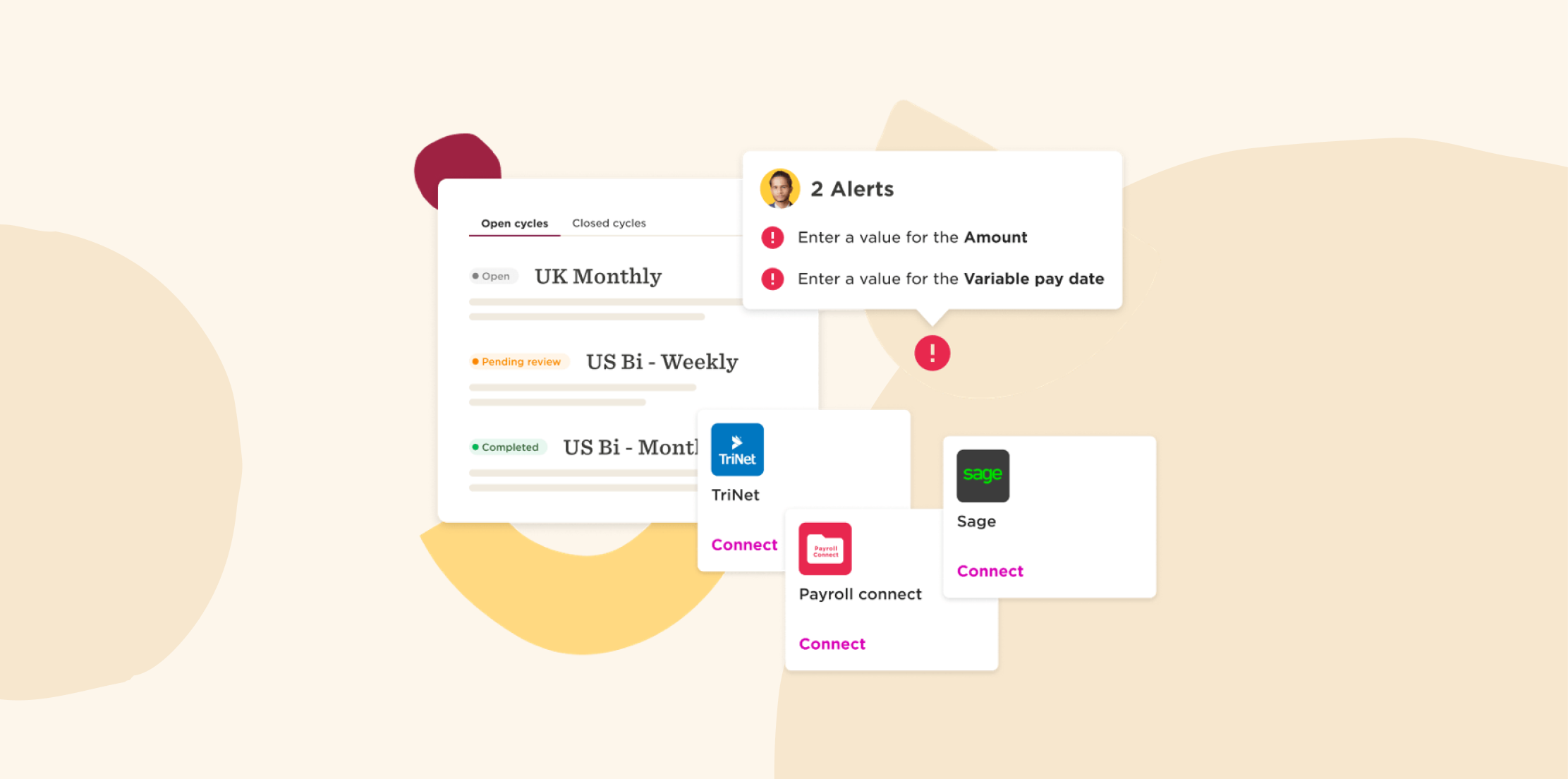
HR teams from companies of all sizes can access real-time data to make important changes, like optimizing headcount and addressing turnover before they impact business goals. They can also automate HR processes, manage Finance functions, organize their people data, and improve employee engagement all on one platform.
For businesses running multiple sites or teams in more than one country, HiBob handles multi-country records, local requirements and reporting in one system, and integrates with communication tools and payroll software to keep everyone connected.
Key features:
- Hiring and onboarding: Manage hiring pipelines, automate onboarding workflows, and use AI-powered hiring tools like CV summaries and evaluation scorecards to move candidates through the process faster
- Payroll and time tracking: Track hours, attendance, PTO, and payroll cycles in one system to reduce manual admin work and improve payroll accuracy
- Learning and performance: Support growth with 360-degree reviews, goal tracking, learning programs, surveys, and feedback tools that help managers support development consistently, and see which skills your teams have and which they are missing
- AI-powered analytics and reporting: Use Bob AI and AI insights to surface workforce trends, analyze people data in plain language, and reduce time spent building reports manually
- Finance alignment: Connect headcount planning, compensation, payroll, and workforce costs in one platform
Pros:
- “It’s now easier to build multi‑step processes that adapt to different employee groups or locations. I also appreciate the improvements to reporting and dashboards; the added customization options make it much simpler to surface insights for executives and department leaders.” – verified review
- “I really appreciate the survey functionality in HiBob HRIS as it helps gather insightful feedback efficiently. The employee details page is a standout for me, owing to its clarity and the ability to add and edit sections, which makes employee record-keeping seamless.” – verified review
Cons:
- “No specific format for phone numbers” – verified review
- “Sometimes logging in through the OTP code can be a bit challenging because the code delays occasionally.” – verified review
Pricing: Custom pricing, tailored to what your team needs.
Discover the power of a modern HRIS and learn firsthand how Bob can optimize your HR processes
ADP: Best for large-scale payroll processing
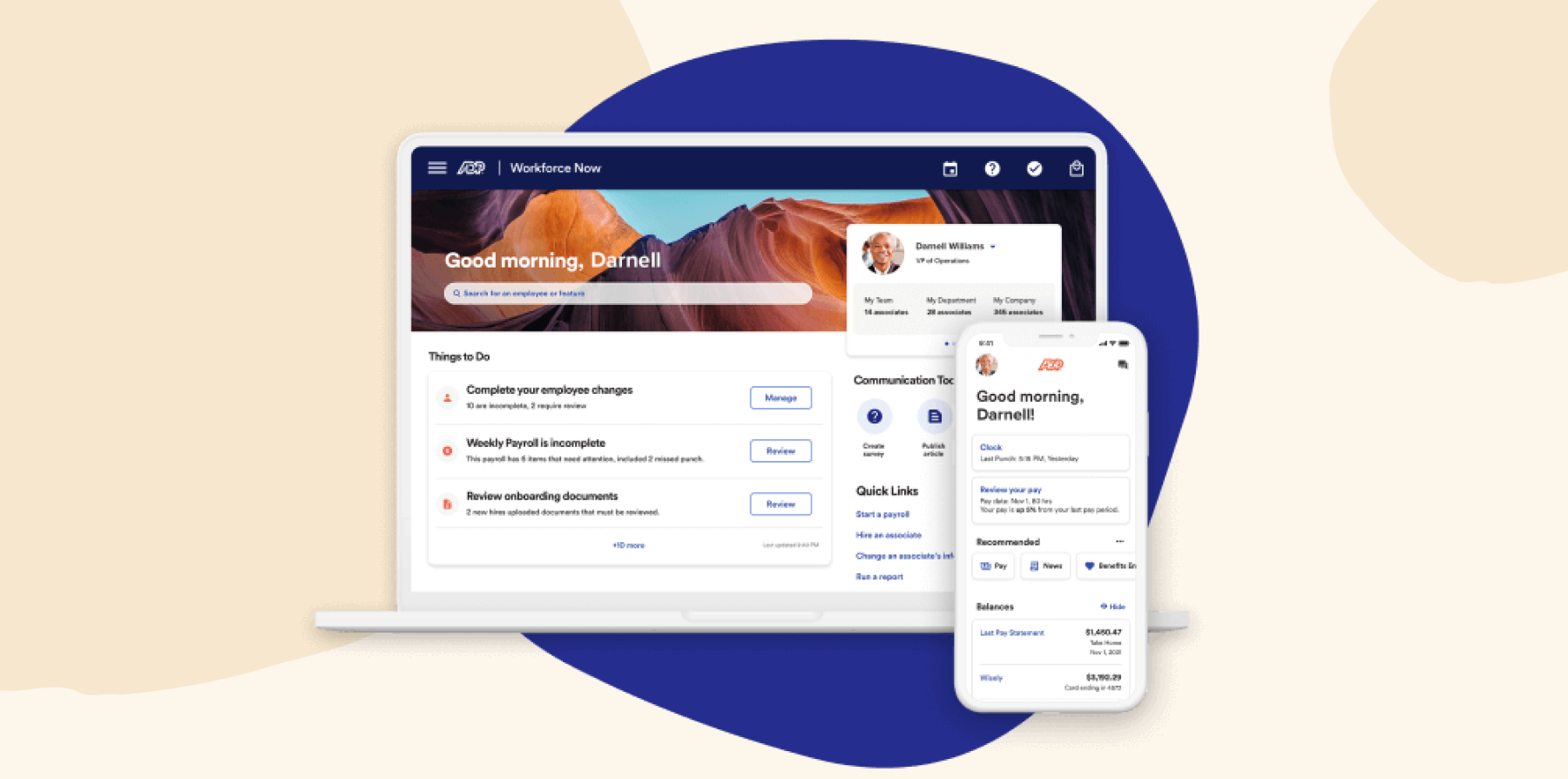
ADP is an HR suite that provides features for payroll, HRIS functions, and benefits management. The system offers over 200 prebuilt reports for identifying workforce trends. It can help businesses with global operations in over 140 countries.
Customer review rating: 4.2 across 4,200+ reviews
Key features:
- Access customizable and mobile-enabled onboarding
- Track hours worked and attendance
- Vet potential candidates with screening services
- Measure engagement trends with real-time people data
- Automate payroll processing
Pros:
- “It helps us organize our candidate flow.” – verified review
- “It helps with payroll issues.” – verified review
Cons:
- “The onboarding experience is not great and confusing for employees.” – verified review
- “The reporting feature in ADP is absolutely horrible. Half the time it doesn’t work or give you the results you need.” – verified review
Pricing: Not publicly available (quote-based).
BambooHR: Best for SMB onboarding workflows

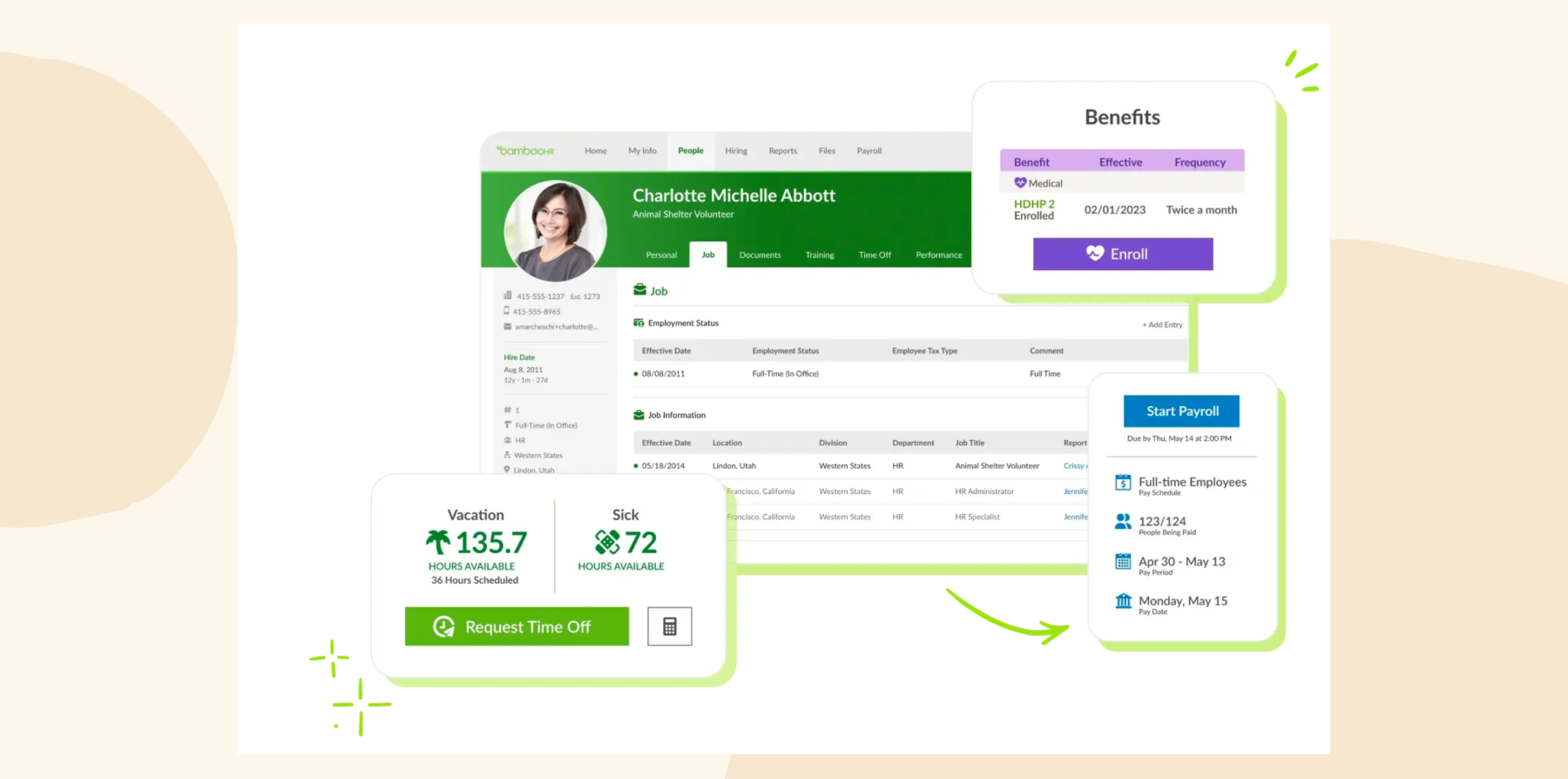
BambooHR offers a centralized platform to manage various HR tasks like payroll, time tracking, and performance management. The platform integrates with over 100 third-party apps and is available for use in over 150 countries.
Customer review rating: 4.4 across 6,000+ reviews
Key features:
- Streamline onboarding with task automation
- Facilitate performance reviews and goal-tracking
- Track employee work hours, time-off requests, and PTO
- Manage employee benefits and the enrollment processes
- Generate reports to track workforce trends
Pros:
- “It’s a nice and easy way to get access to all aspects of HR needs.” – verified review
- “Easy to use and access when needing to communicate with HR.” – verified review
Cons:
- “The integrations are also lacking, making it difficult to connect with other systems.” – verified review
- “The main downside at the moment is the analytics capability that is weak so you need to extract data and do a lot of the analysis yourself.” – verified review
Pricing: Not publicly available.
<<Compare Bob vs. BambooHR – See which fits your business best>>
Dayforce: Best for shift-based workforce scheduling

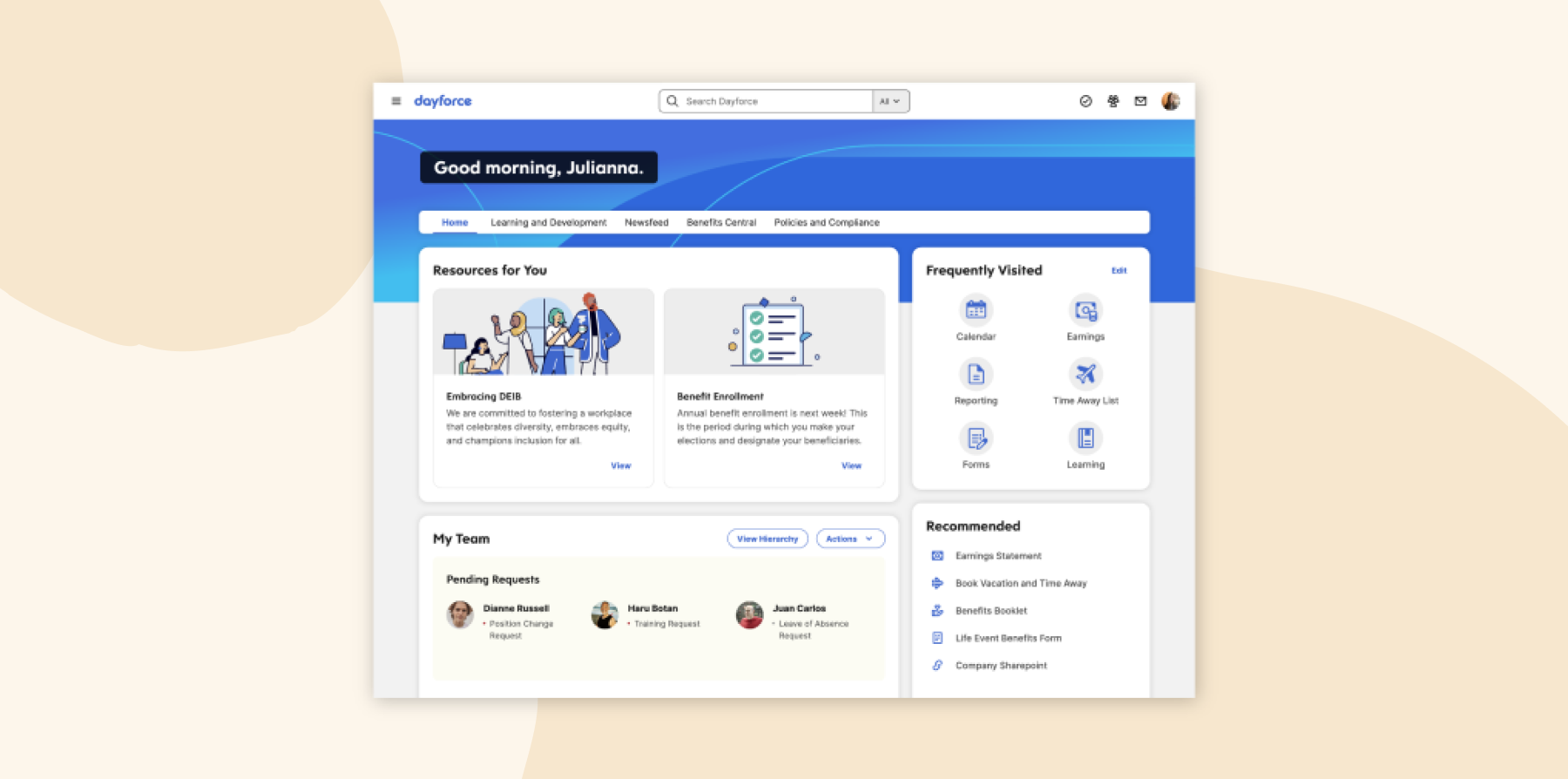
Dayforce is a human capital management platform that unites HR, payroll, benefits, workforce management, and analytics in one system. It helps mid-size businesses manage staffing, attendance, and labor costs. Dayforce also incorporates AI-powered automation and forecasting tools to help managers make scheduling and workforce decisions.
Customer review rating: 4.2 across 970+ reviews
Key features:
- Automate scheduling, attendance tracking, overtime management, and workforce forecasting
- Connect payroll and workforce management in one platform for pay calculations
- Use AI-powered tools to automate workflows, surface workforce insights, and support scheduling decisions
- Manage recruiting, onboarding, performance, and talent development in one system
Pros:
- “The time off module, profile, performance reviews, and forms are all very user-friendly.” – verified review
- “Lots of ‘out of box’ reports” – verified review
Cons:
- “The Dayforce mobile app could definitely offer more functionality. It covers some of the basics, but you can’t do things like fill out forms or download pay stubs.” – verified review
- “The NEW platform is not user-friendly at all and there is no place to keep documents that are attached to a specific requisition.” – verified review
Pricing: Not publicly available.
Discover the power of a modern HRIS and learn firsthand how Bob can optimize your HR processes
Paycom: Best for self-service payroll

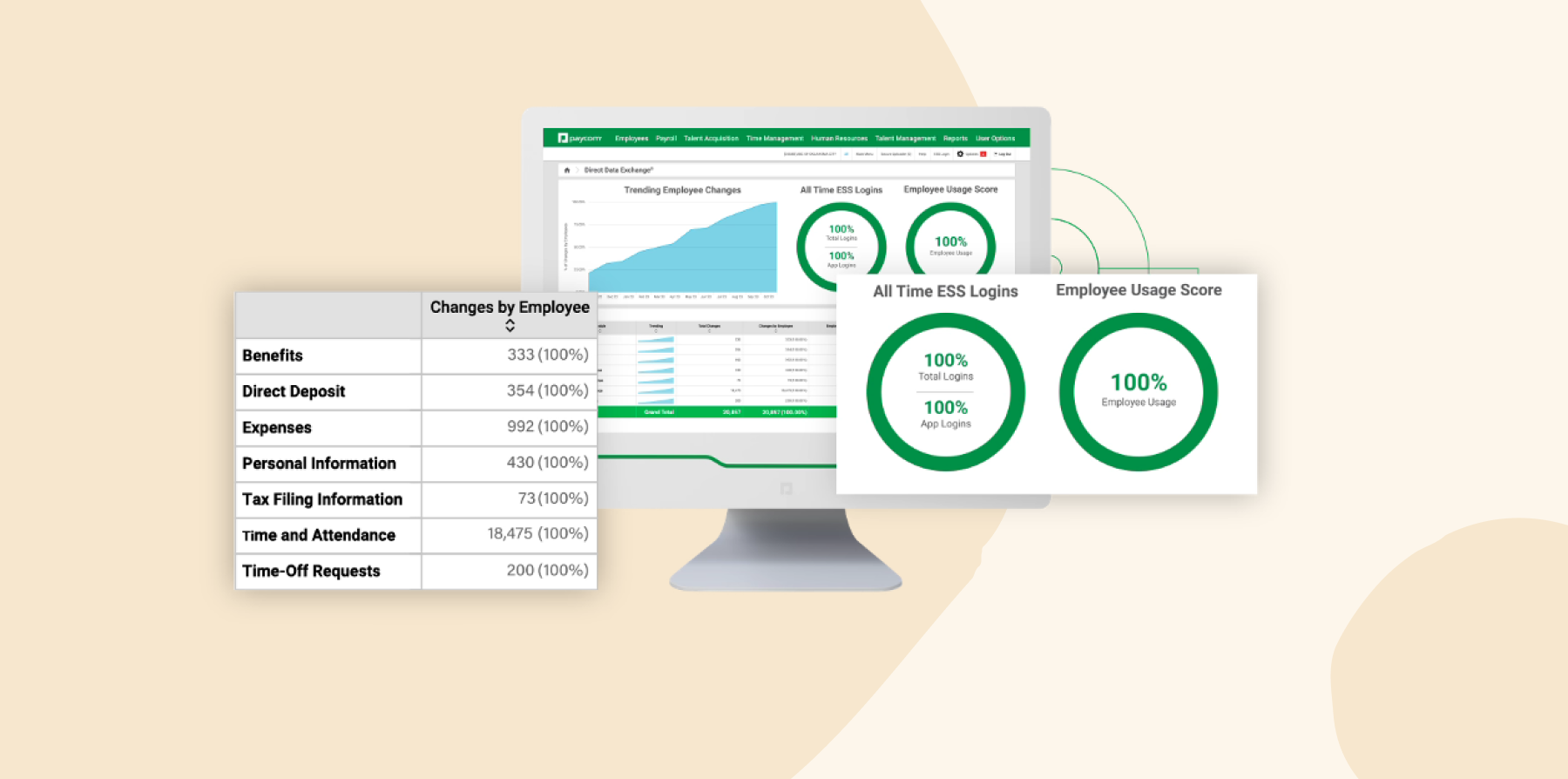
Paycom is an HR and payroll platform that centralizes and automates HR tasks. Paycom provides companies with tools to manage payroll, time tracking, team member development, and compliance. The platform further alleviates HR workload with features like an employee-guided payroll system, where people can fix attendance errors before submission.
Customer review rating: 4.5 across 6,700+ reviews
Key features:
- Give new joiners the ability to complete forms independently
- Allow people to review and approve their paychecks through Beti, Paycom’s automated payroll system
- Tracks work hours, overtime, and PTO with direct integration into payroll
- Manage individual reviews and feedback
- Provide clear insights into pay deductions per benefit period
Pros:
- “The new AI widget has also made it easier to find support and understand the information you are looking at.” – verified review
- “Paycom is helpful because it keeps payroll, scheduling, timekeeping, PTO, onboarding, and HR tasks all in one system.” – verified review
Cons:
- “I find there are many reports I would like to run but I’m not able to figure it out.” – verified review
- “I don’t like that some of the same information entered in Paycom has to be updated in several different places within Paycom.” – verified review
Pricing: Not publicly available.
Paylocity: Best for internal team communication hubs

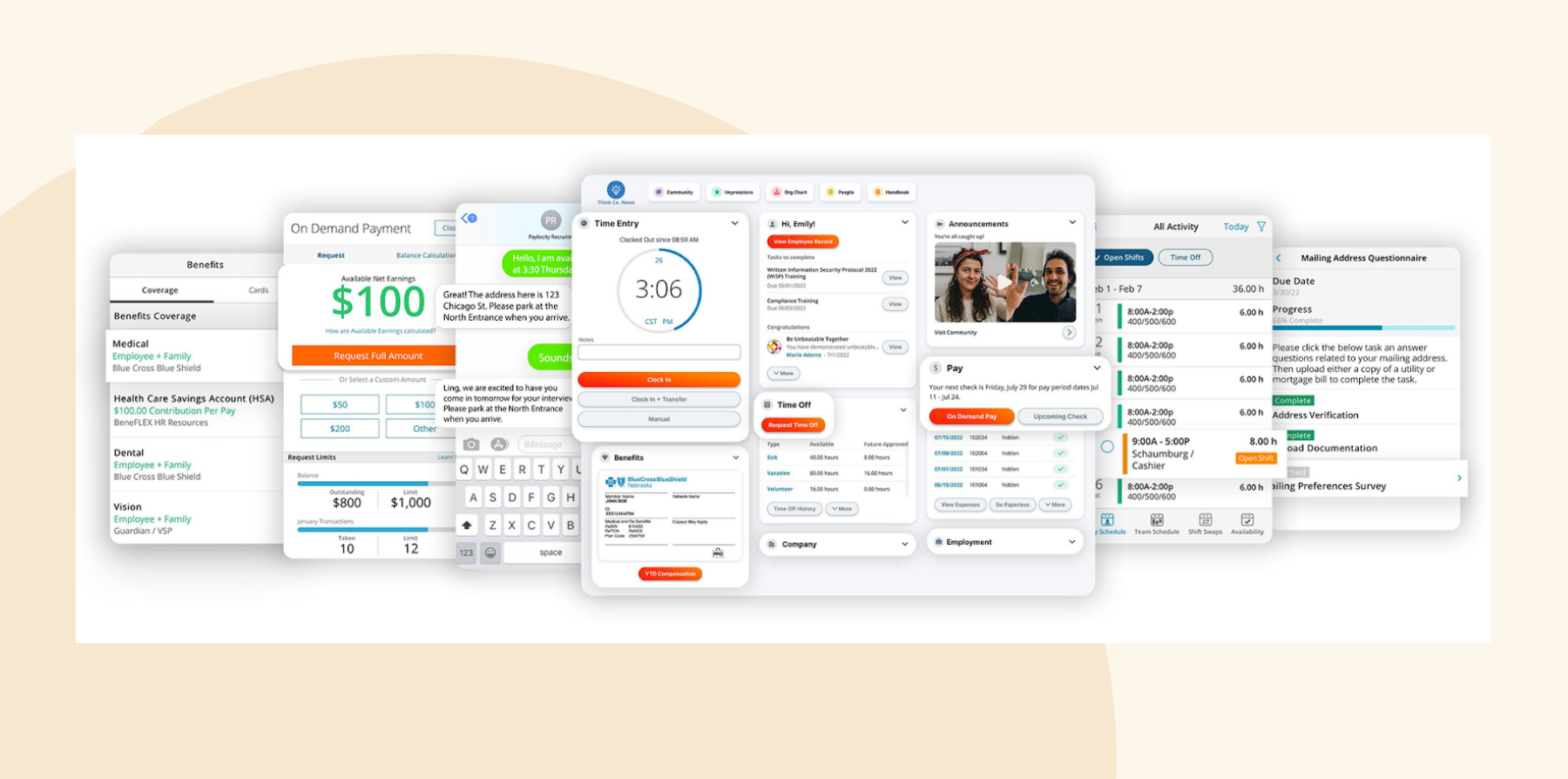
Paylocity is an HR and payroll platform that can help mid-size businesses automate HR tasks such as time off requests, benefits administration, and talent management. It also offers HR consulting through HR Edge for teams that need guidance during growth. Paylocity offers self-service so people can manage their own documents.
Customer review rating: 4.4 across 6,200+ reviews
Key features:
- Automate payroll, tax filings, and compliance management
- Streamline hiring with automated job postings, applicant tracking, and an AI-driven onboarding process
- Give team members access to HR data, including pay stubs, tax forms, and PTO requests from mobile devices
- Centralize communication through social collaboration hubs
- Facilitate surveys to reveal overall workplace sentiment
Pros:
- “I love the ability to integrate other sites. ” – verified review
- “I like the reporting features of Paylocity.” – verified review
Cons:
- “A large portion of the implementation process was grueling.” – verified review
- “There isn’t as many resources for transitioning employees to a new system.” – verified review
Pricing: Not publicly available (contact vendor).
Personio: Best for European compliance workflows

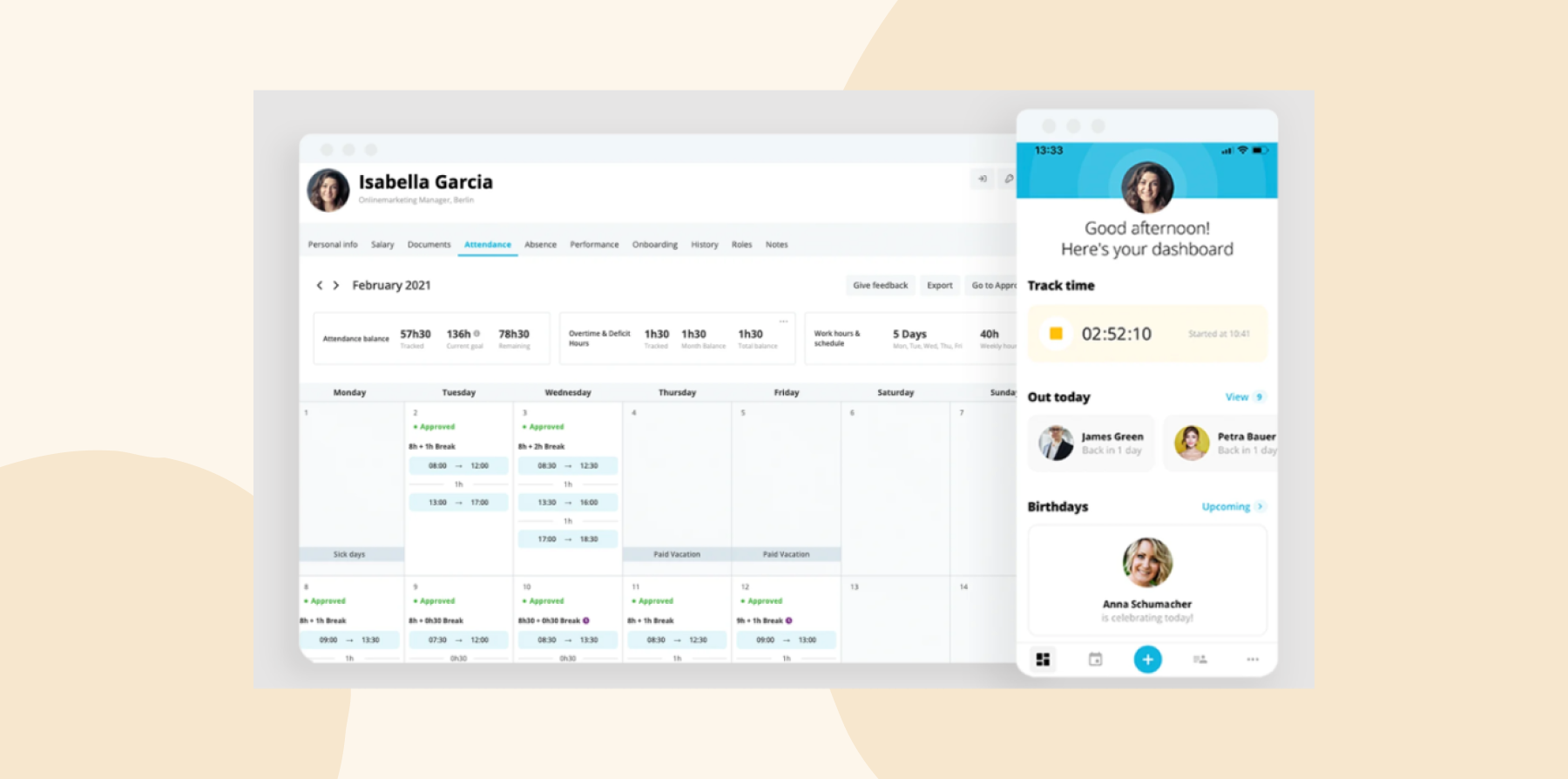
Personio is an HR platform targeting small and mid-size businesses across Europe. The platform helps with core HR, recruiting, onboarding, time tracking, payroll preparation, and performance management. European businesses use it to manage local compliance requirements, automate administrative work, and organize workforce data.
Customer review rating: 4.4 across 900+ reviews
Key features:
- Centralize records, onboarding workflows, time tracking, and document management
- Automate recruiting, interview coordination, onboarding tasks, and approval workflows
- Support European payroll preparation and local compliance requirements
- Track performance reviews and feedback processes across teams
Pros:
- “Personio is a very flexible system that allows us to set up different workflows for the multiple countries we operate in.” – verified review
- “I use Personio for everyday HR related tasks like applying for leave, tracking attendance, and accessing personal and company information.” – verified review
Cons:
- “Not impressed about the reporting features.” – verified review
- “It would be great if the system supported more manager and/or employee service options.” – verified review
Pricing: Not publicly available.
Rippling: Best for HR and IT device management

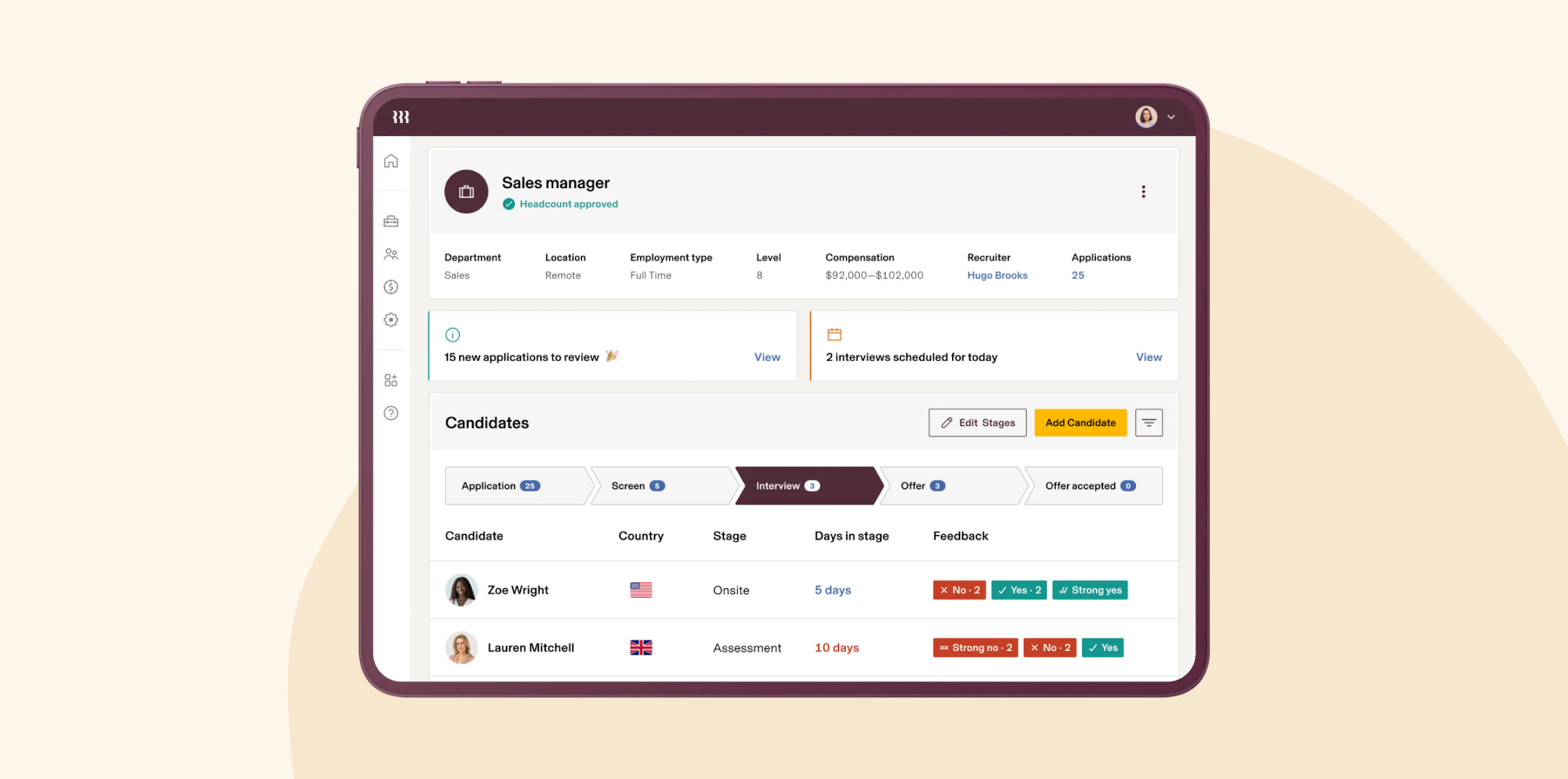
Rippling combines HR, IT, and finance operations into a single system. Global teams can access the payroll and compliance management features to hire, pay, and manage people while staying compliant with local regulations. Rippling supports businesses in over 140 countries.
Customer review rating: 4.8 across 13,400+ reviews
Key features:
- Automate payroll processing for both local and international team members
- Streamline the onboarding process with automated workflows
- Handle time tracking, scheduling, and attendance to sync directly with payroll
- Manage benefits, open enrollment, and benefit updates
- Team members can manage their data and benefits with self-service
Pros:
- “I regularly use Rippling for payroll and employee data management.” – verified review
- “Rippling feels like an all-in-one platform, not just an HR tool.” – verified review
Cons:
- “The demo, quote, and onboarding process is a nightmare.” – verified review
- “Not much room to scale” – verified review
Pricing: Not publicly available.
<<Compare Bob vs. Rippling – See which fits your business best>>
UKG Pro: Best for labor-heavy workforce operations

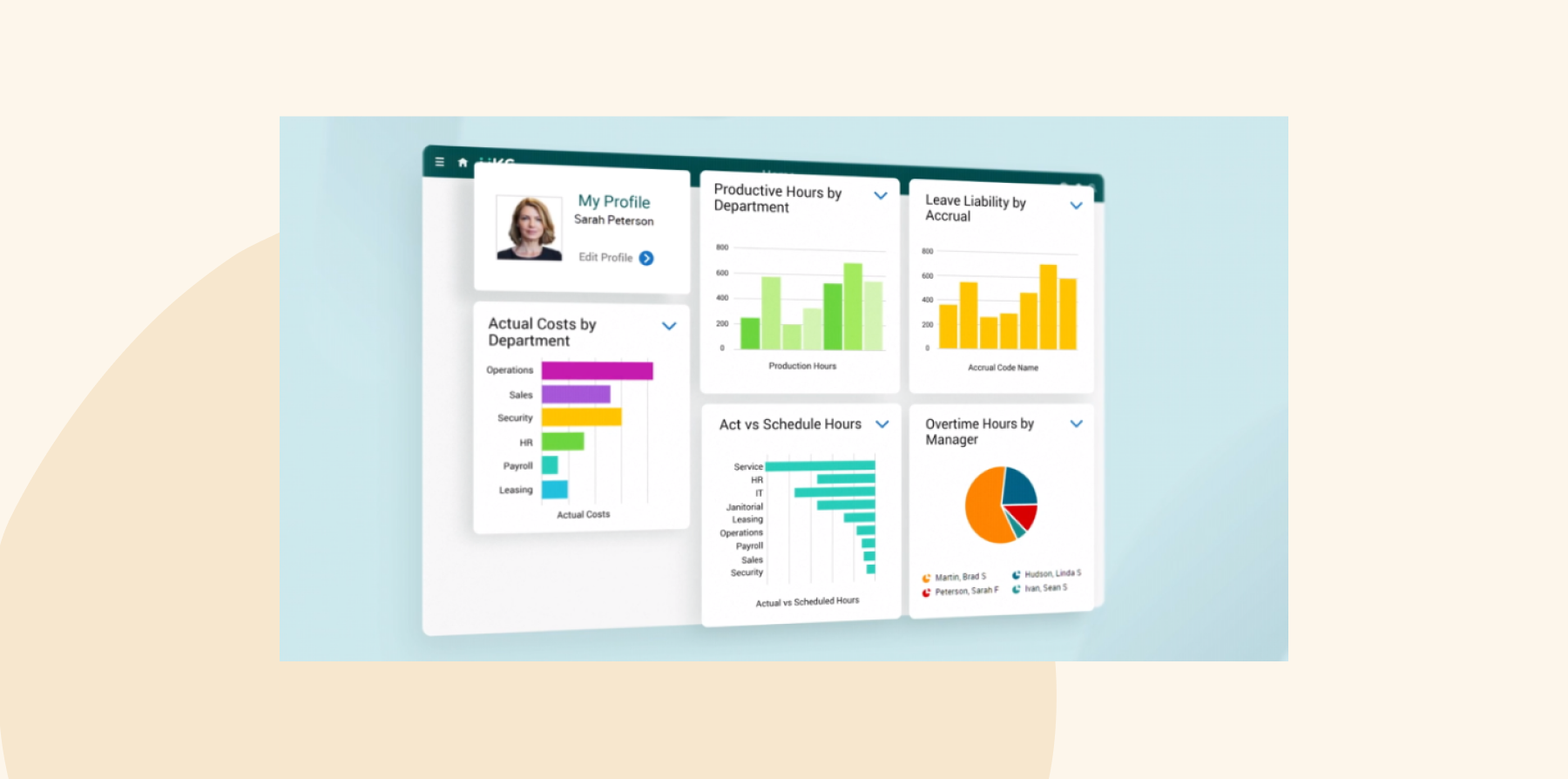
UKG Pro is an HCM platform that can help mid-size businesses streamline HRIS tasks, payroll, and workforce management processes. It uses AI to further reduce manual workload by optimizing schedules, sharing team insights, and making retention predictions.
Customer review rating: 4.3 across 2,200+ reviews
Key features:
- Automate payroll processing for various pay scenarios
- Manage recruitment, onboarding, team member development, and succession planning
- Streamline time tracking, leave management, and approvals
- Allow people to manage their data, such as pay, benefits, and time-off requests, through self-service portals
- Gain insights into your workforce with AI-powered reports
Pros:
- “It’s nice having recruiting (ATS), employee records, onboarding, payroll, and reporting all connected.” – verified review
- “The best thing I like about UKG Pro is the timesheet.” – verified review
Cons:
- “The different parts of the system do not seem to flow into each other” – verified review
- “The program itself seems to be slow at times” – verified review
Pricing: Not publicly available.
<<Compare Bob vs. UKG – See which fits your business best>>
Workday: Best for enterprise financial planning

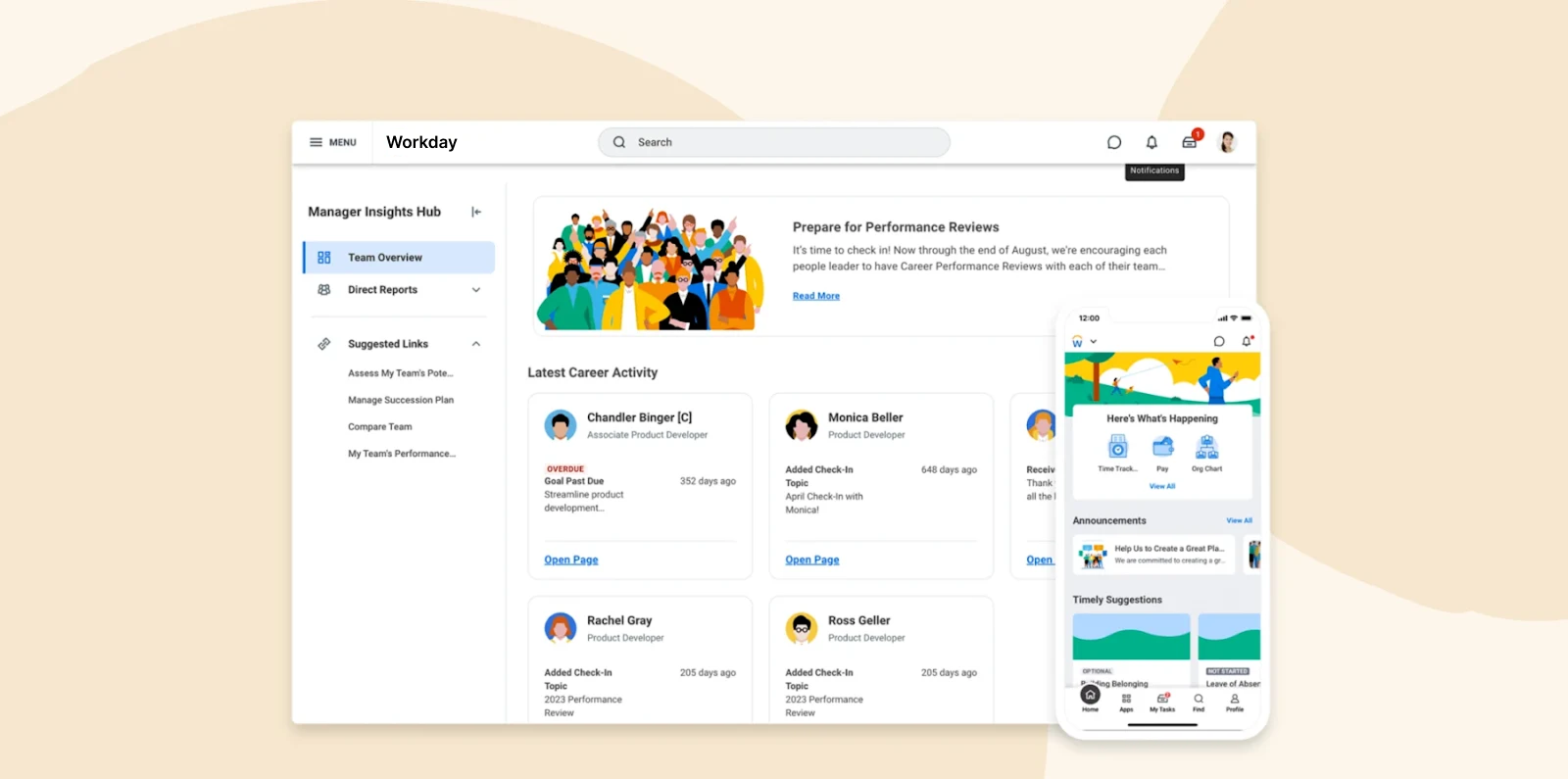
Workday offers a unified platform that integrates HRIS, payroll, finance, and workforce planning. The AI-powered analytics and machine learning capabilities provide real-time insights that help businesses make data-driven decisions.
Customer review rating: 4.1 across 1,700+ reviews
Key features:
- Administer and adjust benefits plans, packages, and eligibility rules
- Use AI and machine learning to curate training and development
- Model hiring, transfers, and retention plans
- Give people access to their data
- Get real-time sentiment from active continuous listening
Pros:
- “Workday HCM has a clean, modern UI that becomes intuitive once you learn it, making daily HR tasks easier to navigate.” – verified review
- “Workday HCM is a one stop shop for all Human Resources, Compensation and Recruiting needs and functionality.” – verified review
Cons:
- “The licensing costs associated with Workday can be higher compared to some other HR software solutions.” – verified review
- “The application is insane and we get a lot of complaints from candidates about how long and difficult the application is.” – verified review
Pricing: Not publicly available.
<<Compare Bob vs. Workday – See which fits your business best>>
What Redditors say about the best HRIS for medium businesses
We reviewed various Reddit discussions about HRIS recommendations, covering more than 600 comments from HR leaders, HRIS specialists, recruiters, and people operations professionals over the past six to twelve months.
A consistent theme emerged: There is no single HRIS platform that works best for every organization. Practitioners emphasized that the right system depends on company size, growth plans, geographic footprint, reporting needs, implementation resources, and internal HRIS expertise. A platform that works well for a 150-person company may be too complex for a 30-person team, while a system built for enterprise operations may require more administration than a growing mid-market company needs.
Several platforms still stood out for small and mid-size organizations, including HiBob, Rippling, BambooHR, and Paylocity. Across the discussions, Redditors focused less on long feature lists and more on everyday usability, implementation experience, customer support, reporting, and how well each platform supports real HR workflows.
HRIS platforms Redditors discussed most positively
- HiBob: HiBob received some of the strongest positive sentiment in the discussions. HR professionals often described it as modern, intuitive, and well-suited for growing organizations. Commenters highlighted its team member experience, reporting, customization options, and support for distributed and international workforces. Critical feedback was more limited and typically focused on specific modules rather than the core platform
- Rippling: Rippling received broadly positive feedback, especially from teams looking to connect HR, payroll, benefits, IT, and workflow automation in one system. Redditors highlighted automation, onboarding workflows, reporting, integrations, and operational efficiency. Critical feedback focused on pricing, add-on costs, implementation experience, feature availability by plan, and concerns about maturity outside the United States.
- BambooHR: BambooHR received generally positive feedback from HR professionals who value ease of use and straightforward administration. Commenters often described it as a strong option for organizations that want a simple, reliable HRIS without heavy configuration. Critical feedback centered on reporting depth, performance management capabilities, and whether the platform can support more complex needs as companies grow.
- Paylocity: Paylocity received generally favorable but more mixed feedback. Redditors highlighted its employee lifecycle management, payroll functionality, customization options, and communication tools. Some critical feedback focused on implementation challenges, support consistency, and the learning curve for administrators.
Enterprise HRIS platforms Redditors discussed
Enterprise-focused platforms also came up often. While these systems did not necessarily receive very negative feedback, Redditors saw them as better suited for larger organizations with dedicated HRIS teams, more complex requirements, and the resources to support implementation and ongoing administration.
- Workday: Workday received mixed feedback. Commenters recognized its power, configurability, and suitability for complex organizations, especially those with dedicated HRIS resources. Critical feedback focused on implementation effort, system complexity, navigation, reporting setup, and the expertise required to manage it effectively.
- UKG: UKG received mixed feedback, with supporters pointing to workforce management functionality and reporting capabilities, particularly for larger or more complex organizations. Critical feedback focused on usability, implementation challenges, and support responsiveness. Many Redditors suggested that UKG works best when organizations have dedicated HRIS resources and more sophisticated workforce management requirements.
- ADP Workforce Now: ADP Workforce Now received the most consistent criticism across the discussions. Common themes included a dated user experience, administrative complexity, payroll reconciliation challenges, and inconsistent customer support. Some users reported positive experiences with specific account teams, but critical comments appeared more frequently than favorable ones.
What Reddit discussions reveal about HRIS selection
The strongest takeaway is that implementation quality matters as much as platform choice. Practitioners repeatedly noted that poor data migration, unclear configuration, limited internal ownership, or weak change management can reduce the value of even a strong HRIS. On the other hand, organizations with clear requirements, clean data, dedicated owners, and thoughtful rollout plans tend to report better outcomes across platforms.
Discover the power of a modern HRIS and learn firsthand how Bob can optimize your HR processes
How much does HRIS software cost?
The cost of HRIS software varies depending on the size of your organization, the features you need, and the vendor you choose. Budget for upfront costs including implementation, custom integrations, and any ongoing support or maintenance fees.
| Cost category | Typical cost range | What impacts the cost most |
| HRIS software subscription | $20-$28 per user/month | Company size, modules purchased, payroll complexity, global capabilities |
| Implementation costs | Typically 20-50% of annual software fees | HRIS systemsData migration, workflow customization, payroll setup, system complexity |
| Integrations | ~$2,000-$15,000+ depending on systems involved | Payroll integrations, ERP connections, API complexity, number of systems connected |
| Training and onboarding | ~$1,000-$10,000+ depending on company size and rollout scope | Number of managers trained, multi-location rollout, custom workflows |
| Data migration | ~$3,000-$25,000+ | Historical data cleanup, formatting inconsistencies, number of legacy systems |
| Ongoing support and maintenance | Often included, but premium support may add 10-20% annually | Dedicated support, custom SLAs, international operations |
| Internal implementation labor | Varies widely; often underestimated | HR bandwidth, change management, testing cycles, process redesign |
Benefits of using an HRIS system for mid-size businesses
Let’s look at the key benefits of HRIS platforms that make managing your business easier—without adding headcount.
Streamlines HRIS functions
Over 50 percent of HR teams say they don’t have enough time to focus on strategic initiatives because of administrative workload. An HRIS automates and simplifies various HR tasks, from payroll and time and attendance management to benefits administration and compensation management.
This means eliminating repetitive, time-consuming tasks that would otherwise require manual input.
Improved overall employee experience
HRIS platforms can enhance the team member experience in a few ways, including:
- Providing self-service tools so people can request time off, update personal information, and enroll in benefits without waiting on HR
- Offering performance reviews and regular feedback to ensure that team members feel heard and valued
- Facilitating recognition programs to acknowledge each person’s contributions and boost team morale
- Personalizing onboarding flows so new joiners feel engaged from day one
According to HiBob’s 2025 HR Investment Insights research, 90 percent of respondents reported a positive impact from onboarding programs.
Centralized, accurate data
Over 80 percent of leaders note that switching between tools slows them down. An HRIS consolidates all team member data into a single, secure system so businesses always have access to accurate and updated information. This allows HR teams to easily retrieve important details for reporting, compliance, or performance evaluations without searching through multiple spreadsheets or disconnected systems.
Increased employee productivity
All departments benefit from faster approvals, fewer administrative bottlenecks, and clearer expectations. You can expect productivity across the entire organization to increase with reduced delays and smoother workflows with a great HRIS. In fact, highly engaged teams see 23 percent higher profitability.
Recommended For Further Reading
Pick the best HRIS for your medium-sized business
Now that you know what makes a great HRIS, it’s time to reduce admin workload, increase employee productivity, and promote organizational growth.
For mid-size businesses looking for an HRIS that can scale beyond basic admin tasks, consider HiBob. HiBob combines core HR, payroll, performance, and workforce planning with AI-powered analytics and reporting tools that help leaders make faster decisions with connected people data. HR and Finance teams can manage headcount planning, compensation, payroll, and labor costs from the same platform, reducing the reporting gaps and manual reconciliation that often slow growing companies down.
Discover the power of a modern HRIS and learn firsthand how Bob can optimize your HR processes
FAQs on HRIS systems for medium businesses
Payroll software focuses specifically on paying team members. It handles salary calculations, tax withholdings, direct deposits, deductions, and payroll compliance. An HRIS includes payroll capabilities but also manages broader HR functions like onboarding, benefits administration, time tracking, performance management, team records, and workforce reporting.
HRIS implementation timelines vary depending on company size, data complexity, available integrations, and how much customization is required. For many mid-size businesses, implementation can take anywhere from several weeks to a few months. More complex rollouts involving payroll migrations, multiple integrations, or global teams may take longer.
Start by assessing your current HR challenges. Are you struggling with manual payroll, lack of team engagement, or inefficient time tracking? Then, make a list of the HR functions you need automated and look for an HRIS that offers those features while also allowing for scalability.
Book free trials or demos to see how the system fits into your current workflows and tech stack. You can also speak to potential vendors’ customers to learn from their experiences. One question worth asking every vendor: can HR and Finance see the same real-time headcount and compensation numbers, or does someone have to export a spreadsheet? At mid-size that answer shapes every planning conversation you’ll have next year.
Reputable HRIS solutions prioritize security to protect sensitive data, such as personal information, payroll details, and benefits. Many solutions also offer role-based permissions so that only selected leaders can access sensitive information.
HRIS, HCM, and HRMS systems all build on top of each other:
- An HRIS primarily focuses on storing and managing team member data
- An HRMS (human resources management system) adds advanced tools for performance management, employee engagement, and analytics
- An HCM covers a broader range of strategic workforce planning, including talent management, recruitment, and succession planning
An HRIS handles core HR functions, an HRMS enhances with management tools, and an HCM system adds strategic workforce development elements.
Most modern HRIS platforms offer user-friendly interfaces to make adoption easier for HR leaders and team members. While learning curves may exist, many providers offer training resources, customer support, and onboarding assistance to help users get up to speed quickly.
HiBob is built around that. Most teams are live in weeks rather than quarters, with onboarding support, training resources and ongoing assistance, which is usually the deciding factor for a mid-size company without a dedicated systems team.
Choosing the right HRIS sets your team up to handle the growth of your success. To maximize team engagement and organization, let’s look at important features that can improve the workflow of your team.
AI and automation: AI-powered HR tools can reduce time spent building reports, answering workforce questions, and managing repetitive admin work. Look for AI that delivers organizational intelligence inside the workflows your team already runs, under the same permissions as the rest of your people data, rather than a separate assistant you have to go to.
Benefits administration: As companies grow across teams and locations, managing enrollment, eligibility, and compliance manually becomes harder to maintain. Look for an HRIS that automates benefits workflows and gives your people self-service access to their plans and documents.
Time and attendance tracking: Manual time tracking leads to payroll errors, approval delays, and limited visibility into attendance trends. An HRIS with built-in time and attendance tools helps teams manage overtime, PTO, and scheduling more accurately as headcount grows.
Payroll: Payroll mistakes damage trust quickly and create extra work for HR and Finance teams. Prioritize an HRIS that automates payroll calculations, deductions, tax filings, and multi-location compliance to reduce manual processing and improve accuracy.
Reporting and analytics: As your workforce grows, spreadsheets and manual reporting become harder to manage. Look for an HRIS with real-time analytics and customizable dashboards so leaders can track turnover, engagement, headcount, and workforce trends more easily.
HRIS integrations: Medium-sized businesses often rely on multiple systems across HR, Finance, payroll, and communication. Strong integrations help keep workforce data connected across tools and reduce duplicate data entry between systems.
Employee self-service: Repetitive HR requests can take up a large part of the workweek as teams grow. Self-service tools let team members update personal information, request PTO, access payroll documents, and manage benefits without relying on HR for every task.
Disclaimer:
This content reflects HiBob’s perspective, informed by our experience supporting HR teams as they evaluate and implement HR software. It is provided for informational purposes only and is not intended as independent research or professional advice. Prospective users should conduct their own evaluation before making a decision.
Feature descriptions, pricing references, and availability for third-party platforms are based on publicly available information at the time of publication and may change. HiBob does not guarantee the accuracy or completeness of information related to third-party products. Prospective users should verify details directly with each provider.