
Looking to move beyond basic HR reports and see what patterns are hiding in your people analytics? The right HR analytics software can help you spot hiring trends, understand why people leave, and see which teams are doing well.
HiBob’s research found that 21 percent of HR teams rank improving data and analytics as their top priority, reflecting HR’s growing responsibility to support business decisions with reliable workforce data.
This guide compares the leading HR analytics platforms to help you determine which tool best fits your team.
Easily connect to the tools your HR team uses every day
Key insights
- HR analytics software pulls data from your HRIS, payroll, applicant tracking, and engagement tools into one place, so you can understand workforce changes without manually building reports
- The biggest difference between tools is whether they only report on what already happened or also help teams forecast, plan, and assess the likely cost of workforce decisions
- Match the tool to where your data lives and who will use it: all-in-one HR platforms build analytics into the systems you already run, while standalone analytics tools suit enterprises with dedicated people analytics or data teams
Top HR analytics software: Quick overview
To create this list, we reviewed the top HR analytics platforms using each vendor’s own product documentation, feature pages, and pricing, then checked those claims against verified customer reviews on G2 and Capterra.
We compared each tool’s analytics capabilities, AI and automation features, workforce-planning support, reporting options, and fit for different company sizes. Customer ratings come from G2 or from Capterra where a platform has no G2 reviews.
For a full platform comparison, see this spreadsheet here.
| Platform | For | Ideal company size | Customer rating |
| HiBob | All-in-one HR analytics, workforce planning, and HR-Finance alignment | Mid-market to enterprise | 4.5/5 |
| ChartHop | Visual organization management and customizable people analytics | Mid-market to enterprise | 4.3/5 |
| Crunchr | AI-powered self-service people analytics | Mid-market companies | 4.8/5 |
| Deel | International hiring and global workforce management | Mid-market to enterprise; global and distributed teams | 4.8/5 |
| Lanteria | Microsoft-based HR analytics and compliance reporting | SMB to enterprise; Microsoft-centric organizations | 4.7/5 |
| Lattice | Performance and engagement analytics | SMB to mid-market | 4.6/5 |
| Paylocity | Retention prediction and headcount planning | SMB to mid-market | 4.4/5 |
| Personio | Workforce insights for smaller European businesses | European SMBs | 4.4/5 |
| Rippling | Unified HR and IT | SMB to mid-market | 4.8/5 |
| SAP SuccessFactors | Enterprise workforce analytics and talent insights | Mid-market to enterprise | 4.1/5 |
| Tableau | Custom workforce dashboards and data storytelling | All company sizes with technical or data teams | 4.4/5 |
| Visier | Executive dashboards and AI-guided workforce insights | Mid-market to Enterprise | 4.6/5 |
| Workday | Enterprise workforce insights | Large enterprises | 4.2/5 |
What is HR analytics software?
HR analytics software takes the spreadsheets, surveys, and performance data across your organization and translates them into data you can use to learn about your team. People often interchange the term “HR analytics” with “workforce analytics” or “people analytics”.
HR analytics tools automate the data collection and analysis process that would otherwise take hours of manual work. For example, instead of manually pulling numbers from your payroll software, your applicant tracking system (ATS), and then employee engagement surveys, these platforms automatically gather everything and show it to you in easy-to-read charts and dashboards.
Why is people analytics software essential for businesses?
People analytics software brings information together so teams can measure the impact of HR initiatives, identify trends, and give stakeholders clearer evidence to support decisions. HiBob research found that 60 percent of managers spend three or more hours assembling data across systems before making a people decision—while 68 percent say missing or conflicting information leads to worse business outcomes at least half the time.
The right software can make it easier to spot issues such as declining engagement, unexpected turnover, or weak hiring outcomes early and respond before they become larger problems.
Best HR analytics software tools
HR analytics software can give you the data you need to make smarter decisions, optimize people strategies, and support a high-performing team. Let’s look at the best options available today.
HiBob: Best for all-in-one HR analytics, workforce planning, and HR-Finance alignment

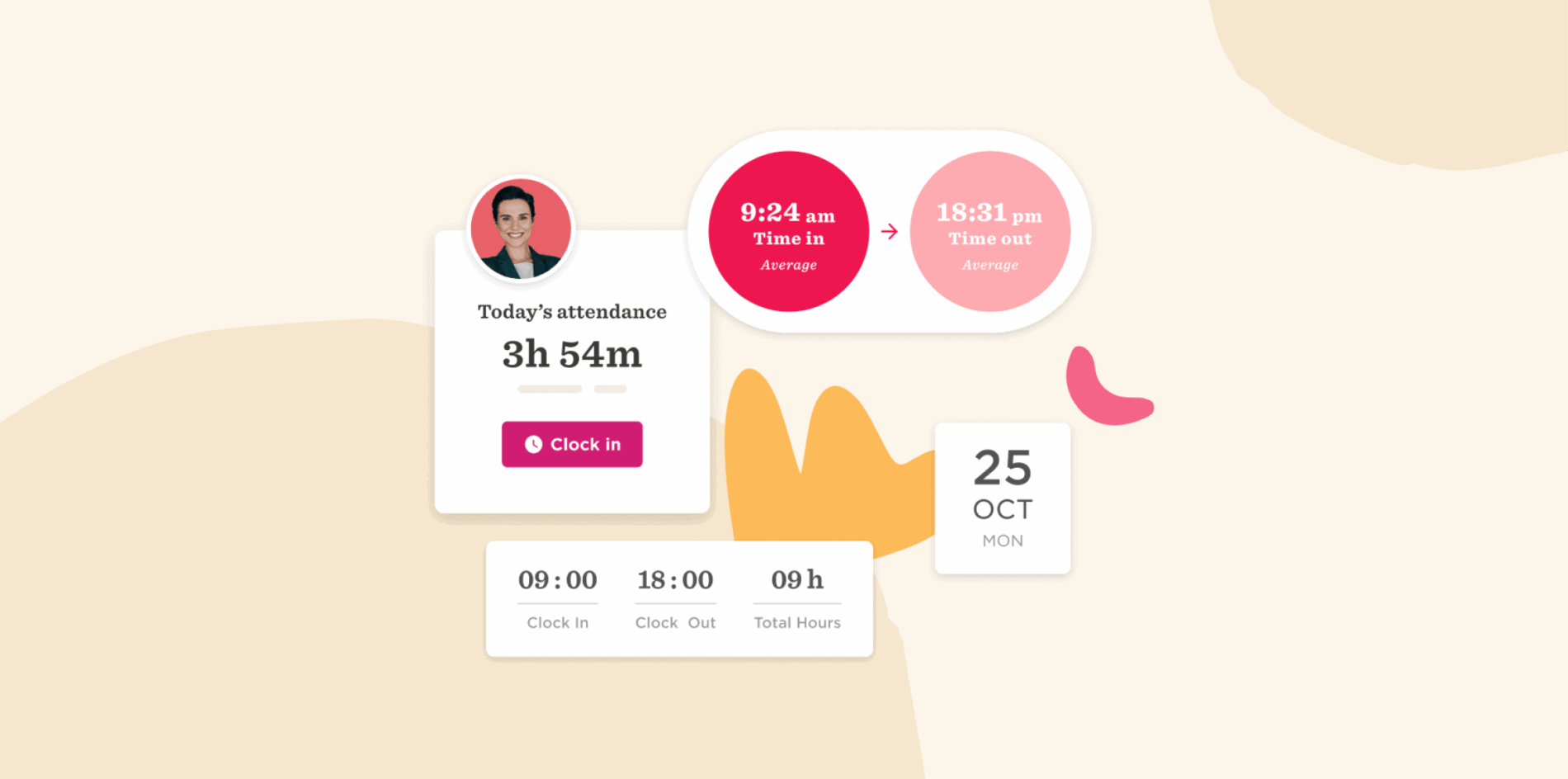
HR teams use HiBob’s People Analytics to spot workforce trends, measure the impact of their initiatives, and share data-driven insights with leadership. With HiBob’s unified HCM platform, teams can track people, payroll, and cost metrics through real-time dashboards and custom reports that give HR and Finance a clearer view of workforce data. Teams can model headcount scenarios, forecast workforce costs, compare plans against actuals, and understand how hiring and compensation decisions affect broader financial goals.
Built-in intelligence and optional AI capabilities help highlight trends and patterns that might otherwise go unnoticed, connecting headcount, compensation, and benefits data to financial outcomes. Teams can model workforce planning scenarios, understand cost implications before changes are approved, and make decisions that keep people strategy aligned with financial plans.
Features:
- People analytics: Track metrics such as headcount, growth, retention, and absenteeism through live dashboards and reports that help teams identify workforce trends.
- Core HR: Centralize people data, organizational structure, documents, time off, and everyday HR processes in one connected HRIS.
- Financial and workforce planning: Build and compare workforce plans, set headcount and budget targets, and track actual results against approved plans.
- Bob AI: Ask questions about workforce data in natural language, generate summaries, and quickly uncover insights without building reports manually.
- Payroll and benefits: Manage payroll data through Payroll Hub, connect with global payroll providers, and use native US and UK payroll capabilities. HiBob also connects benefits with payroll and HR, supporting benefits enrollment, provider integrations, automatic benefit-to-payroll updates, and real-time data syncs that help reduce manual work and errors.
Pros:
- “The robust analytics are particularly valuable for understanding trends from surveys and other data. We appreciate having all our HRIS, surveys, performance reviews, goal setting, and career maps consolidated in one place, instead of relying on Excel sheets.” – user review
- “The analytics and insights are also incredibly helpful for making data-driven decisions. Overall, it’s streamlined our processes and improved employee engagement—highly recommend!” – user review
Cons:
- “Some workflows and reports have fixed structures.” – user review
- “I’d like more richness in the data produced by the dashboards.” – user review
Customer rating: 4.5/5 from over 2,600+ user reviews
Pricing: Contact the HiBob team for custom pricing
Book a demo with HiBob to see how advanced analytics can support faster, data-driven HR decisions.
ChartHop: Visual organization management and customizable people analytics

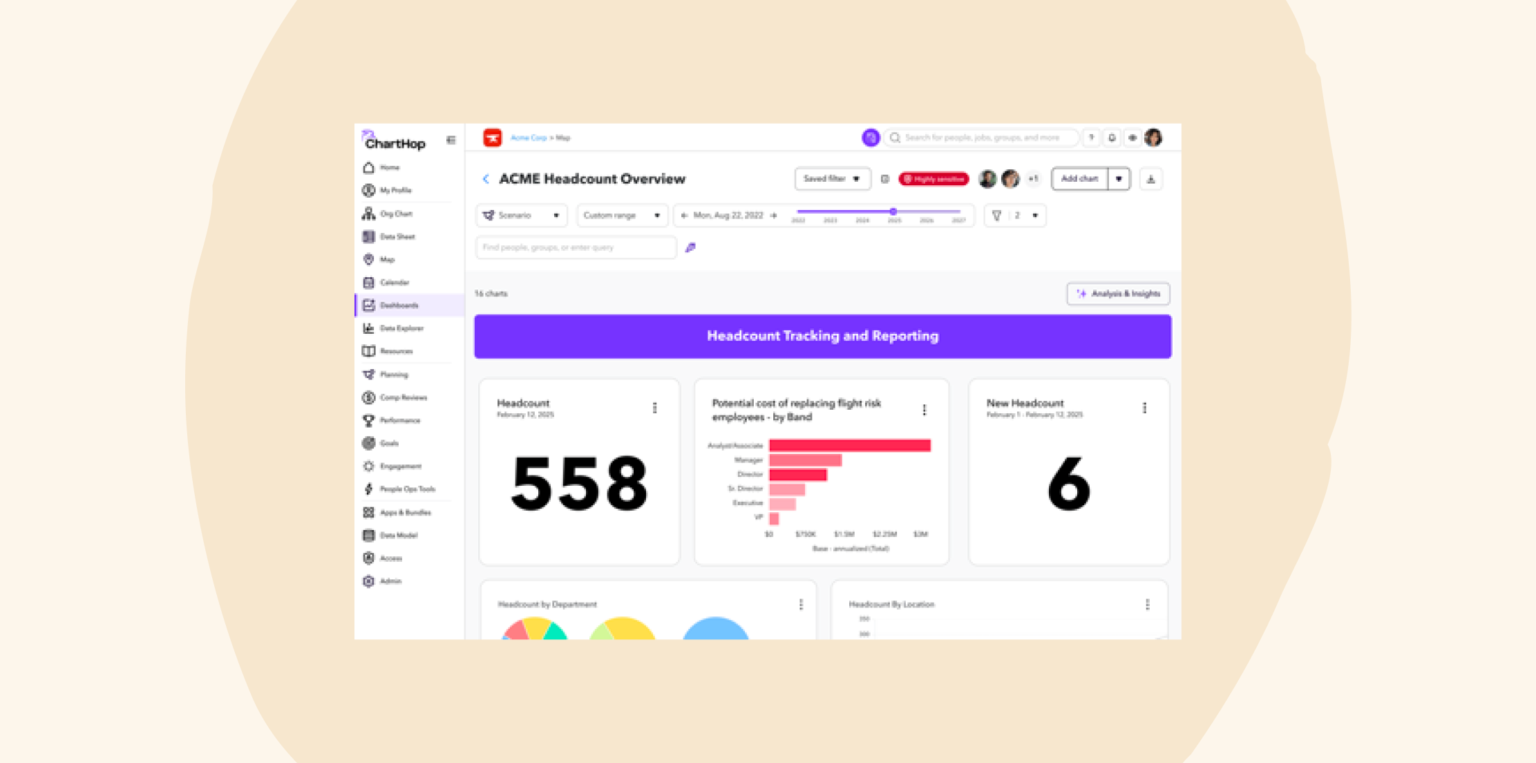
ChartHop is a people operations platform that uses a visual approach to organizational data. Its org chart and planning tools help teams explore reporting structures, understand how workforce changes affect the organization, and model potential changes before implementing them. ChartHop also includes headcount planning and AI features for querying workforce data and surfacing insights.
Features:
- People analytics: Build dashboards and analyze workforce data to track headcount, compensation, performance, engagement, and other people metrics.
- Headcount planning: Plan, approve, and track positions while viewing the real-time budget impact of workforce changes.
- ChartHop AI: Ask questions about people and business data, surface insights, model organizational changes, and automate repeatable tasks.
- Integrations: Connect ChartHop with HRIS, ATS, payroll, and FP&A systems to support data sharing across the HR tech stack.
Pros:
- “Great user experience overall. From a user standpoint, it’s easy to navigate, and I really love the org chart.” – user review
- “It is the perfect tool for People Analytics and very customized processes and data fields for whatever you may need.” – user review
Cons:
- “The back-end administrative setup can feel complex at times. Building custom reports can also be tricky.” – user review
- “I wish it would have stronger integrations with other tools.” – user review
Pricing: Custom pricing
- ChartHop Core: Starts at $5/mo per person
- HRIS: Starts at $4/mo per person
- Headcount Planning: Starts at $4/mo per person
- Compensation: Starts at $4/mo per person
- Performance: Starts at $4/mo per person
- Engagement: Starts at $3/mo per person
- Goals: Starts at $3/mo per person
- ChartHop AI Pro: Pay-as-you-go pricing
- Enterprise: Contact ChartHop for custom pricing
Customer rating: 4.3/5 from 170 user reviews
Crunchr: AI-powered self-service people analytics

Crunchr is a people analytics platform for organizations that need HR insights without a complex technical setup. Users connect their existing HR systems and access hundreds of ready-made analytics, while an AI assistant answers workforce questions in natural language. Crunchr consolidates data from multiple sources to create dashboards, benchmark against industry standards, and identify trends in hiring, retention, and engagement.

Features:
- AI-powered assistant: Ask workforce questions in natural language and receive instant answers with explanations and context
- Automated data consolidation: Pull and clean data from multiple HR systems into a single source of truth automatically
- Industry benchmarking: Compare HR metrics against industry standards to understand competitive positioning
- Custom report builder: Create tailored reports using drag-and-drop functionality
Pros:
- “Our HR Partners can self-serve impactful insights as well as the routine metrics.” – user review
- “It provides a user-friendly interface and helps quickly visualize HR data.” – user review
Cons:
- “It would be great if the uploads could be automated rather than manual.” – user review
- “One area where Crunchr has room to grow is by adding more out-of-the-box integrations and analytical modules.” – user review
Pricing: Custom pricing
Customer rating: 4.8/5 from 29 user reviews
Deel: International hiring and global workforce management

Deel is a global HR platform that includes people analytics as part of its broader talent management suite. Originally focused on international payroll and compliance, the platform now offers Deel Engage and Deel Workforce Planning for performance management and workforce insights.

Features:
- 9-box performance mapping: Visualize performance and potential using automated grid layouts and heatmaps
- Skills gap analysis: Identify competency gaps at individual, team, and organizational levels through structured assessments
- Engagement survey analytics: Analyze survey responses with AI-powered summaries and trend identification across global teams
- Integrated compensation analytics: Connect performance data with payroll information for comprehensive talent cost analysis
Pros:
- “The platform is clear, offers ready-to-use contracts, helpful reports, and fast, professional customer support.” – user review
- “I appreciate being able to track payouts and generate income reports quickly.” – user review
Cons:
- “Certain features, like generating custom reports or making contract edits after signing, feel somewhat limited or require support assistance.” – user review
- “Some advanced settings and reports can be a bit hidden or not as customizable as we’d like.” – user review
Pricing: Deel HR is free; payroll, employer of record, and other modules are priced separately
- Deel Engage: $20/mo per user
- Deel Workforce Planning: $18/mo per user
Customer rating: 4.8/5 from over 14,500 user reviews
Unlock deeper people insights with HiBob’s analytics.
Lanteria: Microsoft-based HR analytics and compliance reporting

Lanteria is a SharePoint-based HR management system built for organizations using the Microsoft Office 365 infrastructure. Users can leverage Power BI integration for advanced reporting, track performance review cycles, and access over 40 pre-built reports covering workforce statistics, training progress, and absence patterns.

Features:
- SharePoint integration: Access a native connection with the Microsoft ecosystem for data sharing across Office 365 applications
- Performance tracking: Monitor progress of review cycles, training completion, and development initiatives as they happen
- Absence and time analytics: Track attendance patterns, project time allocation, and leave balances with automated calculations
- Competency scoring system: Configure weighted performance assessments that automatically calculate summary scores based on custom formulas
Pros:
- “Easy to do reports.” – user review
- “The module generates comprehensive reports that provide insights into employee progress, strengths, and areas for improvement.” – user review
Cons:
- “Some reports I expected to find, especially recruitment, are missing.” – user review
- “The system has tons of features and can be overwhelming for some users.” – user review
Pricing: Custom pricing
Customer rating: 4.7/5 from 45 user reviews
Lattice: Performance and engagement analytics

Lattice is a people management platform focused on performance, engagement, and talent management. Its analytics tools help teams examine data generated across these areas. Users can access pre-built analytics dashboards for adoption tracking, performance trends, and engagement patterns, while the Analytics Explorer allows custom data visualization.

Features:
- Analytics Explorer: Create custom visualizations by filtering team member groups, timeframes, and demographics with interactive charts and graphs
- Adoption dashboard: Track utilization metrics of people programs and participation rates across different initiatives
- Predictive analytics integration: Access workforce forecasting and resignation prediction through AI-driven models and risk assessment
- Performance trend analysis: Monitor review completion rates, sentiment scores, and manager effectiveness through real-time performance dashboards
Pros:
- “The pulse surveys and engagement tools provide valuable insight into team sentiment.” – user review
- “The new AI-powered performance review summaries have saved our managers so much time while still capturing the nuance of feedback.” – user review
Cons:
- “Some customization options—such as adjusting review cycles or feedback templates—can be rigid unless managed centrally.” – user review
- “The reporting features can feel a bit limited.” – user review
Pricing: Starts at $11/mo per user
Customer rating: 4.6/5 from over 4,100 user reviews
Turn your people data into powerful insights with HiBob’s analytics.
Paylocity: Retention prediction and headcount planning

Paylocity is an HCM platform that includes AI-powered workforce analytics alongside its core HR and payroll functions. The platform can track employment trends, performance indicators, and real-time workforce metrics. Users can access predictive analytics for retention risk assessment, headcount planning with spend analytics, and automated reporting across multiple HR modules.

Features:
- Retention risk dashboard: Use predictive analytics to identify at-risk team members
- AI-powered workforce analytics: Access automated insights and trend analysis through intelligent dashboards
- Headcount planning analytics: Forecast staffing needs with integrated spend analytics, termination reports, and automated workflow approvals for hiring decisions
- Integrated reporting: Generate analytics directly from payroll, time tracking, and HR modules
Pros:
- “There are a robust amount of reports that can be utilized.” – user review
- “I appreciate their data insights to quickly see trends in headcount, spending, turnover and more.” – user review
Cons:
- “One thing that I’ve encountered several times that is very much needed is the ability to share reports with other users.” – user review
- “Creating customized reports is not straightforward and often proves difficult to yield data you are seeking.” – user review
Pricing: Custom pricing
Customer rating: 4.4/5 from over 6,100 user reviews
Make smarter HR decisions, faster, with HiBob’s analytics.
Personio: Workforce insights for smaller European businesses

Personio is an HR platform for small and medium-sized businesses, with a particular presence in Europe. Its reporting and analytics tools cover workforce metrics across areas such as headcount, retention, compensation, and diversity, equity, and inclusion (DEI). Users can access workforce insights through flexible filtering options, custom report builders, and AI-powered assistance for data interpretation.

Features:
- Workforce analytics: Access real-time insights across headcount, retention, compensation, time off, and demographic analysis
- AI-powered metrics assistance: Get automated data interpretation and insights through AI features that explain trends and provide recommendations for HR decisions
- Custom report builder: Create tailored analytics reports using flexible filtering, sorting, and visualization options
- Performance tracking dashboards: Monitor recruitment effectiveness, employee development progress, and organizational performance trends
Pros:
- “The ability to generate detailed reports quickly is another big plus for data-driven decision-making.” – user review
- “It is great for employee information and data collection.” – user review
Cons:
- “Existing reports cannot be copied and you often cannot filter them according to your own attributes.” – user review
- “Custom reports would be easier if a straightforward export to BigQuery (or similar) would exist.” – user review
Pricing: Custom pricing
Customer rating: 4.4/5 from over 880 user reviews
Rippling: Unified HR and IT

Rippling is a workforce platform that connects data across HR, IT, Finance, and third-party systems. Its reporting tools let organizations analyze information from multiple business functions within the same platform.

Features:
- Unified data: Pull workforce analytics from HR, IT, Finance, and external systems into consolidated reports
- Permission-based analytics: Control data access through dynamic permission profiles that automatically adjust based on user roles and organizational changes
- Pre-configured reporting library: Access over 150 customizable report templates covering people analytics, workforce trends, compensation, and operational metrics
- Attribute-based access control: Implement granular security controls that determine which people can view specific data elements based on roles and departments
Pros:
- “The number of features is impressive, covering most HR and finance needs.” – user review
- “The user interface is clean and intuitive, which makes onboarding and managing employee data incredibly straightforward.” – user review
Cons:
- “I would prefer that custom reports not be limited.” – user review
- “Sometimes, it feels a bit limited when you want to customize reports beyond the standard templates.” – user review
Pricing: Custom pricing
Customer rating: 4.8/5 from over 13,100 user reviews
<<Compare HiBob vs. Rippling to see which fits your business best>>
SAP SuccessFactors: Enterprise workforce analytics and talent insights

SAP Analytics Cloud is a business intelligence tool that companies can use if they already have SAP systems and want to create workforce reports that include financial data. Users can ask questions about their workforce using everyday language and get automatic answers, while built-in templates help create reports. The platform automatically calculates cost impacts when you make workforce changes and can transfer those results directly into financial planning models.

Features:
- People analytics: Analyze people and skills data to identify workforce trends and support HR and business decisions
- Workforce planning: Model future workforce scenarios with what-if analysis and strategic planning tools
- Joule AI: Use conversational prompts to request information, generate contextual summaries, and access insights across SAP applications
- Predictive insights: Identify workforce patterns and use predictive analytics to support talent, learning, and planning decisions
Pros:
- “The reporting and analytics features provide valuable insights into workforce trends, helping HR teams make informed decisions.” – user review
- “I really like the built-in AI functionality of SAP SuccessFactors HCM.” – user review
Cons:
- “The user interface can sometimes feel complex, especially for new administrators. Certain configurations require strong technical understanding…” – user review
- “Creating custom reports often requires deep system knowledge, and the dashboard lacks flexibility for real-time ad-hoc analysis.” – user review
Pricing: Custom pricing
Customer rating: 4.1/5 from over 1,600 user reviews
Tableau: Custom workforce dashboards and data storytelling

Tableau is a data visualization tool that HR teams use to build their own custom workforce dashboards and reports. It requires you to design your own analytics from the ground up using their chart-building tools. The platform works for organizations that have technical HR staff or want complete control over how their workforce data looks and functions.

Features:
- Custom HR dashboard creation: Build personalized workforce analytics dashboards using drag-and-drop visualization tools and flexible chart options
- Multi-source data integration: Connect and blend data from HRIS, payroll, performance management, and external systems
- Tableau Public community resources: Access pre-built HR dashboard templates and examples shared by other organizations
- Advanced data storytelling tools: Create narrative-driven reports that combine visualizations with contextual explanations to communicate HR insights to stakeholders
Pros:
- “It’s super visual and intuitive.” – user review
- “The ability to export to Excel gives you control to slice and analyze the data how you want.” – user review
Cons:
- “When calculations or filters get too layered, it becomes hard to manage or troubleshoot.” – user review
- “Tableau does not offer an AI assistant to walk you through difficult queries, and the learning curve is high for beginners.” – user review
Pricing: Custom pricing
Customer rating: 4.4/5 from over 3,700 user reviews
Visier: Executive dashboards and AI-guided workforce insights

Visier is a people analytics platform that pulls team member data from your existing HR systems and automatically cleans and organizes it into a single database. Users get access to turnover, hiring costs, and performance trends. The platform also includes Vee, an AI chatbot that answers HR questions so managers can get answers without waiting for custom reports.

Features:
- Benchmark data access: Compare your organization’s metrics against benchmark datasets
- Executive insight boards: Get AI-guided analysis boards focused on C-suite concerns like how talent movement impacts profit and loss statements
- Custom data modeling: Extend the platform with your own business metrics and data sources beyond standard HR information
- Granular security controls: Set specific data permissions so users only see information appropriate for their role and department level
Pros:
- “I like that you can also add qualitative contextual notes in the dashboard.” – user review
- “Visier is a wonderful tool for visualization.” – user review
Cons:
- “Some of the functionality is very granular and less intuitive, and you have to go hunting for what you need.” – user review
- “There are not many ways you can customize or create easy comparison metrics like an average.” – user review
Pricing: Custom pricing
Customer rating: 4.6/5 from over 200 user reviews
Workday: Enterprise workforce insights

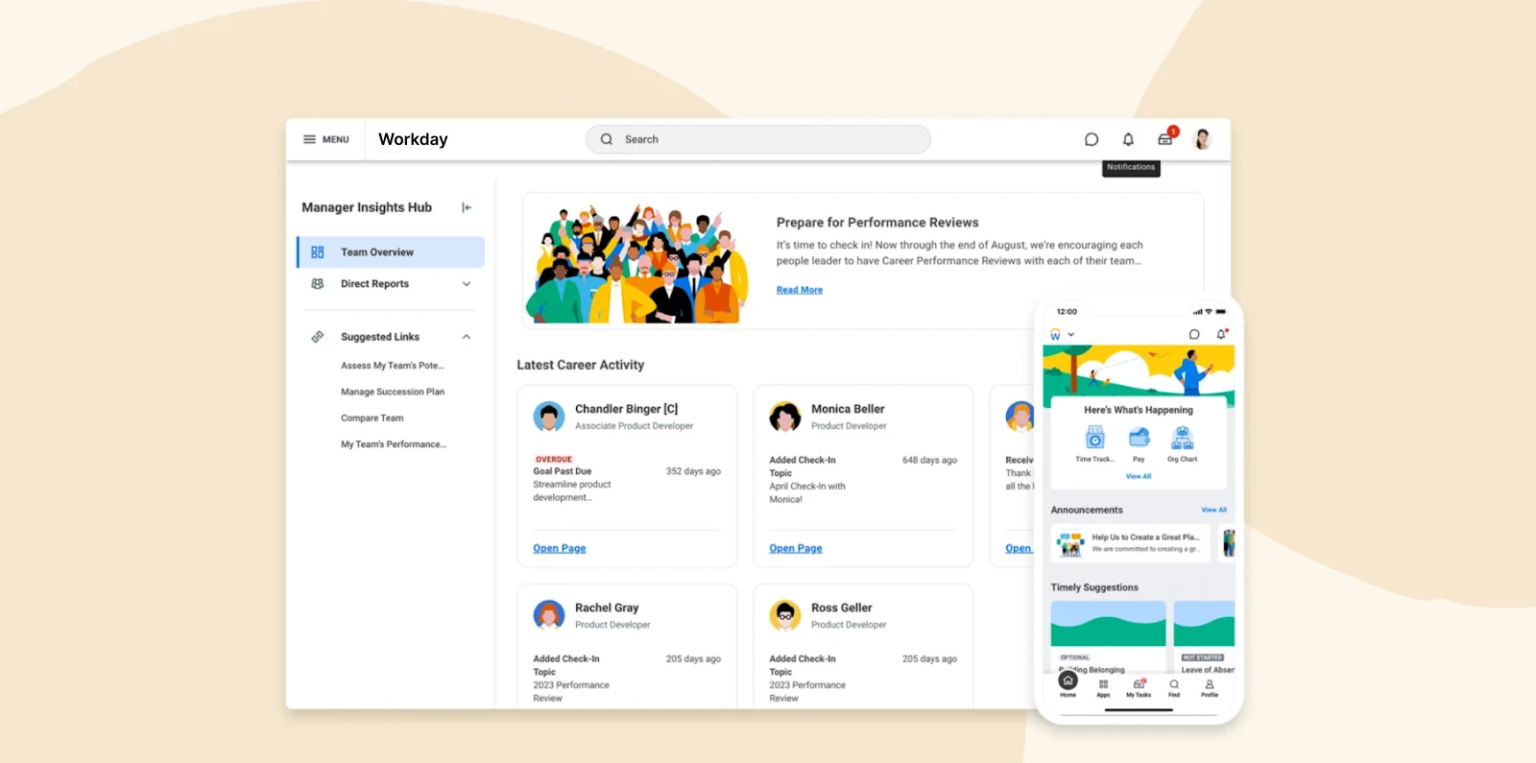
Workday HCM is a cloud-based human capital management platform that covers core HR, talent management, payroll, and workforce data. It also connects with Workday’s broader Finance and enterprise applications.
Features:
- Workforce insights: Analyze performance, operational, and experience data through Workday’s unified data environment.
- AI-powered recommendations: Use AI-generated insights and recommendations to identify skills needs and support workforce decisions.
- Skills intelligence: Identify workforce skills and gaps to support development, mobility, and future talent needs.
- Connected HCM platform: Connect HR capabilities with payroll, recruiting, financial management, and other business systems.
Pros:
- “The customizable dashboards and real-time reporting help leadership make faster, data-driven decisions.” – user review
- “I love how it serves as a source of truth for both employees and admins.” – user review
Cons:
- “Some areas can feel overly complex and require a significant learning curve.” – user review
- “The reporting tools are robust, but creating advanced custom reports can be time-consuming without proper training.” – user review
Pricing: Custom pricing
Customer rating: 4.2/5 from over 1,700 reviews
Key features of HR analytics software
Look for these core features that separate useful people analytics tools from basic reporting systems.
Predictive analytics
Predictive analytics uses historical workforce data to forecast trends such as turnover, hiring needs, skills gaps, and future headcount. These insights help HR teams plan earlier and respond before issues become difficult to manage.
AI and automation
AI can surface patterns, summarize workforce data, and answer questions, while automation can handle recurring reports, alerts, and data updates. Together, these features can reduce manual analysis and help teams act on information faster.
Real-time dashboards
Real-time dashboards give teams an up-to-date view of workforce metrics such as headcount, departures, and engagement. Filtering by factors like department, location, or manager can make it easier to spot meaningful differences across the organization.
Employee engagement tracking
Engagement tracking measures workforce sentiment through surveys and feedback tools. Some platforms also connect engagement data with metrics such as performance, retention, and promotion rates to provide additional context.
Compliance and reporting
Compliance and reporting tools help teams generate, schedule, and share reports for leadership, audits, and regulatory requirements. Automation can reduce manual reporting work and help teams stay on top of recurring deadlines.
Key considerations when choosing the best HR analytics software
Keep these key factors in mind as you compare HR analytics platforms and determine which option best fits your team’s needs.
1. Customer reviews
Check verified reviews on sites like G2 and Capterra, along with analyst or industry resources such as Gartner and SHRM. Focus on recurring feedback about reporting, integrations, usability, and support rather than relying on individual reviews.
2. Ease of use
Ask for a live demo and have the vendor walk through common tasks such as building a report, filtering dashboards, and finding key metrics. If possible, involve day-to-day users and request a trial or sandbox to see how intuitive the platform feels.
3. Scalability
Review how pricing changes with headcount, whether key features require extra modules, and how the platform handles new locations, data sources, and permissions. Also check its automation and integration capabilities to see whether it can support growth without adding significant manual work.
Recommended For Further Reading
Make data-driven decisions with the right HR analytics software
Now that you know what HR analytics software can do and which features to prioritize, you’re ready to get analytical with how you manage your team. The right platform will help you spot problems before they become crises, prove the value of your HR initiatives to leadership, and make decisions based on real-world data.
For those looking for HR analytics software that does all this, and more, consider HiBob. HiBob’s people analytics combines predictive analysis, real-time dashboards, and automated reporting with AI capabilities that help teams surface trends, ask questions about workforce data, and turn complex information into actionable insights.
HiBob also connects HR and Finance through workforce and financial planning tools. Teams can model headcount scenarios, forecast workforce costs, compare plans against actuals, and understand how hiring and compensation decisions affect broader financial goals, all within a connected HCM platform.
Learn more about HiBob’s HR analytics capabilities
Easily connect to the tools your HR team uses every day
HR analytics FAQs
Predictive HR analytics uses historical and current workforce data to identify patterns and forecast likely future outcomes. HR teams can use it to anticipate changes in areas such as turnover, hiring needs, workforce costs, and skills gaps so they can plan ahead instead of reacting after a problem appears.
The terms often overlap, but HR analytics usually focuses on measuring HR processes and outcomes, such as hiring, retention, absence, compensation, and workforce costs. People analytics can take a broader view by examining how workforce data connects to team performance, engagement, organizational structure, and business outcomes.
In practice, many HR platforms use the terms interchangeably, so it is more useful to compare the specific data, reporting, and analysis capabilities each platform provides.
HR analytics software pricing varies by provider, company size, and the features you need. Some vendors charge a monthly fee per user, while others offer custom pricing based on headcount, modules, or implementation requirements.
When comparing costs, look beyond the base subscription price. Check whether advanced analytics, AI, workforce planning, integrations, implementation, and support require additional fees so you can estimate the total cost more accurately.
The best HR analytics software depends on the type of workforce data you need to analyze, the systems you already use, and how complex your reporting and planning requirements are.
For mid-market and enterprise teams, it can help to look for a platform that combines people analytics with AI, workforce planning, payroll data, and financial insights. HiBob brings these capabilities together within one HCM platform, giving HR and Finance access to connected workforce data as planning and reporting needs become more complex.
Disclaimer:
This content reflects HiBob’s perspective, informed by our experience supporting HR teams as they evaluate and implement HR software. It is provided for informational purposes only and is not intended as independent research or professional advice. Prospective users should conduct their own evaluation before making a decision.
Feature descriptions, pricing references, and availability for third-party platforms are based on publicly available information at the time of publication and may change. HiBob does not guarantee the accuracy or completeness of information related to third-party products. Prospective users should verify details directly with each provider.